

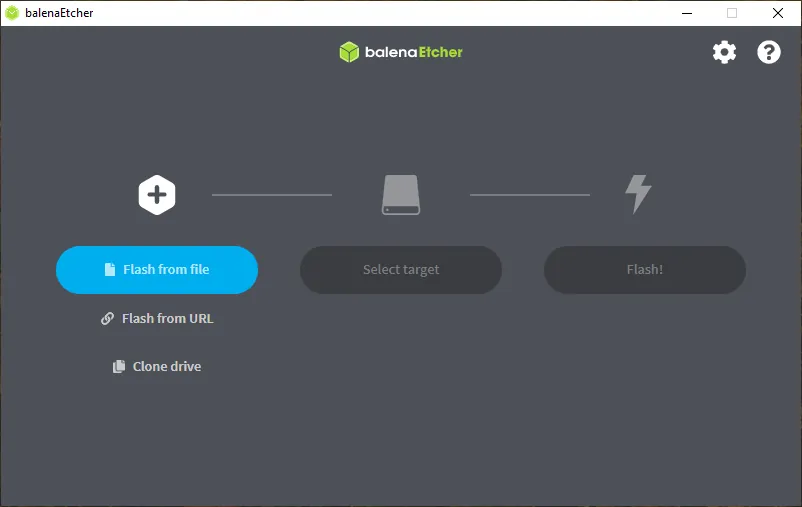
Our verdict: balenaEtcher is the easiest way to flash a Linux or Raspberry Pi image: pick the file, pick the drive, click Flash. It verifies the written data and hides system drives to prevent accidents. It is a large app for a small job and does not make bootable Windows installers.
About balenaEtcher
Etcher is made by balena, a company that builds an IoT fleet platform, and is open source under the Apache 2.0 license. It is built with Electron and runs on Windows, macOS and Linux with the same three-step interface.
You can flash from a local image file, from a URL or clone an existing drive. After writing, Etcher reads the drive back to confirm the flash was not corrupted. System drives are hidden by default and Etcher shows warnings before risky writes, which makes it hard to wipe the wrong disk by mistake.
What it does well
- Three-step flashing. Select image, select drive, click Flash.
- Validated writes. Reads the drive back to confirm the data matches the image.
- Drive protection. Hides system drives by default to avoid wiping the wrong disk.
- Flash from URL. Downloads and writes an image in one step.
- Drive cloning. Copies one drive to another.
Who it is for
Good fit
Raspberry Pi users and anyone writing Linux ISO or IMG files to a USB stick or SD card.
Look elsewhere
Creating Windows installation USBs; Etcher's FAQ says Windows ISOs need extra steps it does not do. Use Rufus.
Pros and cons
Pros
- Very simple three-step interface
- Verifies every write
- Protects system drives
- Open source and cross-platform
Cons
- Cannot make bootable Windows installers from Windows ISOs
- About 200 MB installer for a small task
- No support for Windows 7, 8 or 32-bit Windows in current versions
How to install balenaEtcher
Download the Windows setup from the official Etcher site or its GitHub release. The installer is about 200 MB because Etcher bundles its own Electron runtime. If a flash fails, retry with another USB port, adapter or card, and download the image to disk instead of flashing from a URL.
Questions about balenaEtcher
Is balenaEtcher free?
Yes. Etcher is free and open source under the Apache 2.0 license.
Can Etcher make a bootable Windows USB?
Not from a Windows ISO. balena says Windows images need extra treatment Etcher is not designed for; use Rufus instead.
Do I need to format the drive before using Etcher?
No. Etcher erases the whole drive and replaces its contents with the image.


