

Our verdict: Ventoy is the simplest free way to carry many bootable images on one USB drive. After a one-time setup you just copy ISO files onto the stick, and the drive still works for normal files. Secure Boot needs a one-time key enrollment per PC, and not every image boots.
About Ventoy
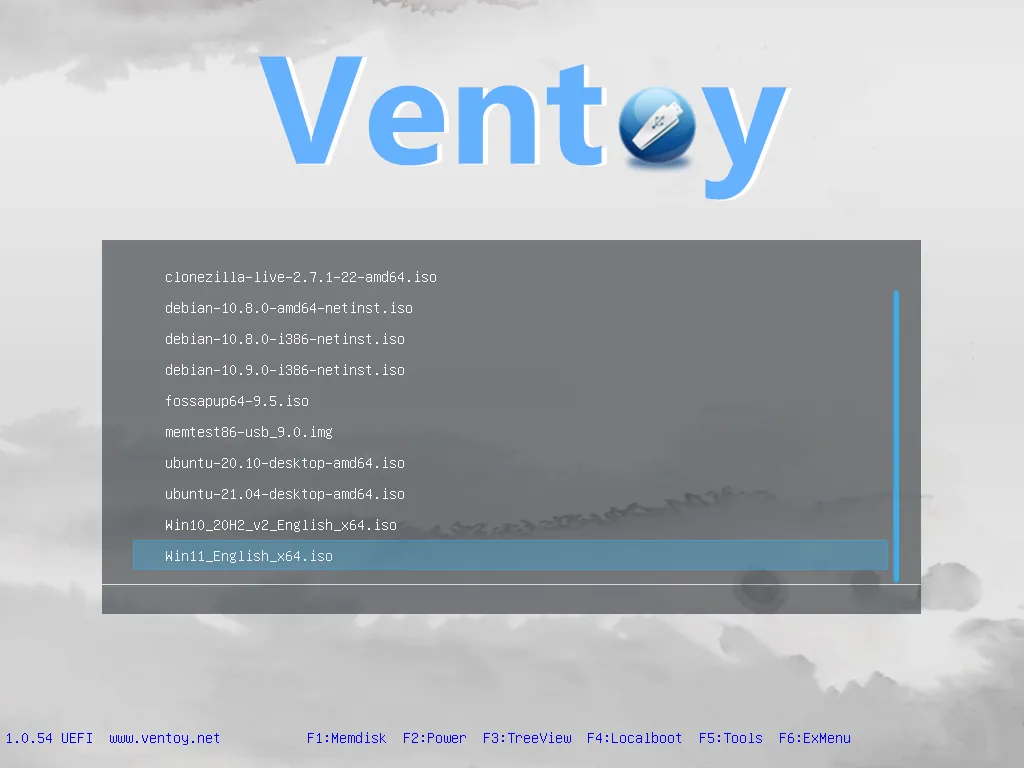
Ventoy is an open-source project by longpanda. Its own code is under the GPL v3 or later, and bundled components keep their original licenses. Ventoy2Disk.exe installs Ventoy onto a USB drive once; after that you copy ISO, WIM, IMG, VHD(x) or EFI files to the drive and pick one from a boot menu.
There is no need to reformat the drive for each image, and the remaining space works as normal storage. Ventoy supports Legacy BIOS and UEFI, MBR and GPT, ISO files larger than 4 GB, and its author reports more than 1,400 tested images. Plugins add Linux persistence, automatic Windows and Linux installation and custom menu themes.
What it does well
- Many ISOs on one drive. Copy any number of images into folders and choose one from the boot menu.
- No re-flashing. Add or remove images by copying files; updating Ventoy keeps your data.
- BIOS and UEFI. Boots on Legacy BIOS and UEFI PCs, with Secure Boot support after key enrollment.
- Linux persistence. Keeps changes made in a live Linux session through the persistence plugin.
- Auto installation. Runs unattended Windows or Linux installs with your own answer files or scripts.
Who it is for
Good fit
Technicians and enthusiasts who keep several installers and rescue tools on one USB stick.
Look elsewhere
People who need a single image written exactly as-is, or who cannot change Secure Boot settings on the target PC.
Pros and cons
Pros
- Many bootable images on one drive
- Add images by simply copying files
- Drive stays usable for normal storage
- Open source
Cons
- Secure Boot needs a one-time key enrollment on each PC
- Not every ISO boots; check the tested list for unusual images
- First installation erases the USB drive
How to install Ventoy
Download the Windows ZIP, extract it and run Ventoy2Disk.exe; there is no installer. Select your USB drive and click Install, which erases it once. Then copy ISO files to the new Ventoy partition. With Secure Boot on, enable the Secure Boot option and enroll the Ventoy key the first time you boot each PC.
Questions about Ventoy
Is Ventoy free?
Yes. It is open source and free to use.
Can I still store normal files on a Ventoy drive?
Yes. The main partition works like a regular USB drive, so ISOs and other files can sit side by side.
Does Ventoy work with Secure Boot?
Yes, on x86 and x64 UEFI. You enroll Ventoy's key once on each computer the first time you boot it.


