

Our verdict: Raspberry Pi Imager is the easiest way to prepare a boot card for a Raspberry Pi. It picks the right OS for your board, downloads and writes it in one step, and can preconfigure Wi-Fi and SSH for a headless setup. It is built for Raspberry Pi devices, not as a general USB tool for PCs.
About Raspberry Pi Imager
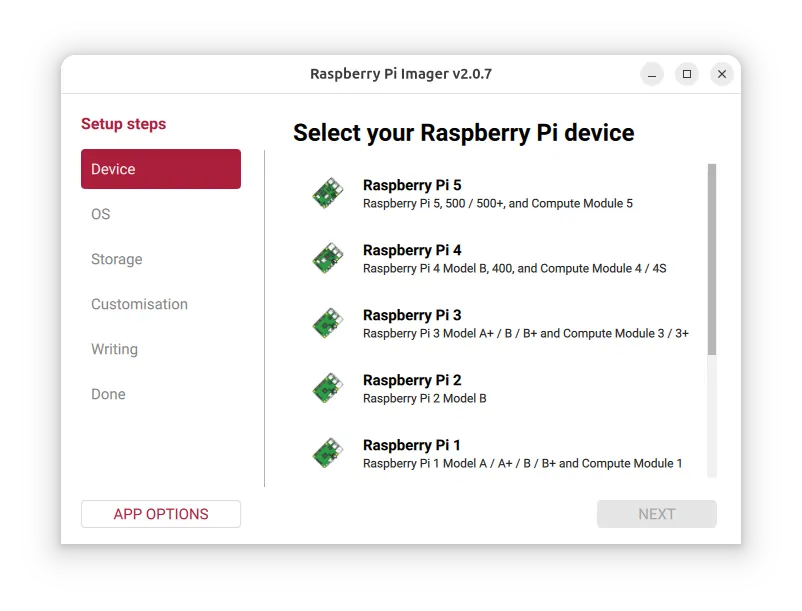
Raspberry Pi Imager is the official imaging tool from Raspberry Pi Ltd. You choose your Raspberry Pi model, an operating system and the target storage device, and Imager downloads the image and writes it. It lists Raspberry Pi OS and many popular third-party systems, and also accepts image files you downloaded yourself.
For Raspberry Pi OS and other supported systems, a customisation step lets you set the hostname, localisation, username and password, Wi-Fi network and remote access such as SSH or Raspberry Pi Connect before the first boot. An option to exclude system drives helps prevent accidentally erasing your PC's own disk.
What it does well
- OS catalog. Downloads Raspberry Pi OS and popular third-party systems.
- Custom images. Writes image files you downloaded yourself.
- OS customisation. Presets hostname, user, Wi-Fi, locale and SSH before first boot.
- Device selection. Filters the OS list for your Raspberry Pi model.
- System drive protection. Hides your computer's system drives from the target list.
Who it is for
Good fit
Raspberry Pi owners setting up a new card, especially headless setups without a monitor.
Look elsewhere
Making Windows or Linux install sticks for a PC; Rufus or Ventoy are better for that.
Pros and cons
Pros
- Official and free, open source
- Downloads and writes in one step
- Preconfigures Wi-Fi, user and SSH
- Protects system drives by default
Cons
- Designed for Raspberry Pi; few options for other uses
- Customisation works only with Raspberry Pi OS and some third-party systems
How to install Raspberry Pi Imager
Run the installer, then choose your Raspberry Pi device, the OS and the storage device. Keep Exclude system drives selected. Use the customisation step to set a username, password, Wi-Fi and SSH so the Pi is reachable on first boot.
Questions about Raspberry Pi Imager
Is Raspberry Pi Imager free?
Yes. Raspberry Pi Imager is free and open source under the Apache License 2.0.
Can I set up Wi-Fi and SSH before the first boot?
Yes. For Raspberry Pi OS, the customisation step sets the hostname, user, Wi-Fi network and SSH or Raspberry Pi Connect access.
Can Raspberry Pi Imager write my own image file?
Yes. Besides the built-in list, it can write image files downloaded from Raspberry Pi or other vendors.


