

Our verdict: Capture One Pro is the studio photographer's RAW editor: tethered shooting is fast and reliable, and its color tools and camera profiles are among the best. It is expensive, and the trial is only seven days and requires billing details. Casual shooters get more value from Lightroom or a free editor.
About Capture One Pro
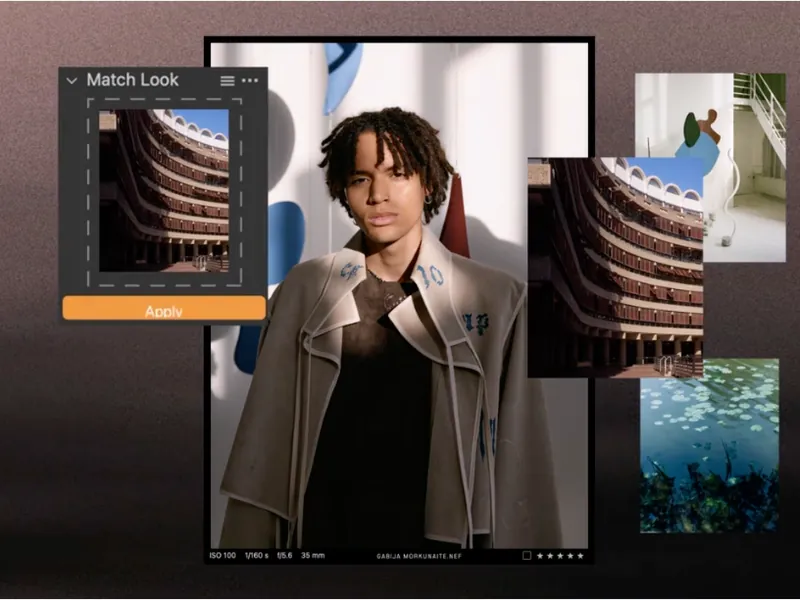
Capture One started in 1994 as the RAW converter for Phase One medium-format cameras and is now made by Capture One A/S in Copenhagen. Capture One Pro processes RAW files from more than 550 cameras with its own color profiles, and is best known for tethered shooting straight from the camera into the app. Editing uses layers, masks, color editor and color balance tools, styles, and catalogs or sessions for organizing shoots.
The trial lasts seven days and gives full access to Capture One Pro. You must sign in with a Capture One account and enter billing details at checkout; if you do not cancel during the trial, it turns into a Capture One Pro monthly subscription. Pro is sold as a monthly or annual subscription with continuous updates, or as a perpetual license that only gets bug-fix updates for the version you buy. Activation needs an internet connection, and subscriptions are validated every 30 days.
What it does well
- Tethered shooting. Shoot directly from supported cameras into Capture One with live view and instant previews.
- Color tools. Color Editor, color balance and camera-specific profiles for accurate skin tones and products.
- Layers and masks. Local adjustments on layers with brushes, gradients and AI-assisted masks.
- Sessions and catalogs. Organize work per shoot in sessions or across years in catalogs.
- Styles and batch work. Apply styles, copy adjustments and process large shoots consistently.
Who it is for
Good fit
Studio, product, fashion and wedding photographers who shoot tethered or need precise color control.
Look elsewhere
Hobbyists on a budget, anyone who wants a trial without a card, or users who need a built-in pixel editor like Photoshop.
Pros and cons
Pros
- Excellent color rendering and camera profiles
- Industry-standard tethered shooting
- Perpetual license still available
- Flexible sessions or catalogs workflow
Cons
- Trial is only 7 days and requires billing details
- Trial converts to a paid monthly subscription unless cancelled
- Expensive, with regular price increases
How to install Capture One Pro
Start the trial on captureone.com, sign in or create a Capture One account and enter billing details; the Windows installer then appears on your account's download page. The installer also adds Microsoft .NET and WebView2 if they are missing. Cancel in your account before day 7 if you do not want the monthly subscription to start.
Questions about Capture One Pro
Is Capture One free?
No. Capture One offers a 7-day free trial of Capture One Pro, but you need a Capture One account and billing details to start it. If you do not cancel, it becomes a monthly subscription. The Pro annual plan costs €246 per year on the official store as shown for a European visitor; prices vary by country.
Can I buy Capture One without a subscription?
Yes. Capture One Pro is also sold as a perpetual license. It includes bug-fix updates for that version; new major versions are offered at upgrade prices.
Does Capture One need an internet connection?
Activation needs an internet connection, and subscriptions are validated once every 30 days, but a constant connection is not required.


