

Our verdict: Photoshop is still the reference tool for photo retouching and compositing, and most design files and tutorials assume it. The price is a permanent subscription, and the 7-day trial needs a payment card. If you only edit photos now and then, a free editor will do.
About Adobe Photoshop
Photoshop is Adobe's raster image editor and part of Creative Cloud. There is no one-time purchase: you rent it, either alone for US$22.99 per month on an annual plan, or in the Photography plan with Lightroom and Lightroom Classic for US$19.99 per month on an annual plan. The 7-day free trial needs an Adobe account and payment details, and it turns into a paid plan unless you cancel before it ends.
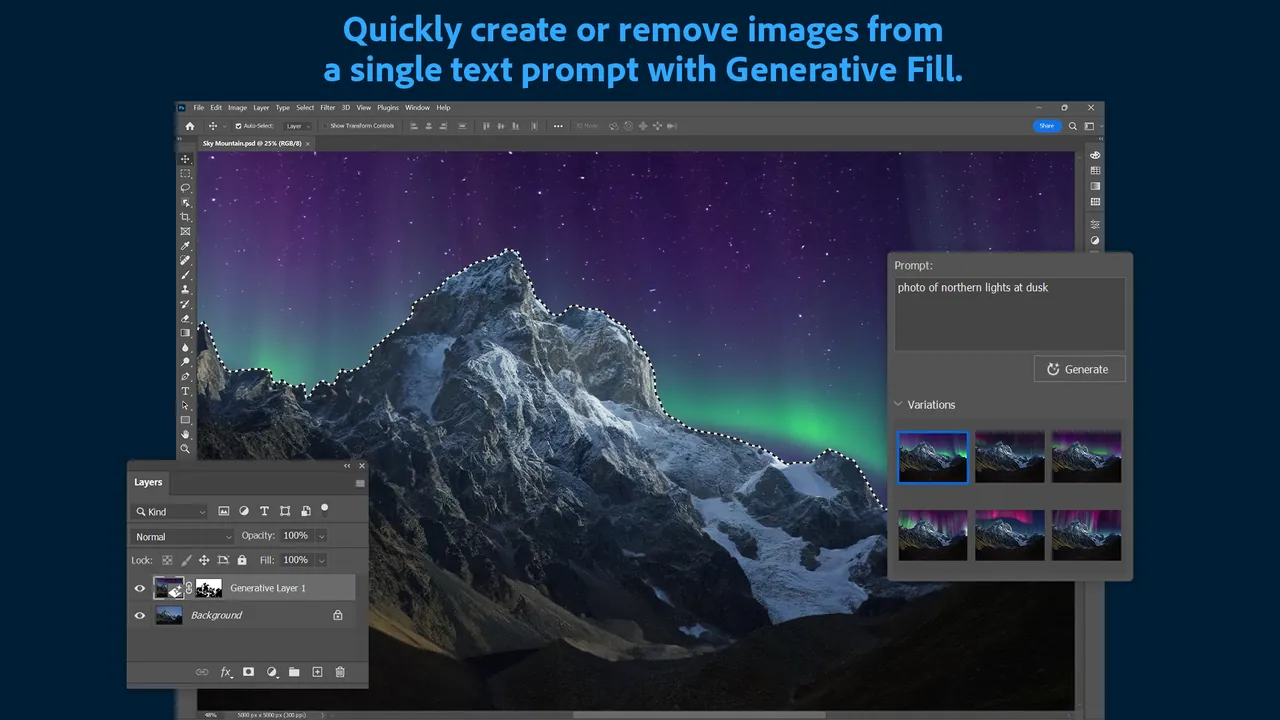
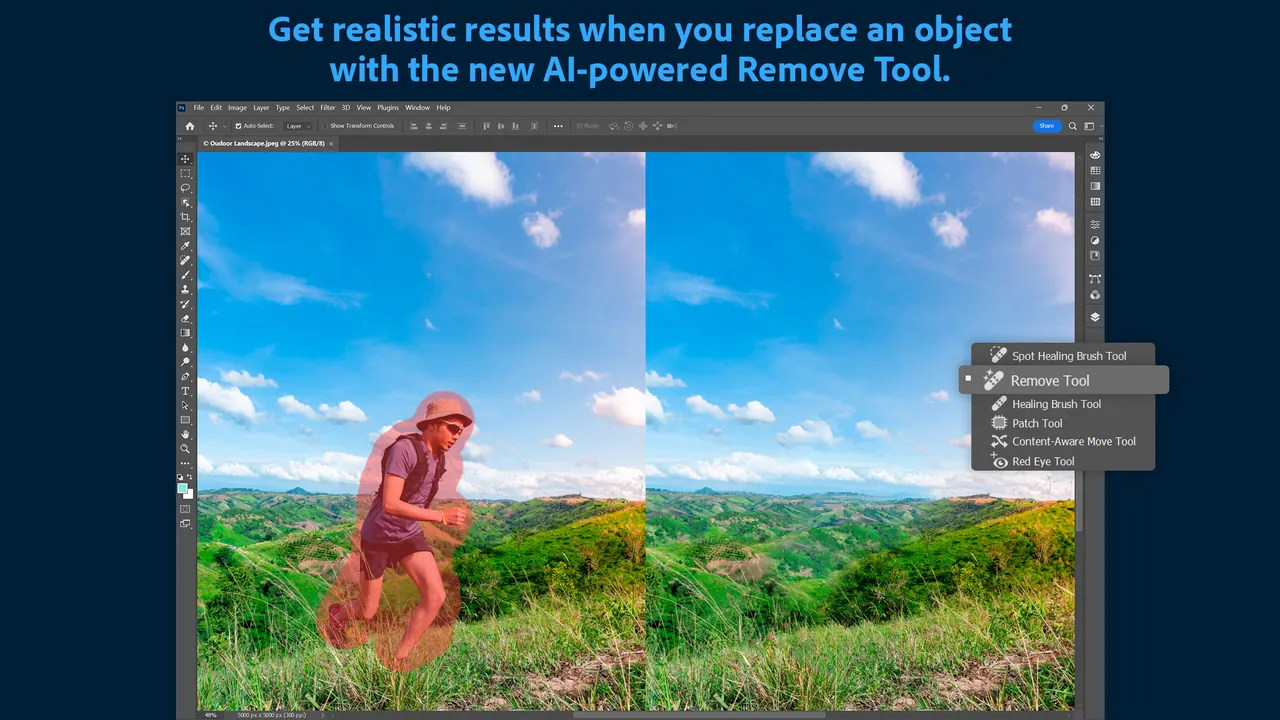
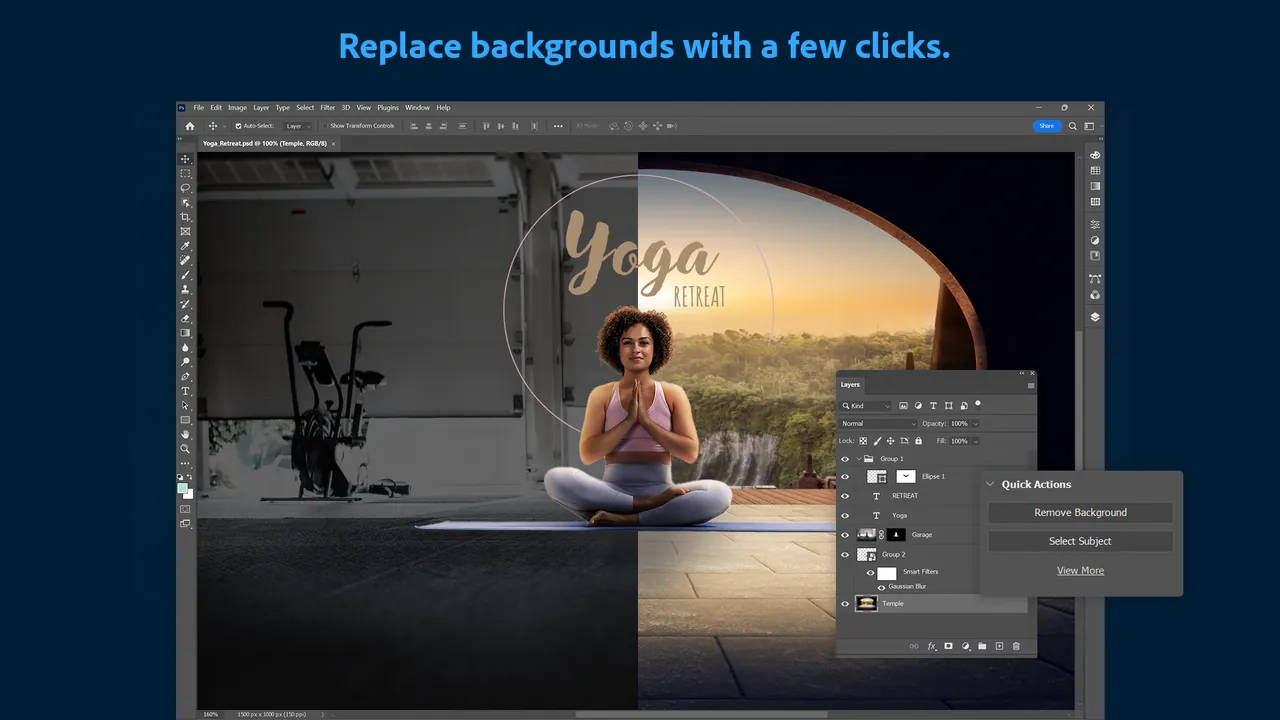
The app works with layers, masks, adjustment layers and smart objects, so edits stay non-destructive. Selection tools such as Select Subject find people and objects automatically, and Generative Fill uses Adobe Firefly to add or remove content from a text prompt; it spends generative credits from your plan. The PSD format it saves is read by most other design tools.
What it does well
- Layers and masks. Non-destructive editing with adjustment layers, layer masks and smart objects.
- Smart selections. Select Subject and Object Selection pick out people, hair and objects automatically.
- Generative Fill. Adds, removes or extends image content from a text prompt using Adobe Firefly.
- Retouching tools. Spot Healing, Content-Aware Fill and Remove tools clean up blemishes and distractions.
- Camera Raw. Opens RAW photos from most cameras with exposure, color and lens corrections.
Who it is for
Good fit
Photographers, designers and retouchers who exchange PSD files with clients or follow Photoshop tutorials.
Look elsewhere
Occasional users who do not want a subscription, or anyone who wants to try it without entering a card.
Pros and cons
Pros
- Industry-standard PSD workflow
- Strong automatic selections
- Generative Fill built in
- Huge choice of tutorials and plugins
Cons
- Subscription only, no one-time license
- 7-day trial requires a payment card and turns into a paid plan
- Annual plans charge a fee if cancelled early
How to install Adobe Photoshop
Start the trial on adobe.com: you sign in with an Adobe account, pick a plan and enter payment details. The Creative Cloud desktop app installs first and then downloads Photoshop. Cancel in your Adobe account before day 8 if you do not want to pay; annual plans cancelled after 14 days carry a fee.
Questions about Adobe Photoshop
Is Adobe Photoshop free?
No. There is a 7-day free trial that needs an Adobe account and a payment card; after it, Photoshop costs US$22.99 per month alone or US$19.99 per month in the Photography plan, both on annual plans.
Can I buy Photoshop without a subscription?
No. Current versions of Photoshop are only available as part of a Creative Cloud membership.
What happens when the Photoshop trial ends?
Billing for the plan you chose starts automatically on day 8. You can cancel before that, and Adobe refunds the payment if you cancel within 14 days after the trial.


