

Our verdict: ON1 Photo RAW tries to replace both Lightroom and Photoshop: it browses folders without importing, develops RAW files and edits with layers and AI masks in one app. You can own it outright, but yearly versions are paid upgrades and the cloud AI extras need MAX or a subscription. On Windows it requires Windows 11.
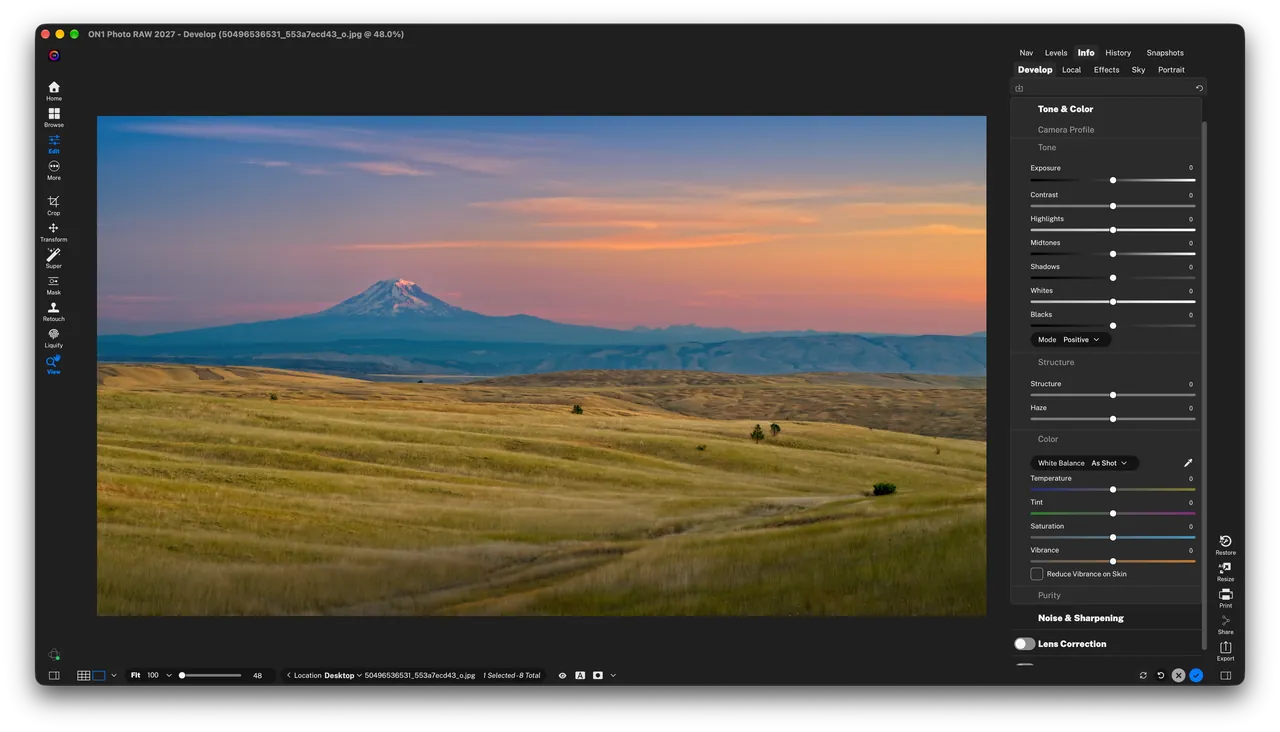
About ON1 Photo RAW
ON1 Photo RAW is made by ON1 in Portland, Oregon. It combines a file browser that works on your existing folders, a non-destructive RAW developer, layers, effects filters, LUTs and retouching in one program. AI tools include NoNoise AI for high-ISO noise, Resize AI for enlargements, Brilliance AI for one-click tone and color, Super Select AI and depth masks for selections, Sky Swap AI and Generative Erase. A Lightroom migration tool brings over photos, folders and metadata.
The 30-day trial is the full program without watermarks; you enter an e-mail address and the download starts, with no credit card. After 30 days the software locks until you buy a license; nothing is charged automatically. Photo RAW is $99.99 once (2026 now, 2027 included), MAX with plugin support and Restore AI is $149.99, and the MAX subscription is $89.99 per year. Installation and activation need an internet connection and an ON1 account. Restore AI and some generative tools in MAX run in ON1's cloud.
What it does well
- Browse without import. Organize, tag and search photos where they already live, with AI keywording.
- RAW development. Non-destructive tone, color and detail tools with lens and camera profiles.
- Layers and AI masks. Layers, Super Select AI, depth masks and brushes for precise local edits.
- AI enhancement. NoNoise AI, Resize AI, Brilliance AI, Sky Swap AI and Generative Erase.
- Effects and looks. Stackable, maskable filters, presets, LUTs, textures and borders.
Who it is for
Good fit
Photographers who want one app instead of Lightroom plus Photoshop and prefer to own a license.
Look elsewhere
Windows 10 users, people on older GPUs, and anyone who wants major updates without paying each year.
Pros and cons
Pros
- Browser, RAW editor and layers in one app
- Strong AI masking and noise reduction
- Perpetual license available
- Lightroom catalog migration tool
Cons
- Trial needs an e-mail and locks after 30 days
- Requires Windows 11 and a 4 GB GPU
- Yearly versions are paid upgrades; some AI features run in the cloud
How to install ON1 Photo RAW
Enter your e-mail on ON1's trial page; on a PC the Windows installer download starts right away. Sign in with an ON1 account when the app starts, since installation and activation need it and an internet connection. ON1 lists a DirectX 12 GPU with 4 GB of VRAM and 8 GB of RAM as the minimum.
Questions about ON1 Photo RAW
Is ON1 Photo RAW free?
No. ON1 offers a full 30-day trial that only needs an e-mail address, no credit card. After that the software locks until you buy a license: Photo RAW costs $99.99 once, Photo RAW MAX $149.99, or a MAX subscription $89.99 per year.
Does ON1 Photo RAW run on Windows 10?
No. ON1 lists 64-bit Windows 11 on x86 or ARM as the minimum operating system.
How many computers can I install it on?
The standard Photo RAW license covers 2 computers and Photo RAW MAX covers 3.


