

Our verdict: RawTherapee gives photographers deep control over raw development for free. Its demosaicing, noise reduction and color tools rival paid software. The interface is dense and rewards time spent learning it, and it has no photo library.
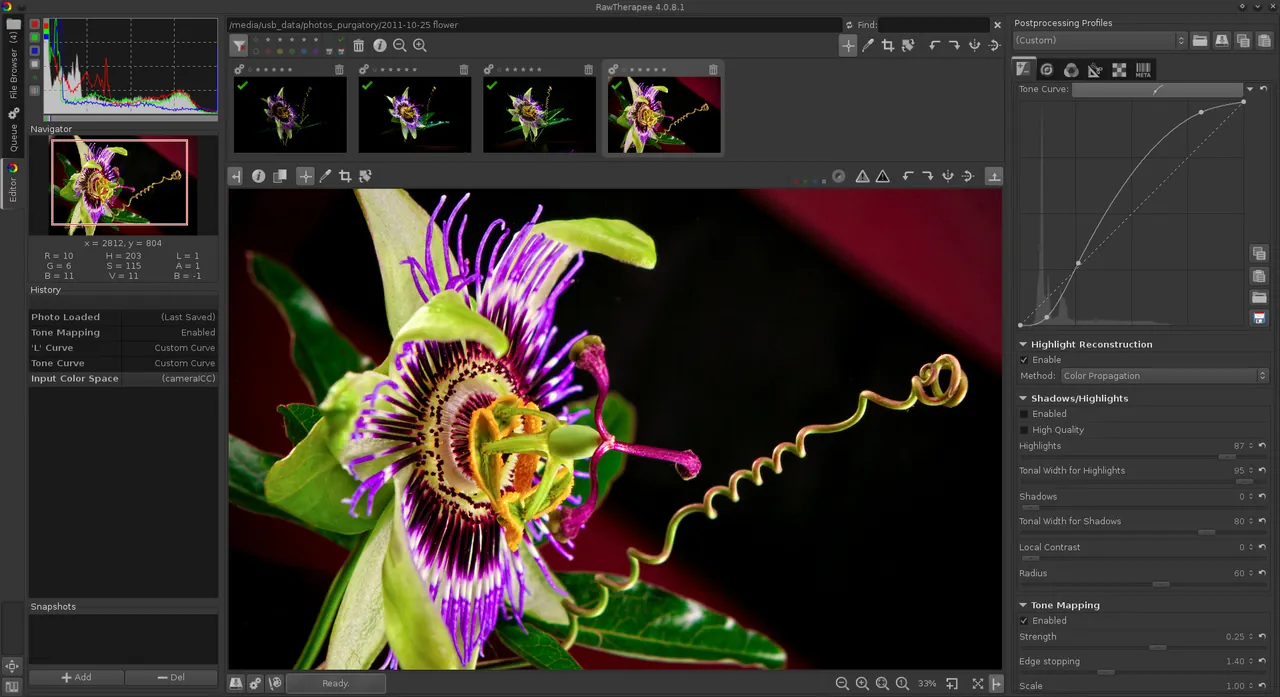
About RawTherapee
RawTherapee is free and open-source software under the GPLv3, developed by a volunteer team. It runs on Windows, macOS and Linux and is translated into over 15 languages.
It processes raw files from a broad range of cameras with a non-destructive, 32-bit floating point engine. Edits are stored in sidecar files, so the original raw file is never changed.
What it does well
- Non-destructive editing. Settings are saved in sidecar files; the raw file stays untouched.
- Demosaicing. Several modern algorithms, including two on the same image and pixel-shift support.
- Raw corrections. Dark frame subtraction, flat field and hot or dead pixel correction.
- Color and detail tools. Curves, color management, noise reduction and sharpening.
- Batch queue. Process many photos in the background with the same settings.
Who it is for
Good fit
Photographers who shoot raw and want precise control without a subscription.
Look elsewhere
People who want simple one-click edits or a catalog for organizing photos.
Pros and cons
Pros
- Excellent raw processing quality
- Non-destructive workflow
- Free, no subscription
Cons
- Dense interface with a steep learning curve
- No photo library or catalog
- No layers or local retouching brushes like a full editor
How to install RawTherapee
Download the 64-bit Windows installer from rawtherapee.com. Use the file browser tab to open a folder of raw files, then edit in the Editor tab. Processing profiles let you save and reuse settings.
Questions about RawTherapee
Is RawTherapee free?
Yes. It is open source under the GNU GPL v3.
Does RawTherapee change my raw files?
No. Edits are stored in separate sidecar files and applied when you export.


