

Our verdict: Directory Opus is the most configurable file manager for Windows, able to replace File Explorer completely. It suits people who spend hours a day managing files and like to customise every toolbar. The trial stops after 30 or 60 days and the license is priced in Australian dollars.
About Directory Opus
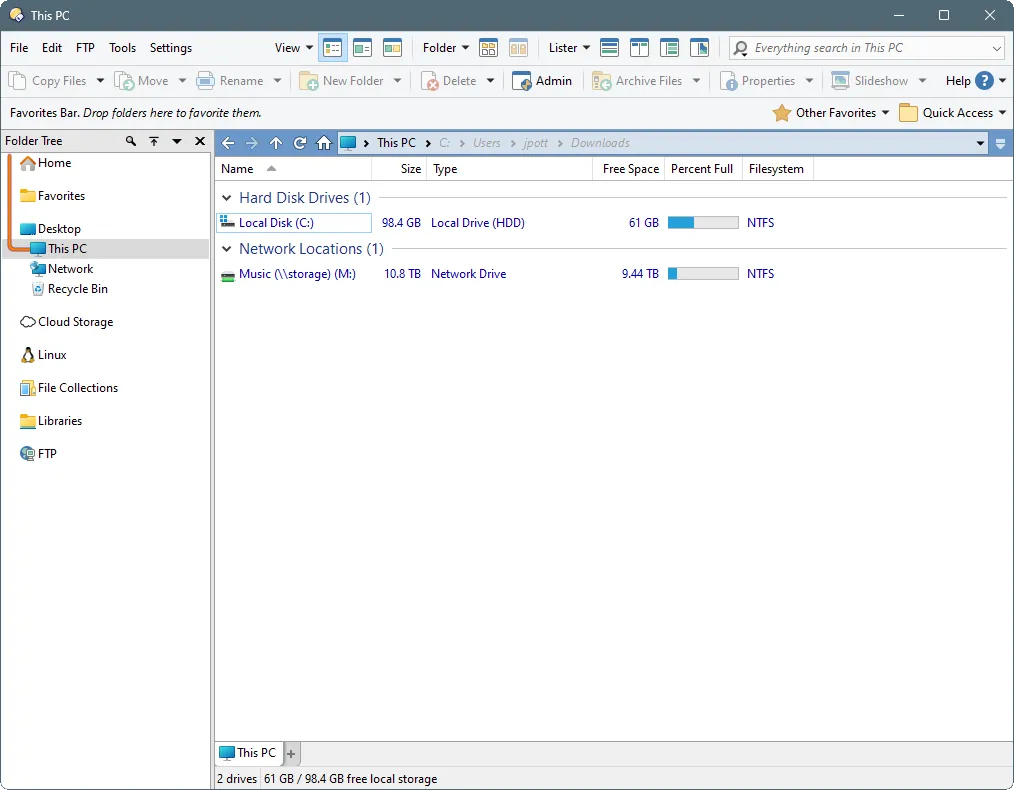
Directory Opus is developed by GPSoftware in Australia and written in native 64-bit C++. It can run as a full replacement for File Explorer, with single or dual panes, folder trees, tabs and an integrated viewer. Built-in tools include queued file copies, batch renaming, folder synchronisation, a duplicate finder and support for ZIP, 7z and RAR archives and FTP.
You can try Opus free for 30 days, or register with your name and email for a 60-day trial. When the trial ends the program needs a license to keep working. A standard license costs A$89, is valid forever and includes one year of free updates; later updates need an upgrade subscription. ARM versions of Windows are not supported.
What it does well
- Explorer replacement. Opens instead of File Explorer, including from Win+E and folder links.
- Dual panes and tabs. Shows two folders side by side with tabs and folder trees.
- Batch rename. Renames many files with patterns, regular expressions and live preview.
- Sync and duplicates. Synchronises folders and finds duplicate files with built-in tools.
- Scripting and toolbars. Every toolbar, menu and hotkey can be edited, and scripts add new commands.
Who it is for
Good fit
Power users who want one deeply customisable tool for all file management on Windows.
Look elsewhere
Casual users, people on ARM PCs, or anyone who wants a free file manager.
Pros and cons
Pros
- Can fully replace File Explorer
- Huge range of built-in tools
- Every menu and toolbar is configurable
- Fast native 64-bit code
Cons
- Stops working after the 30- or 60-day trial
- License A$89, with paid upgrades after the first year
- Steep learning curve; no ARM support
How to install Directory Opus
The button downloads the current 64-bit installer from gpsoft.com.au. The trial starts automatically; registering a name and email on the website extends it to 60 days. Explorer replacement mode is optional and can be switched off in Preferences.
Questions about Directory Opus
Is Directory Opus free?
No. It has a free 30-day trial, or 60 days if you register your name and email, and needs no card. After that you must buy a license, A$89 with one year of updates.
Does Directory Opus replace File Explorer?
It can. Explorer replacement mode makes Opus open for Win+E, desktop folders and links; you can turn it off at any time.
Does Directory Opus run on Windows on ARM?
No. GPSoftware states that Opus 13 supports only x64 versions of Windows.


