

Our verdict: Double Commander is the closest free, open-source match for Total Commander. It works with two panels and the keyboard, opens archives like folders and runs many Total Commander plugins. The interface looks dated and takes time to learn.
About Double Commander
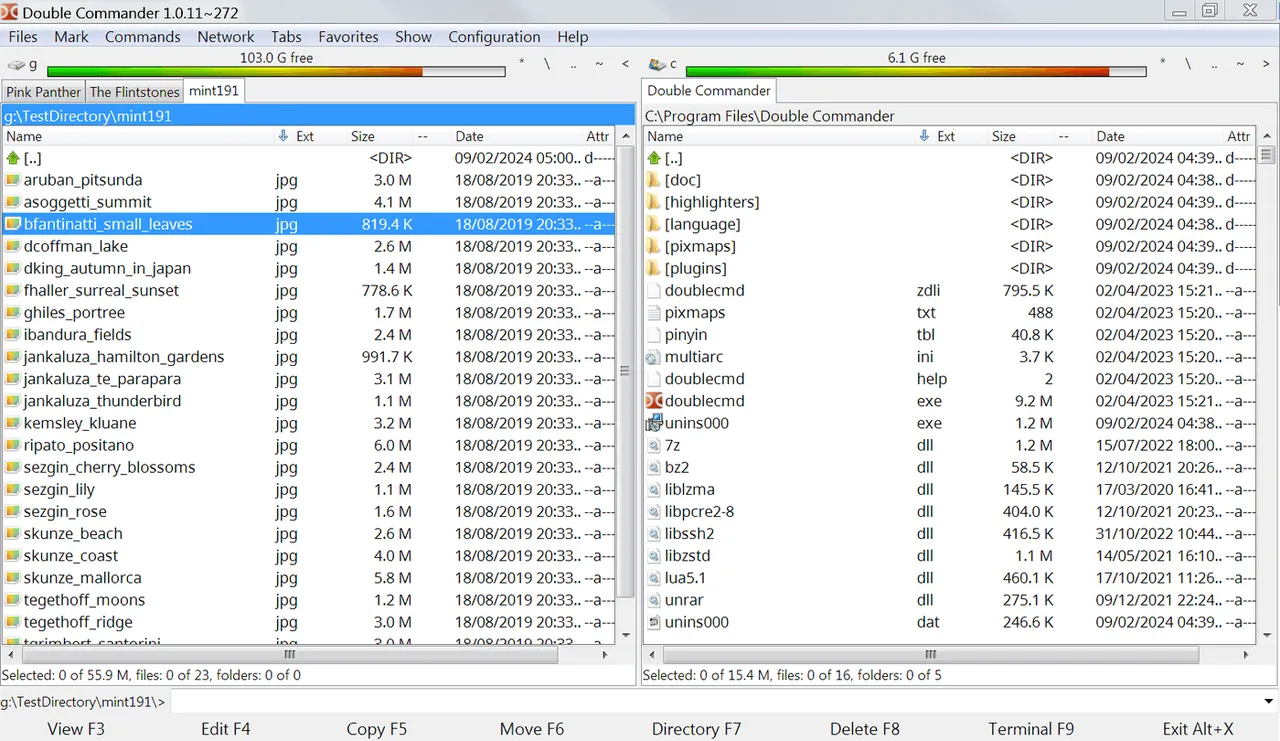
Double Commander is a cross-platform file manager with two panels side by side, inspired by Total Commander. It is developed as open source under the GNU GPL v2 and runs on Windows, Linux and macOS, so the same tool and keyboard habits work on every system.
It has a built-in text editor with syntax highlighting (F4) and a viewer for text, hex and binary files (F3). ZIP, 7Z, TAR, GZ, RAR and other archives open like folders, and the search can look for text inside files. A configurable button bar starts programs or internal commands, and Total Commander WCX, WDX, WFX and WLX plugins are supported.
What it does well
- Two panels. Classic side-by-side or top-and-bottom layout built for keyboard work.
- Archives as folders. Browse and copy files in ZIP, 7Z, TAR, RAR and more like normal folders.
- Editor and viewer. Built-in editor with syntax highlighting and a text, hex and binary viewer.
- Full-text search. Finds files by name or by text inside them.
- Total Commander plugins. Supports WCX, WDX, WFX and WLX plugins.
Who it is for
Good fit
Total Commander users who want a free open-source tool, and people who use Windows and Linux side by side.
Look elsewhere
Users who want a modern-looking Explorer replacement with mouse-first navigation.
Pros and cons
Pros
- Free and open source
- Total Commander-style workflow and plugins
- Built-in editor, viewer and archive support
- Same app on Windows, Linux and macOS
Cons
- Dated interface
- Steep learning curve for people used to File Explorer
How to install Double Commander
Download the x86_64-win64 .exe installer from the latest GitHub release. Keyboard shortcuts follow Total Commander: F3 to view, F4 to edit, F5 to copy, F6 to move. Settings live under Configuration → Options.
Questions about Double Commander
Is Double Commander free?
Yes. It is open source under the GNU GPL v2 with no paid edition.
Does Double Commander work with Total Commander plugins?
Yes. It supports Total Commander WCX (archive), WDX (content), WFX (file system) and WLX (lister) plugins.


