

Our verdict: XYplorer is one of the deepest file managers for Windows: tabs, dual panes, tags, previews, batch rename, duplicate finder and a scripting language, all in a portable app. The 30-day trial is fully functional, then you need a license from $34.95. If you only want tabs, free tools like Explorer++ or OneCommander cover that.
About XYplorer
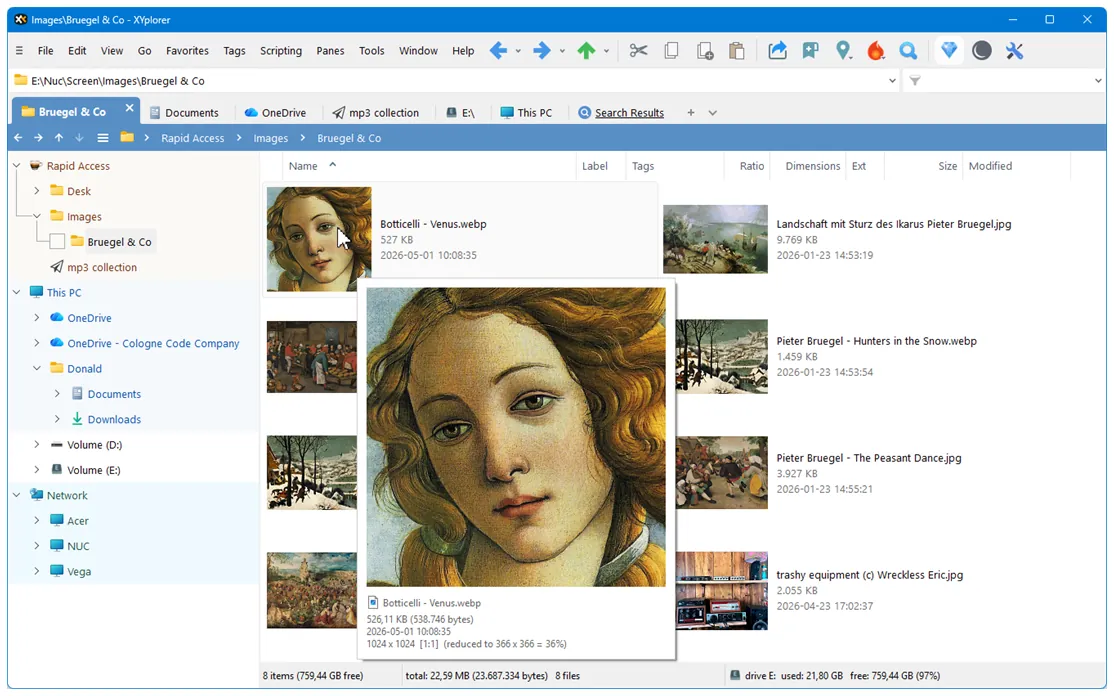
XYplorer is a file manager by Donald Lessau's Cologne Code Company. It adds tabbed browsing, an optional dual pane, color filters, tags and comments, instant previews of images, audio, video and text, and a search that can look inside files. Advanced users can automate tasks with its scripting language, custom toolbar buttons and user-defined commands. It is portable and does not require changes to the registry.
XYplorer is not freeware. The unregistered version runs as a fully functional 30-day trial with minor limits (a "Trial" mark on image previews and no title bar customization); after 30 days the license terms require buying a license. A Standard License costs $34.95 and includes one year of upgrades; the Lifetime License costs $69.95. Each covers one person on all their computers. No account or card is needed for the trial.
What it does well
- Tabs and dual pane. Open folders in tabs, save tabsets and show two panes side by side.
- Tags and color filters. Label, tag and comment files, and color files by rules for quick scanning.
- Find files. Search by name, content, size, date and tags, with saved search templates.
- Batch rename and duplicate finder. Rename many files with a preview and find duplicate files.
- Scripting. Automate file tasks with XYplorer's own scripting language and custom buttons.
Who it is for
Good fit
Power users who manage many files daily and want tabs, tags, previews and automation in one portable app.
Look elsewhere
People who want a free tool or only need basic tabs on top of File Explorer.
Pros and cons
Pros
- Huge feature set with scripting
- Portable, no registry changes needed
- One license covers all your computers
- Fully functional trial
Cons
- Paid after the 30-day trial ($34.95 with one year of upgrades)
- Dense interface takes time to learn
- Windows only
How to install XYplorer
The button downloads the official 64-bit installer package as a ZIP; extract it and run the setup inside. A no-install portable ZIP is on the same page. All EXE files are signed by Cologne Code Company e.K.; check the signature before running. The trial starts automatically, without an account.
Questions about XYplorer
Is XYplorer free?
No. XYplorer has a fully functional 30-day free trial with no account or card needed. To keep using it after that, you must buy a license; the Standard License costs $34.95 with one year of upgrades, the Lifetime License $69.95.
Is XYplorer portable?
Yes. It does not need installation or registry changes, and a no-install ZIP is offered on the download page.
Does one XYplorer license cover several PCs?
Yes. A license is per person and covers all of that person's computers.


