

Our verdict: OneCommander suits people who like the column browsing of macOS Finder but work on Windows. It combines Miller columns, two panes and tabs in one window and adds previews and batch renaming. It is free only for home use; work use needs a Pro license.
About OneCommander
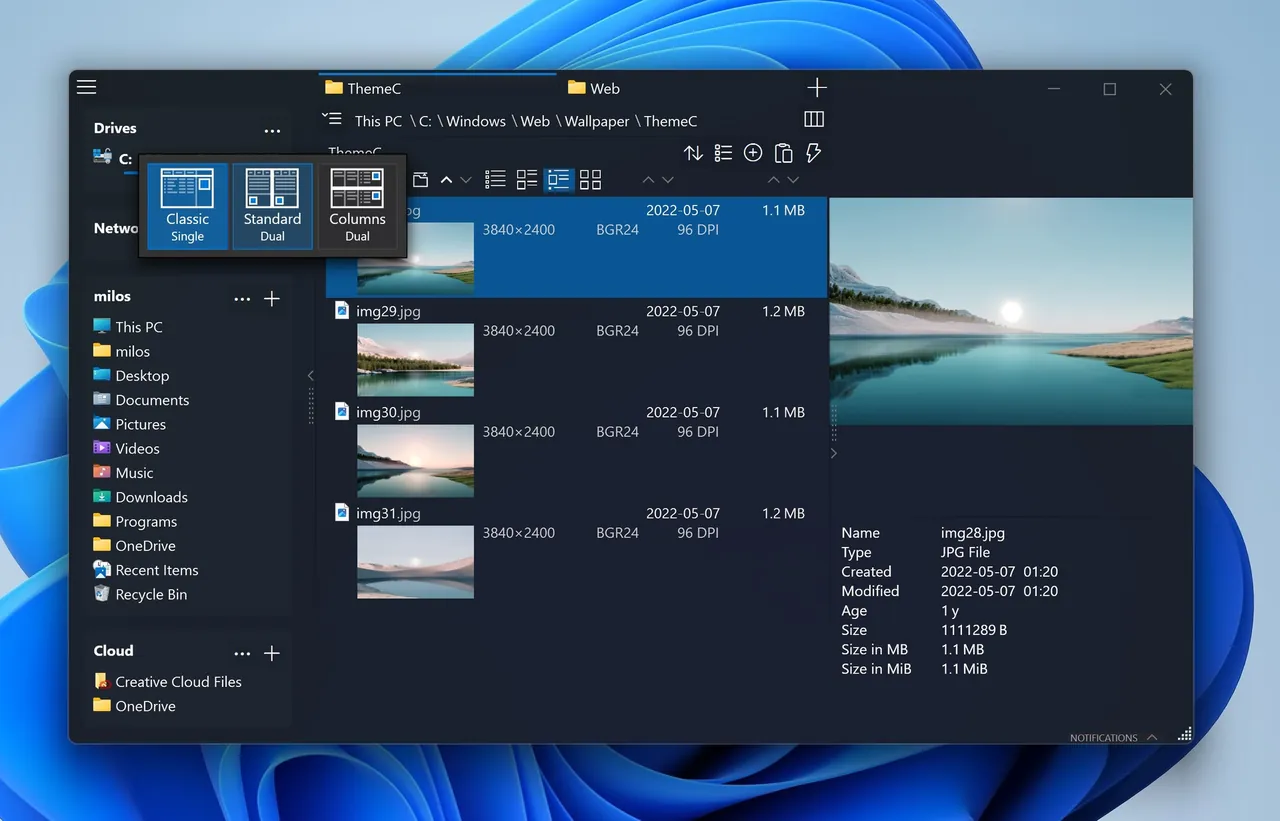
OneCommander is a 64-bit file manager for Windows 10 and 11. Its main idea is adaptable Miller columns: each folder you open appears as a new column to the right, so you see the whole path at once. You can combine this with a dual-pane layout, a classic details list and tabs that are kept between sessions.
Pressing the space bar previews many file types, and it also works with QuickLook and Seer. The built-in File Automator renames files with regular expressions and converts images in batches. The app shows no ads. According to its privacy policy, it sends sanitized crash reports and aggregate settings statistics through Microsoft Application Insights, but no personal data.
What it does well
- Miller columns. Shows each opened folder as a new column, so deep paths stay visible.
- Dual pane and tabs. Two folders side by side and tabs that persist between sessions.
- Quick preview. Space bar previews files, with optional QuickLook and Seer support.
- File Automator. Batch renaming with regular expressions and batch image conversion.
- Themes and scripts. Editable XAML themes and a menu to run PowerShell, batch or Python scripts.
Who it is for
Good fit
Home users with large or high-resolution screens who browse deep folder trees.
Look elsewhere
Business users who do not want to buy a license, and people with small low-resolution screens.
Pros and cons
Pros
- Miller columns plus dual pane in one window
- No ads
- Built-in batch rename and image conversion
- Frequent updates
Cons
- Commercial use requires a paid Pro license
- Closed source
- Designed for high-resolution screens; dense on small displays
How to install OneCommander
Download the MSI installer from the Download section of onecommander.com. Version 3 is the stable release; version 4 is a public beta and needs the .NET 10 runtime. The developer recommends a 4K or other high-PPI screen.
Questions about OneCommander
Is OneCommander free?
Yes, for home use. Professional and commercial use requires a Pro license, which is a one-time lifetime purchase.
Does OneCommander collect data?
Not personal data, according to its privacy policy. It does send sanitized crash reports and aggregate statistics such as the most popular theme and layout through Microsoft Application Insights.


