

Our verdict: GNU Octave is the closest free substitute for MATLAB: many MATLAB scripts run unchanged, and the GUI with editor, workspace and command window feels familiar. It lacks Simulink and many commercial toolboxes, and the installer is large.
About GNU Octave
GNU Octave is a high-level language for numerical computation. Its mathematics-oriented syntax works with vectors and matrices directly, solves linear systems, handles differential equations and optimisation, and has built-in 2D and 3D plotting. The syntax is largely compatible with MATLAB, so many existing scripts run with little or no change.
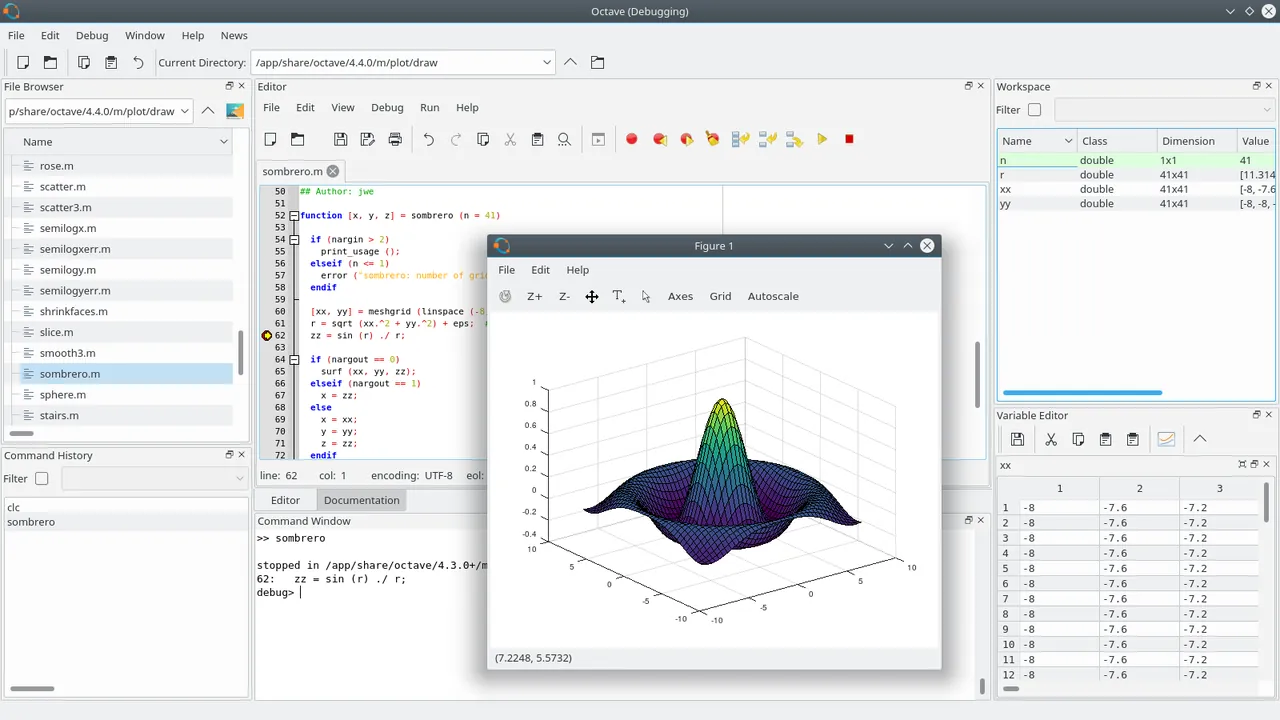
Octave can run as a graphical environment with a code editor, file browser, workspace and command window, as a console, or from shell scripts. The Windows installer bundles several Octave packages from the community repository, which add functions for signal processing, statistics, image processing and more. Octave is free software under the GNU GPL.
What it does well
- MATLAB-compatible syntax. Runs many MATLAB scripts and functions unchanged.
- Matrix computing. Linear algebra, equation solving and numerical methods built in.
- 2D and 3D plotting. High-level commands to visualise data and functions.
- Graphical IDE. Editor, debugger, workspace browser and command window.
- Packages. Bundled community packages for signal, statistics, image and more.
Who it is for
Good fit
Students, scientists and engineers who need MATLAB-style numerical computing without a license fee.
Look elsewhere
Users who depend on Simulink or specific commercial MATLAB toolboxes.
Pros and cons
Pros
- Free and open source
- Runs many MATLAB scripts
- Full GUI with editor and debugger
- Bundled packages for common fields
Cons
- No Simulink and not every MATLAB toolbox has an equivalent
- Large installer (about 540 MB)
- Bundled packages must be loaded with pkg load before use
How to install GNU Octave
The download button fetches the recommended 64-bit Windows installer (about 540 MB) directly from the official GNU server listed on octave.org. The separate w64-64 build is only useful for linear algebra on arrays with more than about 2 billion elements. After installation run pkg list to see the bundled packages.
Questions about GNU Octave
Is GNU Octave free?
Yes. GNU Octave is free and open source under the GNU GPL, with no paid edition.
Can Octave run MATLAB code?
Octave's syntax is largely compatible with MATLAB, so many scripts run unchanged, but toolbox-specific functions and Simulink models are not supported.
Which Windows installer should I choose?
The Windows-64 installer is recommended. The 64-bit linear algebra version only helps with very large arrays on computers with more than about 32 GB of memory.


