

Our verdict: WavePad is an approachable audio editor for cutting recordings, cleaning up noise and applying common effects. The free version does not expire, but it is licensed only for non-commercial home use and some professional tools are reserved for the paid edition. Audacity offers more without those restrictions.
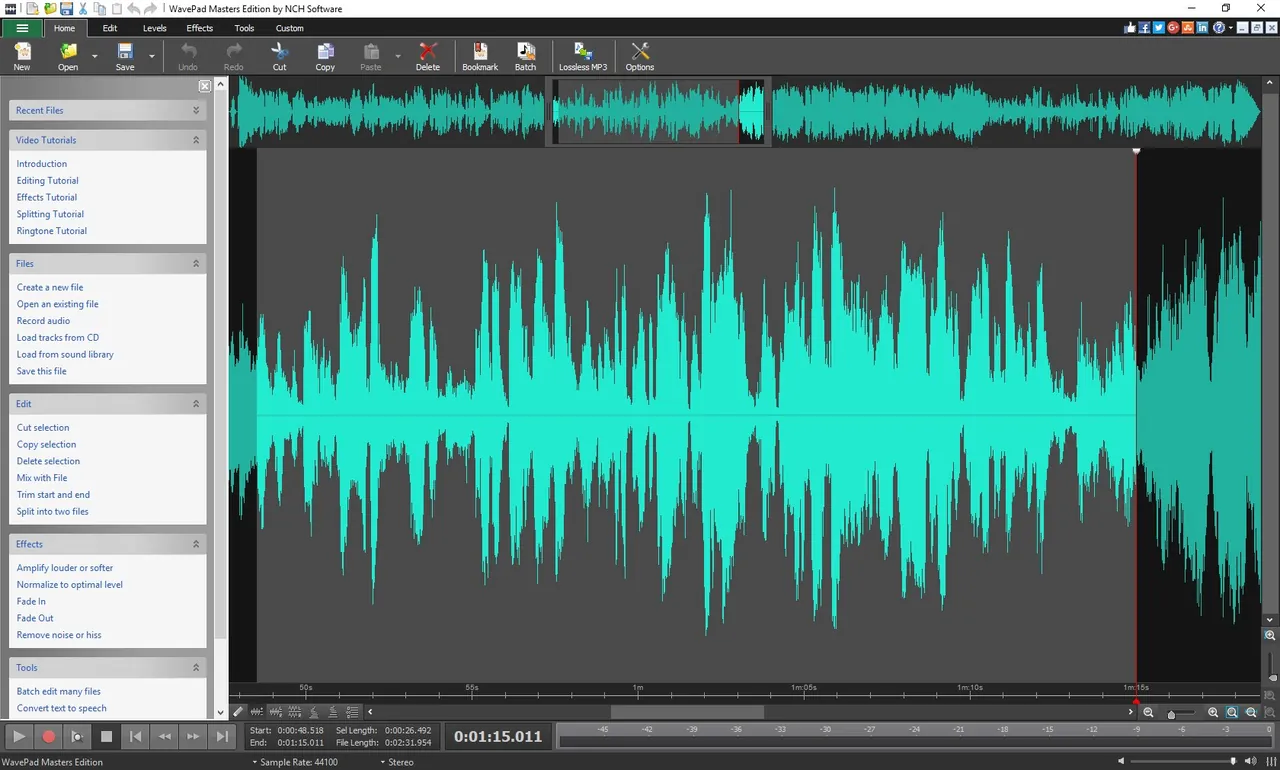
About WavePad
WavePad is made by NCH Software. The free version is for non-commercial use only; NCH says it does not expire and includes many features of the paid Master's edition, with quota limits and restrictions on some professional tools. Using it requires confirming that your use is home and non-commercial.
You open or record audio, then cut, copy, paste, trim and apply effects such as amplify, normalize, equalizer, reverb and echo. It includes noise reduction and click and pop removal, spectral analysis, batch processing of many files, and support for VST and DirectX plugins. It opens more than 50 audio formats and can edit the audio track of video files.
What it does well
- Editing tools. Cut, copy, paste, trim, silence, auto-trim and pitch shifting.
- Effects. Amplify, normalize, equalizer, envelope, reverb, echo and reverse.
- Restoration. Noise reduction wizard and click and pop removal.
- Batch processing. Applies effects to or converts many files in a single run.
- Plugins. Loads VST and DirectX plugins for more effects.
Who it is for
Good fit
Home users who need to trim, clean up or convert recordings with a simple interface.
Look elsewhere
Commercial or business use without a license, and anyone who wants every feature unlocked for free.
Pros and cons
Pros
- Easy to learn
- Noise reduction and restoration tools
- Batch processing
- VST plugin support
Cons
- Free version is limited to non-commercial use
- Some professional tools are locked or quota-limited
- Easy to download the commercial trial by mistake
How to install WavePad
Use the link in the Get it Free section of the WavePad page (our button points to it). The main Download button on nch.com.au gives the commercial version, which is a trial that lets you use each feature only a limited number of times. When the program starts, confirm that your use is home and non-commercial. Features marked with a diamond are for paid users only; the about box lists the free version's limits.
Questions about WavePad
Is WavePad free?
Yes, for non-commercial home use. The free version does not expire, but commercial use requires a paid license and some tools are reserved for paid users.
Why does WavePad say my trial is over?
You probably installed the commercial version from the main Download button, which is a trial. Install the free version from the Get it Free link and confirm non-commercial use.


