

Our verdict: Tenacity is a volunteer-run fork of Audacity that keeps the familiar editor and adds its own fixes. It records, edits and exports audio well. Releases are less frequent than Audacity's, and FFmpeg must be installed separately.
About Tenacity
Tenacity is developed by a group of volunteers as open-source software. It started as a fork of Audacity and has since merged other forks such as Audacium and Saucedacity.
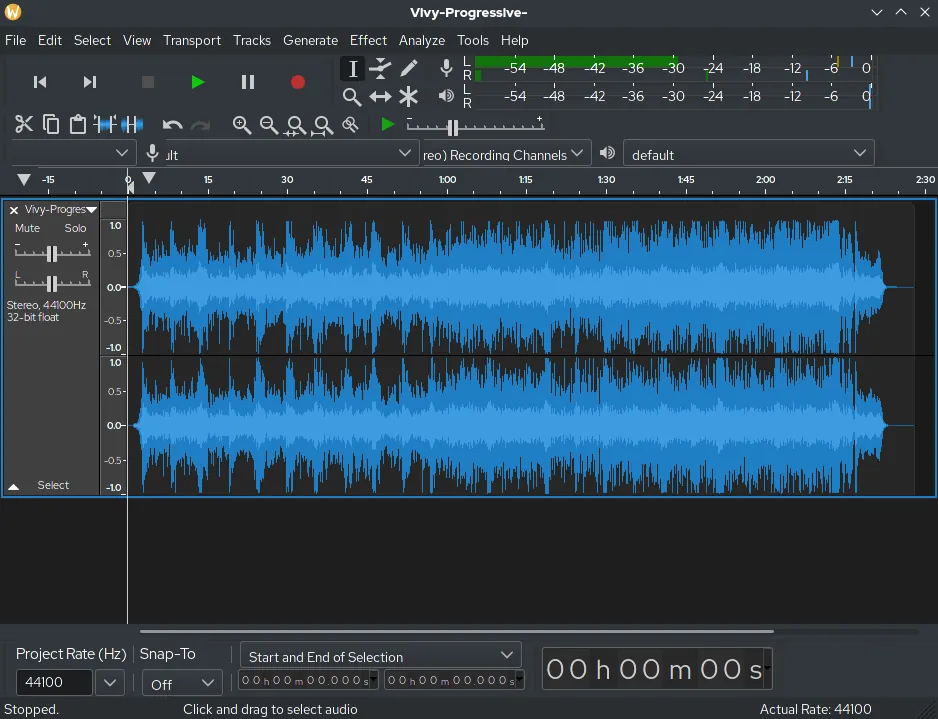
It records from real or virtual devices, edits on a multi-track timeline and processes audio in up to 32-bit float. Effects come from built-in tools, Nyquist scripts and VST, LV2 or AU plugins.
What it does well
- Multi-track editing. Cut, copy, mix and arrange several tracks on one timeline.
- Recording. Records from microphones, line inputs and virtual audio devices.
- Plugins. Supports VST, LV2 and AU effects plus Nyquist scripts.
- Format support. Imports and exports many formats, extended by the optional FFmpeg library.
- Accessibility. Keyboard editing and screen reader support.
Who it is for
Good fit
People who want an Audacity-style editor maintained by a community fork.
Look elsewhere
People who want the newest Audacity features or cloud saving.
Pros and cons
Pros
- Familiar Audacity-style interface
- Open source and community-run
- VST, LV2 and Nyquist plugin support
Cons
- Infrequent stable releases
- FFmpeg is a separate download
- Smaller user community than Audacity
How to install Tenacity
Download the 64-bit installer from the official releases page linked on tenacityaudio.org. For MP4, M4A and other formats, also download the matching FFmpeg ZIP from the same release and point Tenacity to it in Preferences → Libraries.
Questions about Tenacity
Is Tenacity free?
Yes. It is open source under the GNU GPL v2.
How is Tenacity different from Audacity?
Tenacity is a community fork of Audacity with its own maintainers and release schedule. The core editing workflow is similar.


