

Our verdict: Icecream Screen Recorder is easy to understand in a minute: pick an area, press record, draw on the screen if needed. It suits short how-to clips and bug reports. The free version stops each recording at 5 minutes and adds a watermark, so for longer videos OBS Studio or ShareX are better free picks.
About Icecream Screen Recorder
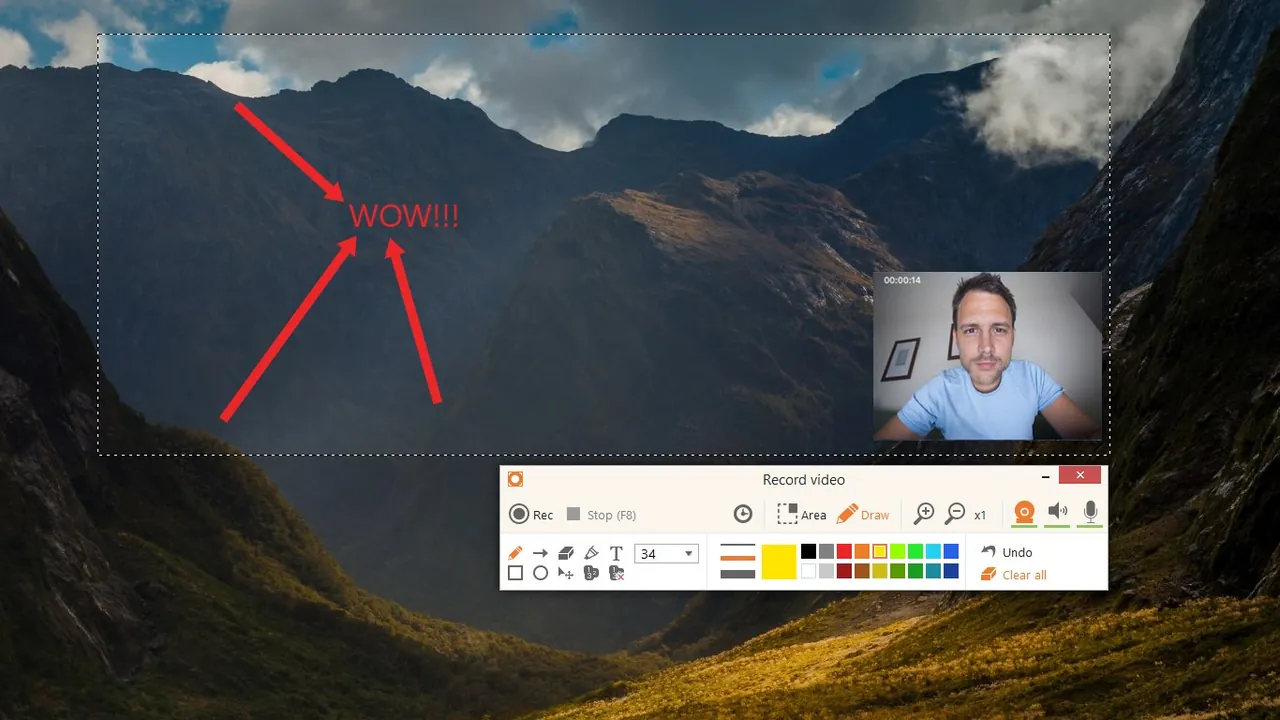
Icecream Screen Recorder is made by Icecream Apps, which also makes PDF Candy. It records the full screen or a selected area with system audio, microphone and an optional webcam window, lets you draw and annotate while recording, takes screenshots and can upload a video for a share link without registration.
The free version has no time limit on use, but each recording is limited to 5 minutes and carries a watermark. PRO removes both and adds more formats and codecs, scheduled recording, your own logo on videos, video conversion and commercial use. It costs $29.95 per year or $59.95 as a lifetime license. No account or card is needed for the free version.
What it does well
- Area or full screen. Records the whole screen or a selected area with system and microphone audio.
- Webcam overlay. Adds a webcam window to the recording for narrated tutorials.
- Drawing panel. Draw, add arrows and text on the screen while you record.
- Quick sharing. Uploads a recording and gives you a share link without registration.
- Scheduled recording. Starts and stops recording at set times; part of PRO.
Who it is for
Good fit
Beginners who need short screen recordings for tutorials, bug reports or online lessons.
Look elsewhere
People recording long lectures, meetings or gameplay without paying.
Pros and cons
Pros
- Very easy to use
- Drawing tools during recording
- Direct installer, no account
- Lifetime license option
Cons
- Free recordings stop at 5 minutes
- Watermark in the free version
- Scheduled recording and custom logo need PRO
How to install Icecream Screen Recorder
Download the installer from icecreamapps.com and run it; no account is needed. Before recording long videos, check Settings and the Save to section for the maximum file size. To unlock PRO, buy a license and enter the activation key sent by email.
Questions about Icecream Screen Recorder
Is Icecream Screen Recorder free?
Partly. The free version can be used without a time limit, but each recording stops at 5 minutes and has a watermark. PRO costs $29.95 per year or $59.95 once on the official upgrade page. No account or card is needed to use the free version.
Can I record a webcam with Icecream Screen Recorder?
Yes. You can turn on the webcam before recording and comment on what happens on the screen.
Can it record two monitors at once?
No. Icecream Apps says recording two screens at the same time is not currently available.


