

Our verdict: Medal makes clipping games effortless: it runs in the background and saves what just happened when you press F8. Sharing and the social feed are the main point, and free clips you download carry a watermark. Gamers who just want local clips may prefer the NVIDIA App or the OBS Studio replay buffer.
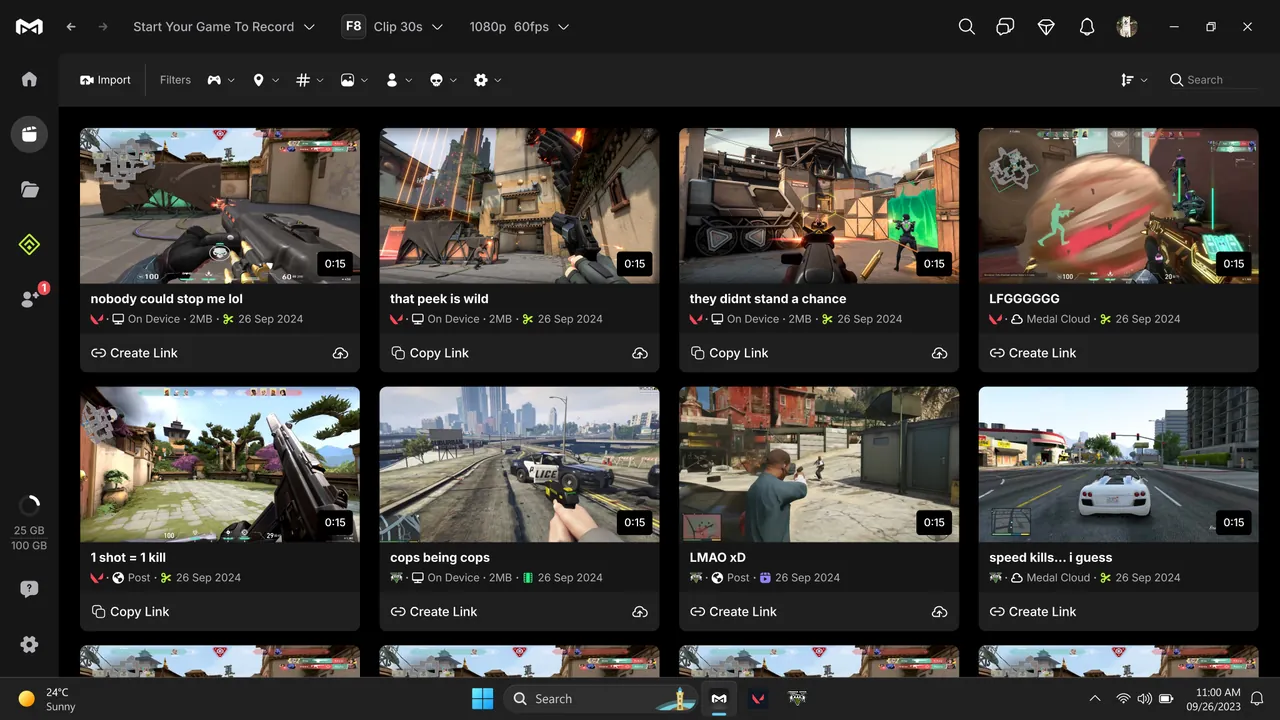
About Medal
Medal keeps a rolling buffer of your gameplay and writes a clip when you press the clip hotkey, F8 by default, so you never need to record whole sessions. It records any PC game at up to 4K and 144 fps with NVIDIA, AMD or Intel GPU encoding, saves MP4 files locally and to the cloud, and can clip key moments automatically in games such as Fortnite, Valorant and Counter-Strike.
Medal is also a social network for game clips with profiles, friends and quests, and it asks you to sign in when it first opens. The free plan uploads clips up to 20 minutes long and up to 1080p, and downloaded clips include a watermark. Medal Premium removes the watermark and adds unlimited cloud storage, original-quality uploads, permanent share links and auto-generated subtitles.
What it does well
- Hotkey clipping. Saves the last moments of gameplay when you press F8.
- Automatic clipping. Detects events in supported games and clips them for you.
- Up to 4K at 144 fps. Records with H.264, H.265 or AV1 using GPU or CPU encoding.
- Clip editor. Trims clips and builds montages inside the app.
- Instant share links. Uploads clips to Medal and gives you a link to share anywhere.
Who it is for
Good fit
Gamers who want quick highlight clips and an easy way to share them with friends.
Look elsewhere
People who want watermark-free exports for free or a recorder without an account and social feed.
Pros and cons
Pros
- Very low effort clipping
- Automatic clips in popular games
- Built-in editor and montages
- Easy sharing to friends and social networks
Cons
- Downloaded clips carry a watermark on the free plan
- Free uploads are limited to 20 minutes and 1080p
- Requires an account; social features and Premium prompts are hard to avoid
How to install Medal
Download the installer from medal.tv; it is a small web setup that fetches the rest of the app. Sign in or create an account when Medal opens, then check the clip hotkey, clip length and recording quality in settings before you play.
Questions about Medal
Is Medal free?
Yes. Medal is free on PC and mobile. Medal Premium is optional and removes the watermark and upload limits.
Does Medal add a watermark?
Yes, on downloaded clips in the free plan. Medal Premium lets you download clips without it.
Does Medal slow down games?
Medal says it uses about 100 to 400 MB of RAM, and you can lower resolution and frame rate on weaker PCs.


