

Our verdict: Jellyfin is the fully free alternative to Plex and Emby: every feature, including hardware transcoding and remote access, costs nothing and needs no online account. The trade-off is less polish and more setup, especially for remote access.
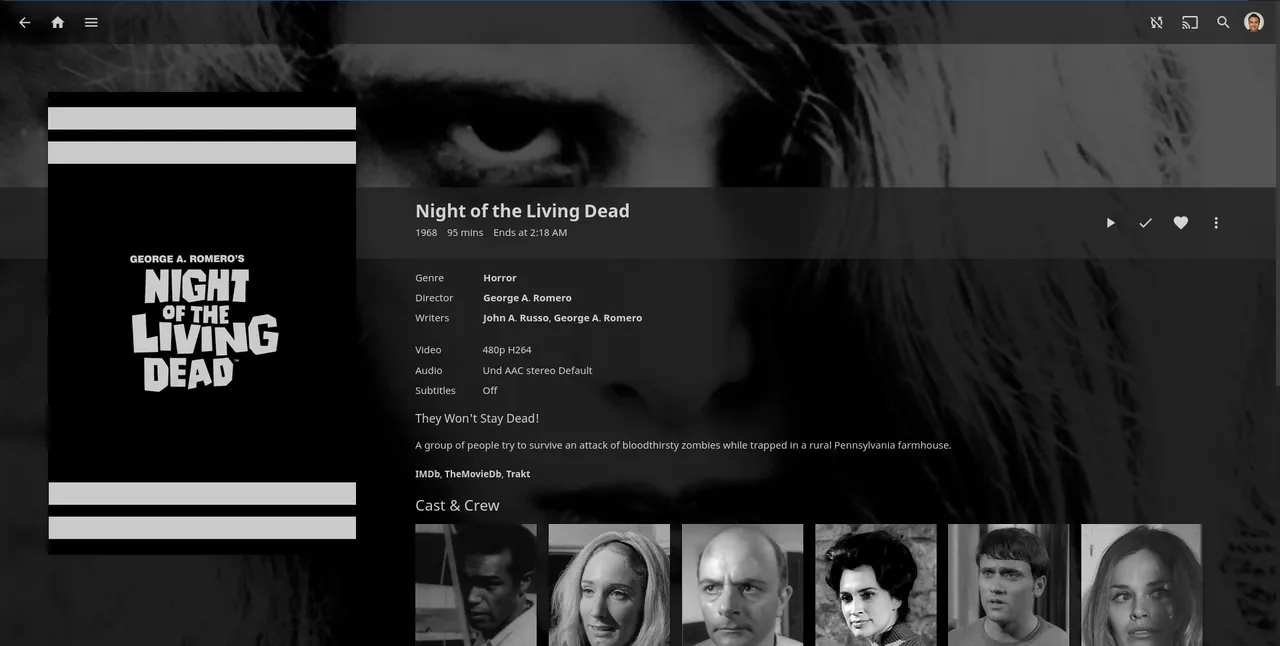
About Jellyfin Server
Jellyfin is a community project that started as a fork of Emby when Emby moved to closed source. The server runs on your PC, scans your media folders and builds libraries with artwork and descriptions, then serves them to Jellyfin apps and web browsers.
There is no premium tier and no central Jellyfin account. Users, libraries and settings live on your own server, and the project states that no subscription of any form is required to use the server or any official client.
What it does well
- Libraries with metadata. Builds movie, TV, music and photo libraries with artwork and descriptions.
- Hardware transcoding. Uses Intel, NVIDIA or AMD GPUs to convert video for devices, at no extra cost.
- Live TV and DVR. Watches and records TV from supported tuners and IPTV sources.
- Local user accounts. Create users with their own libraries, watch history and parental controls.
- Official clients. Apps for Android, iOS, Android TV, Roku, webOS, Tizen, Xbox and desktop.
Who it is for
Good fit
Home server owners who want a free, private media server with no subscriptions or cloud accounts.
Look elsewhere
People who want the most polished apps and a simple one-click remote access setup.
Pros and cons
Pros
- Every feature is free, including hardware transcoding
- No online account required
- Open source and self-hosted
- Apps for most TV platforms
Cons
- Less polished apps than Plex
- Remote access needs manual network setup
- Metadata matching needs well-named files
How to install Jellyfin Server
Run the Windows installer from jellyfin.org and choose whether Jellyfin runs as a Windows service or as a tray app. The setup wizard then opens in your browser at http://localhost:8096, where you create the admin user and add media folders. For streaming outside your home, set up a reverse proxy or VPN rather than opening the port directly.
Questions about Jellyfin Server
Is Jellyfin Server free?
Yes. It is open source under the GNU GPL v2, with no paid tier or subscription.
Do I need an account to use Jellyfin?
No. Users are created on your own server; there is no central Jellyfin account.
What is the difference between Jellyfin Server and Jellyfin Media Player?
Jellyfin Server stores and streams your library. Jellyfin Media Player is a desktop app that connects to a server and plays from it.


