

Our verdict: Laragon is a faster, more modern take on the local PHP stack than XAMPP: pretty .test URLs, one-click SSL and quick PHP version switching come built in. Non-commercial use is allowed without a license, but you get a license popup and no auto-update. Any commercial use needs a paid license.
About Laragon
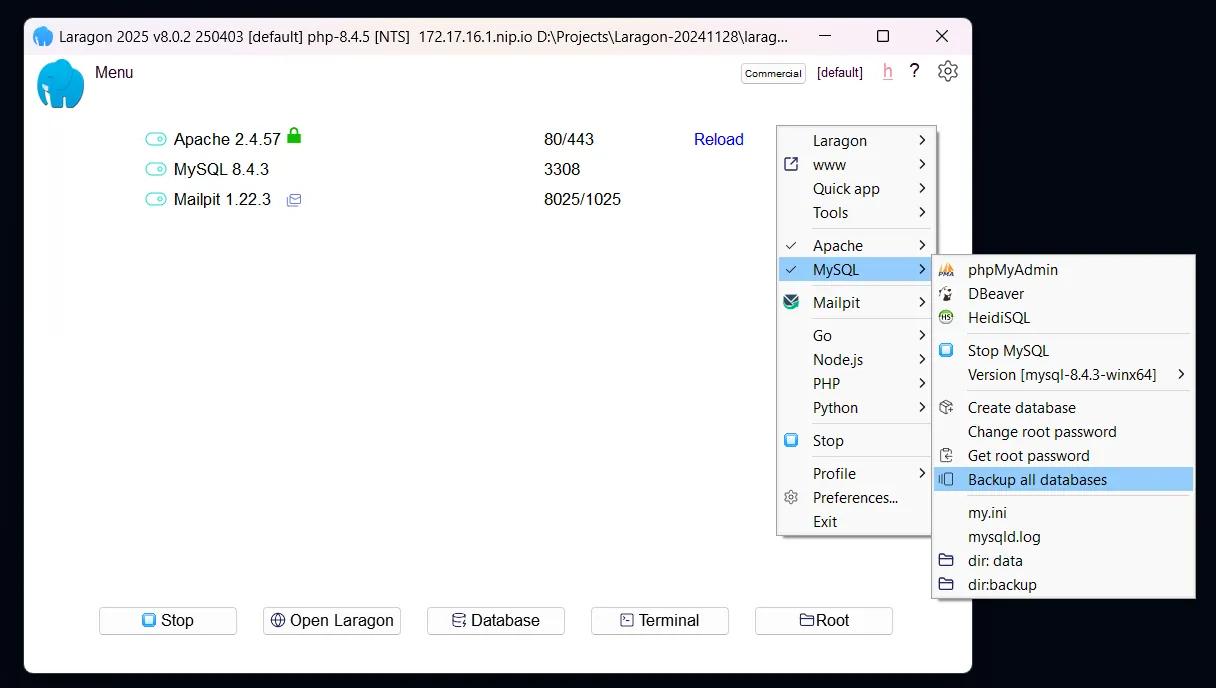
Laragon is a portable development environment for Windows. The Full package bundles Apache, Nginx, several versions of MySQL, PHP, Node.js and PostgreSQL, plus Python, Redis, Memcached, npm and Git. It maps each project folder to a local domain such as myapp.test, can enable HTTPS for local domains with one click, and creates Laravel, Symfony or WordPress projects from templates.
Unlicensed use is allowed for non-commercial purposes, but Laragon shows a license reminder when it starts or launches services and does not update itself automatically. A perpetual non-commercial license costs $10 for one device. Commercial use requires a commercial license: an annual license starts at $49, a lifetime license at $149.
What it does well
- Auto virtual hosts. Each project folder gets a local URL such as myapp.test without manual configuration.
- One-click local SSL. Enables HTTPS for local domains without creating certificates by hand.
- Multiple versions. Switch between versions of PHP, MySQL, Node.js, PostgreSQL, Apache and Nginx.
- Quick app templates. Creates Laravel, Symfony, WordPress or Node.js projects from the menu.
- Portable setup. The whole environment stays in one folder and can be moved to another PC.
Who it is for
Good fit
PHP and Laravel developers on Windows who want a fast local stack with pretty URLs and easy version switching.
Look elsewhere
Commercial users who do not want to pay, and people who need macOS or Linux support.
Pros and cons
Pros
- Pretty .test URLs and one-click local SSL
- Easy switching between PHP, MySQL and Node.js versions
- Portable: everything stays in one folder
- Cheap $10 non-commercial license
Cons
- Free use is limited to non-commercial purposes and shows a license popup
- No automatic updates without a license
- Windows only
How to install Laragon
The download is the Full 64-bit package with Apache, Nginx, MySQL, PHP, Node.js and PostgreSQL; no account is needed. To use Laragon's PHP, Node.js and Python in other terminals and editors, choose Tools > Path > Add Laragon to Path. Add extra tools such as a newer PHP version from Tools > Quick add. Enter a license key to remove the startup reminder and enable auto-updates.
Questions about Laragon
Is Laragon free?
Only for non-commercial use. Without a license Laragon works but shows a license reminder and does not auto-update. A non-commercial license costs $10 once for one device; commercial use requires a commercial license from $49 per year or $149 lifetime.
Does Laragon need an account or card to try?
No. You download the installer from laragon.org and use it unlicensed for non-commercial work without signing up.
Can Laragon replace XAMPP?
Yes. It covers the same Apache, MySQL and PHP stack and adds Nginx, Node.js, PostgreSQL, automatic virtual hosts and local SSL.


