

Our verdict: Podman Desktop is a free graphical alternative to Docker Desktop with no paid tiers for large companies. Onboarding installs the Podman engine, kubectl and Compose for you, and extensions add Kind, Minikube and more. On Windows it still runs containers inside a WSL 2 or Hyper-V machine, which needs administrator rights and several gigabytes of RAM.
About Podman Desktop
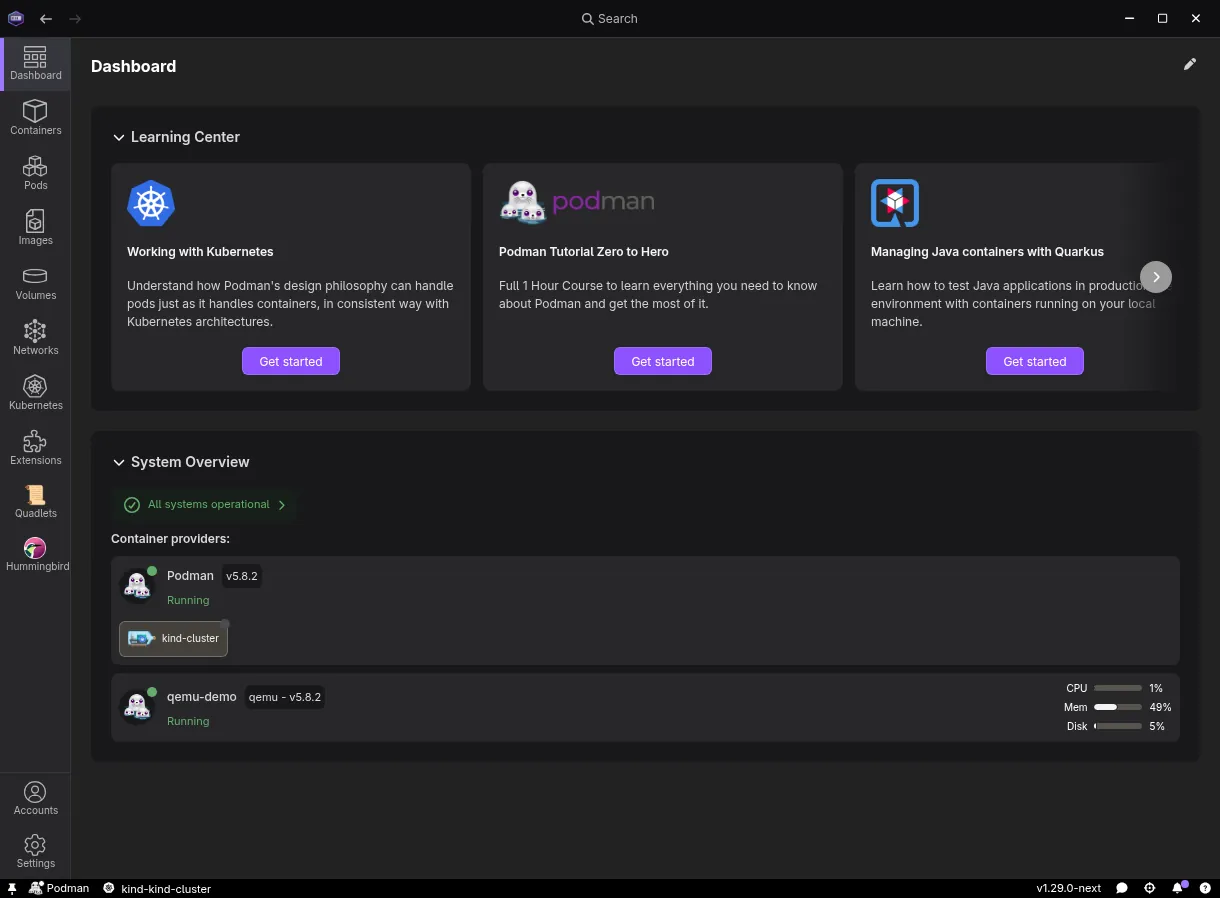
Podman Desktop is an open source desktop app, licensed under Apache 2.0, for working with containers and Kubernetes locally. It is a Cloud Native Computing Foundation project with Red Hat as the main contributor; Red Hat also sells a supported enterprise build. It manages Podman by default and can also connect to other container engines.
On Windows the Podman engine runs inside a Podman machine based on WSL 2 or Hyper-V. The first-run onboarding installs Podman, kubectl and Compose and creates the machine, which needs about 6 GB of RAM. From the dashboard you start and stop containers and pods, pull and build images, run Compose files and create local Kind or Minikube clusters.
What it does well
- Containers and pods. Start, stop, inspect and open terminals in containers and pods.
- Images. Pull, build, push and prune images from registries.
- Compose. Runs Compose files and groups their containers.
- Local Kubernetes. Creates Kind and Minikube clusters and deploys pods to them.
- Extensions. Add engines, tools and integrations from an extension catalog.
Who it is for
Good fit
Developers who want a free Docker Desktop alternative with a GUI and local Kubernetes.
Look elsewhere
PCs without virtualization or with little RAM, and users who only need the Podman command line.
Pros and cons
Pros
- Free and open source, no paid tiers
- Onboarding installs Podman, kubectl and Compose
- Kind and Minikube support for local Kubernetes
- Extension catalog for other engines and tools
Cons
- Needs WSL 2 or Hyper-V and about 6 GB RAM
- Hyper-V mode needs Windows Pro or Enterprise
- Some Docker-only tools need extra setup
How to install Podman Desktop
Run the setup and choose an installation for all users or only for you. Open Podman Desktop and follow the onboarding to install Podman and create a Podman machine; enabling WSL 2 or Hyper-V needs administrator rights and may require a restart. It is also available with winget install RedHat.Podman-Desktop.
Questions about Podman Desktop
Is Podman Desktop free?
Yes. Podman Desktop is open source under the Apache 2.0 license and free for personal and commercial use.
Does Podman Desktop need WSL?
On Windows the Podman engine runs in a WSL 2 or Hyper-V virtual machine. Onboarding can enable WSL for you.
Can Podman Desktop run Docker Compose files?
Yes. It installs Compose and runs compose files against the Podman engine.


