

Our verdict: MeshLab is the standard free tool for fixing and preparing 3D scans and meshes. It handles huge models and offers hundreds of filters. It is not a modeling program, and the interface takes time to learn.
About MeshLab
MeshLab is developed by the Visual Computing Lab of ISTI-CNR in Italy and released under the GPLv3. It is widely used in research, cultural heritage scanning and 3D printing to process meshes produced by scanners and photogrammetry.
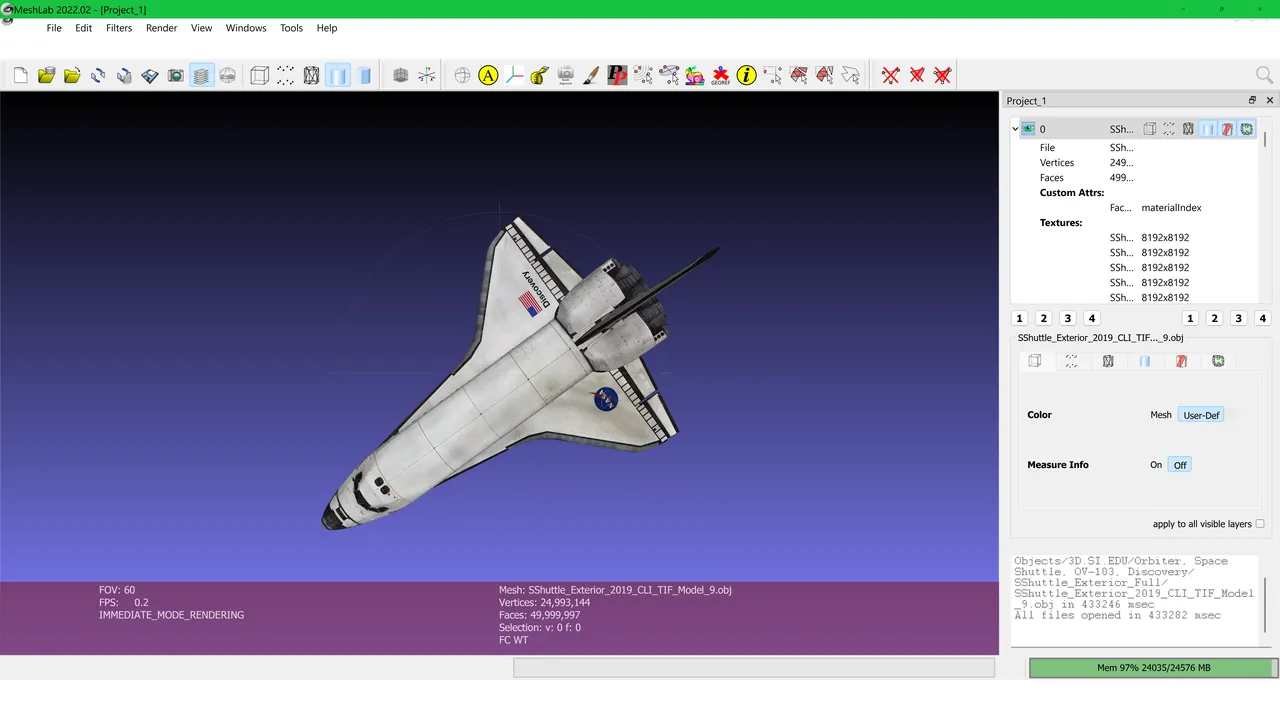
You load a mesh or point cloud, then apply filters from the menus: remove duplicate vertices and noise, close holes, simplify the polygon count, rebuild a surface from points, or transfer color and texture. Measuring tools help check dimensions, and the result can be saved to many common 3D formats.
What it does well
- Mesh cleaning. Removes duplicates, non-manifold edges and small isolated pieces.
- Simplification and remeshing. Reduces polygon count while keeping the shape.
- Surface reconstruction. Builds a mesh from a point cloud, for example with Poisson reconstruction.
- Color and texture tools. Transfers vertex color and textures between meshes.
- Format conversion. Reads and writes PLY, STL, OBJ, OFF, 3DS, COLLADA and more.
Who it is for
Good fit
3D scanning, photogrammetry and 3D printing users who need to repair and lighten meshes.
Look elsewhere
Anyone who wants to model or sculpt objects from scratch.
Pros and cons
Pros
- Free and open source
- Hundreds of mesh and point cloud filters
- Handles very large models
- Wide format support
Cons
- Not a modeling or sculpting tool
- Dense menus with technical filter names
- Limited undo for many filters
How to install MeshLab
Download the Windows x86_64 installer; the build with a 'd' suffix uses double precision and is only needed for very large coordinates. Filters are grouped under the Filters menu, and the Show Layer Dialog button lists loaded meshes. Save often: some filters cannot be undone.
Questions about MeshLab
Is MeshLab free?
Yes. It is open source under the GPLv3 with no paid version.
Can MeshLab fix STL files for 3D printing?
Yes. Its cleaning filters remove broken geometry and close holes, and the result can be saved back to STL.
Can I model in MeshLab?
No. MeshLab processes existing meshes; use Blender or FreeCAD to create models.


