

Our verdict: OpenRGB lets you control the RGB lighting of mixed-brand hardware from one lightweight open-source app instead of several vendor programs. It runs on Windows, Linux and macOS, and offers an SDK and plugins for effects. Device support depends on community reverse engineering, so check that your hardware is listed before you rely on it.
About OpenRGB
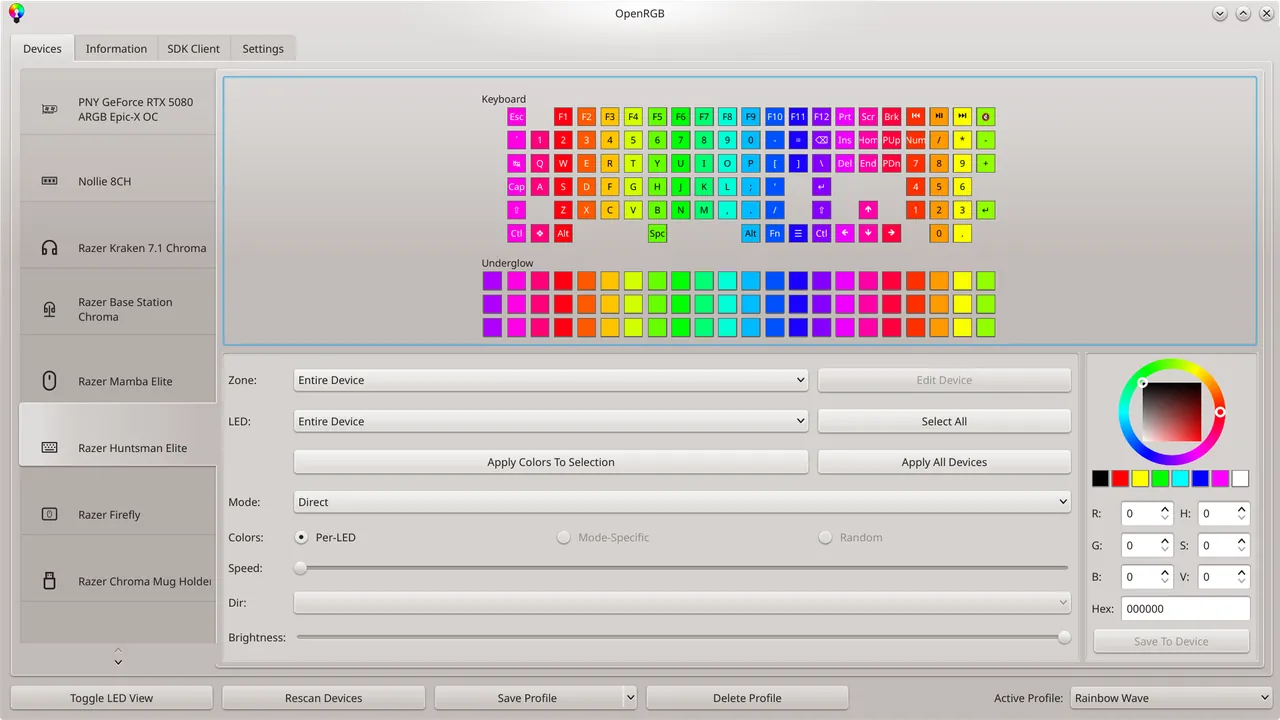
OpenRGB is a free, open-source RGB lighting controller under the GNU GPL v2. Its goal is to replace the separate apps that each hardware maker ships with one program that needs no online account and uses little RAM and CPU. It controls devices such as motherboards, RAM modules, graphics cards, keyboards, mice and coolers, with a list of supported devices published for each release.
A network SDK lets other software control your lighting for game integration, music visualization or ambient effects, with bindings for C++, Python, C#, Java and other languages. OpenRGB can also sync lighting across several PCs. Plugins add an effects engine, an E1.31 receiver and a visual layout editor. Since version 1.0 the Windows build uses the PawnIO driver: install it and run OpenRGB as administrator to control RAM and some motherboards.
What it does well
- Multi-brand control. One app for RGB devices from many manufacturers.
- Lightweight. Simple interface with low RAM and CPU use.
- Network SDK. Lets games and other apps drive your lighting, or sync several PCs.
- Plugins. Effects engine, E1.31 receiver and visual layout editor.
- Profiles. Save lighting setups and load them at startup.
Who it is for
Good fit
PC builders with RGB hardware from several brands who want to drop vendor lighting apps.
Look elsewhere
People whose devices are not on the supported list, or who rely on vendor-specific effects and firmware updates.
Pros and cons
Pros
- Free and open source
- Replaces several vendor apps
- Low resource use
- SDK and plugin support
Cons
- Device support varies and some hardware is missing
- RAM and motherboard control needs the PawnIO driver and admin rights
- Fewer effects than some vendor apps without plugins
How to install OpenRGB
Install the 64-bit MSI from openrgb.org; a portable ZIP is also available. For RAM and many motherboards, install PawnIO from pawnio.eu and start OpenRGB as administrator. Close vendor RGB apps first so they do not fight over the same devices, then save a profile and set it to load at startup.
Questions about OpenRGB
Is OpenRGB free?
Yes. OpenRGB is open source under the GNU GPL v2, with no paid edition.
Why does OpenRGB not detect my RAM lighting?
On Windows, OpenRGB 1.0 and newer need the PawnIO driver for RAM and some motherboards. Install PawnIO and run OpenRGB as administrator.


