

Our verdict: Beeftext is a simple, private text expander: define a keyword, type it anywhere, and it becomes your snippet. Variables for dates, the clipboard and typed input cover most daily needs. The project is in maintenance mode, so expect bug fixes only and no new features.
About Beeftext
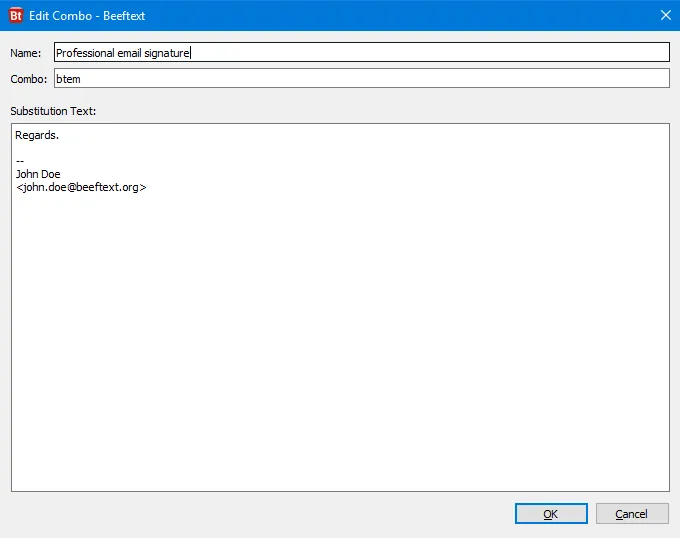
Beeftext is an open-source text substitution tool written in C++ with Qt by Xavier Michelon, inspired by TextExpander. You create combos: a keyword you are unlikely to type by accident and the text it should become. When you type the keyword in any application that supports copy and paste, Beeftext replaces it with the snippet, in any language thanks to Unicode.
Snippets can contain variables for the date and time with custom formats and date math, the clipboard text, other combos, environment variables, typed input, key presses, shortcuts and the output of PowerShell scripts. Combos can be grouped, imported and exported as JSON or TextExpander-compatible CSV, and backed up. Beeftext stores nothing about your typing and only connects to its website once a day to check for updates, which can be turned off. The project is now in maintenance mode.
What it does well
- Combos. Keywords that expand into saved text in any app that supports paste.
- Variables. Date and time, clipboard, input prompts, other combos and PowerShell output.
- Matching modes. Strict matching by default, or loose matching inside words per combo.
- Picker window. Searches and inserts combos without remembering their keywords.
- Import and export. JSON and TextExpander-compatible CSV, plus full backup and restore.
Who it is for
Good fit
Anyone who types the same emails, signatures, code snippets or special characters many times a day.
Look elsewhere
Teams that need shared snippet libraries or cloud sync, and macOS users.
Pros and cons
Pros
- Free and open source
- Works in almost every Windows app
- Powerful variables, including PowerShell
- No data leaves your PC except an update check
Cons
- Maintenance mode: no new features planned
- No built-in sync between computers
- Windows only
How to install Beeftext
The button downloads the official installer from the Beeftext GitHub release; a portable edition is listed on beeftext.org. After installation Beeftext runs in the tray. Open it to create your first combo, and turn off the daily update check in Preferences if you want it fully offline.
Questions about Beeftext
Is Beeftext free?
Yes. Beeftext is open source under the MIT license, with no ads and no paid edition.
Does Beeftext send my keystrokes anywhere?
No. It listens to keystrokes to detect keywords but stores nothing about your typing and sends no data to any server. Its only network activity is a daily update check that can be disabled.
Can I import my TextExpander snippets?
Yes. Beeftext imports CSV files in the TextExpander format; TextExpander macros are not converted into Beeftext variables automatically.


