

Our verdict: PhraseExpress is one of the most complete text expanders for Windows, with phrase folders, input forms, clipboard history and macro functions. Personal use is free after the 30-day full trial. Using it at work, in a VM or on a managed PC triggers license notifications, so businesses must budget for a license.
About PhraseExpress
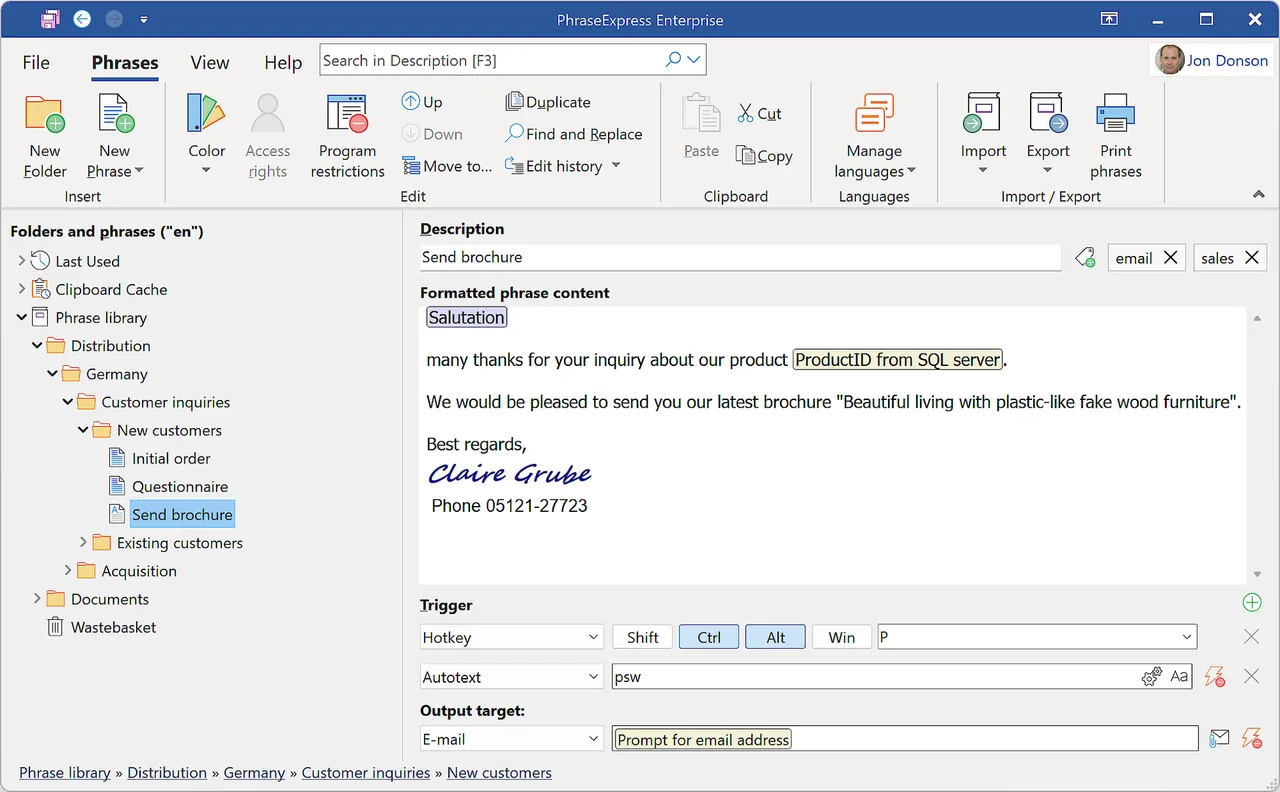
PhraseExpress is developed by Bartels Media in Germany. You organize text snippets in folders and insert them by an autotext abbreviation, a hotkey or a popup phrase menu, as plain text, rich text, HTML or Word formatting. Phrases can hold dynamic content such as date and time stamps with date math, clipboard contents, typed input and calculations. It also includes a clipboard manager, autocorrect for your own typos and autocomplete suggestions.
The setup file contains all editions and starts with every feature unlocked for 30 days. After that it becomes the free version for personal users, who keep all stand-alone features. License notifications and occasional license text insertions start if you use it in a professional context (work account, managed device, virtual machine or Remote Desktop), under several user names, or use features of the commercial editions. Paid licenses are one-time purchases with 12 months of updates.
What it does well
- Autotext and hotkeys. Expands abbreviations or hotkeys into stored text in any program.
- Phrase menu. Pops up your snippet folders for picking a phrase with the mouse or keyboard.
- Dynamic content. Date and time math, clipboard contents, typed input and calculations.
- Clipboard manager. Keeps a history of copied items and pastes with or without formatting.
- Macro functions. Launches programs, simulates keystrokes and opens files or websites.
Who it is for
Good fit
Home users who type the same replies, addresses or templates every day and want a feature-rich tool.
Look elsewhere
Anyone using it for work without buying a license, and users who want a small open-source tool.
Pros and cons
Pros
- Very large feature set
- Free for personal use
- Clipboard history and autocorrect built in
- One-time license instead of a subscription
Cons
- Work, VM or Remote Desktop use triggers license prompts
- Interface is crowded with options
- Closed source
How to install PhraseExpress
The button downloads the official Windows setup from phraseexpress.com; by installing it you accept the license terms shown on the download page. A portable edition is also offered there. Word-formatted phrases and the Document Generator need a local Microsoft Word installation.
Questions about PhraseExpress
Is PhraseExpress free?
For personal use, yes. The first 30 days include all features; afterwards personal users keep the stand-alone features for free. Use in a professional context, with several user accounts or with commercial-edition features requires a paid license, otherwise license notifications appear.
Can PhraseExpress sync phrases between computers?
Yes. It can sync a phrase file through Dropbox, Google Drive, OneDrive or a network share. Sharing through Microsoft SQL Server is part of the paid editions.
Is there a Mac version?
Yes. PhraseExpress is also available for macOS and iPhone/iPad, with a different feature set from the Windows version.


