

Our verdict: SharpKeys is the simplest way to permanently remap keys on Windows, like disabling Caps Lock or swapping Ctrl and Alt. It only edits a registry setting that Windows already supports, so nothing stays running. It cannot create shortcuts or per-app mappings.
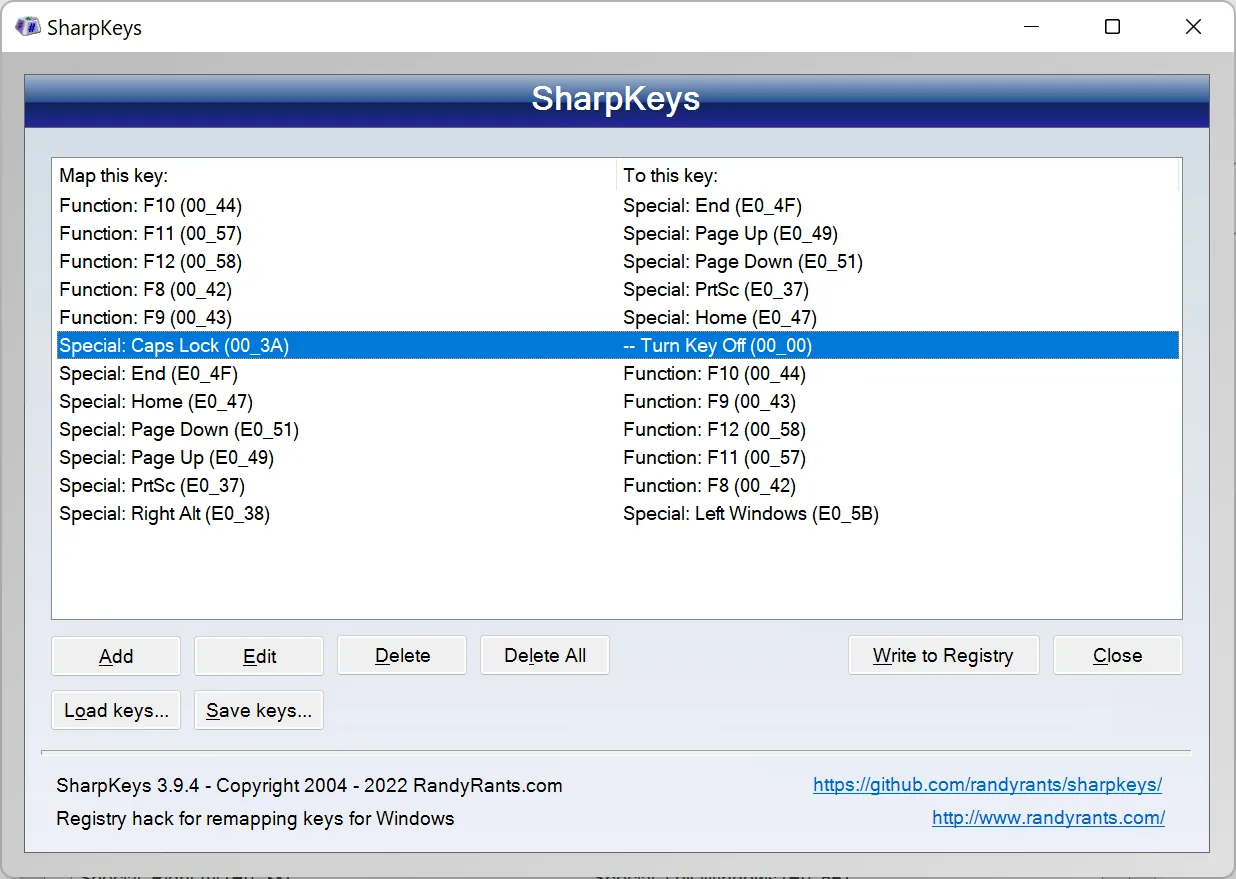
About SharpKeys
SharpKeys is a small open-source tool that manages the Scancode Map registry value, a feature Windows has had since Windows 2000 for remapping keys. You pick a key from a list or press it with Type Key, choose what it should become, and write the result to the registry. After you sign out or restart, Windows applies the mapping itself.
Because Windows does the remapping, SharpKeys does not need to run in the background and works in every app, including games and the sign-in screen. The trade-off is that mappings are one key to one key for the whole system: no key combinations, macros or app-specific rules. The key list is based on US keyboards and may miss some keys on other layouts.
What it does well
- Key-to-key remapping. Turn any key into another key, for example Caps Lock into Shift or Ctrl.
- Disable keys. Turn off keys you hit by accident, such as Caps Lock, Insert or the Windows key.
- Type Key. Press a key on your keyboard to detect it instead of searching the list.
- No background process. Mappings are applied by Windows itself, so nothing keeps running.
- Import and export. Save your mappings to a file and load them on another PC.
Who it is for
Good fit
Anyone who wants a permanent, system-wide fix for one or two annoying keys.
Look elsewhere
Shortcuts, key combinations or per-app remapping; PowerToys Keyboard Manager or AutoHotkey do that.
Pros and cons
Pros
- Free and open source
- Uses a built-in Windows feature
- Nothing runs in the background
- Works everywhere, including games
Cons
- Needs a sign-out or restart after each change
- Only one-to-one key mappings, no shortcuts
- Key list is based on US keyboards
How to install SharpKeys
The button downloads the MSI installer from GitHub; the same MSI is in the Microsoft Store. On ARM versions of Windows use the ZIP from the releases page. After adding mappings, click Write to Registry, then sign out or restart so Windows applies them. Admin rights are needed to write the setting.
Questions about SharpKeys
Is SharpKeys free?
Yes. SharpKeys is free and open source under the Microsoft Public License.
How do I undo a SharpKeys mapping?
Open SharpKeys, delete the mapping or click Delete All, then Write to Registry and restart or sign out.
Does SharpKeys need to stay open?
No. It only writes the Scancode Map registry value. Windows applies the mapping on its own.


