

Our verdict: PeaZip is a full-featured open-source archiver with more tools than 7-Zip: encryption, secure deletion, hashing and duplicate search. Its interface is busier than 7-Zip's, but it opens nearly any archive and has no ads or paid edition.
About PeaZip
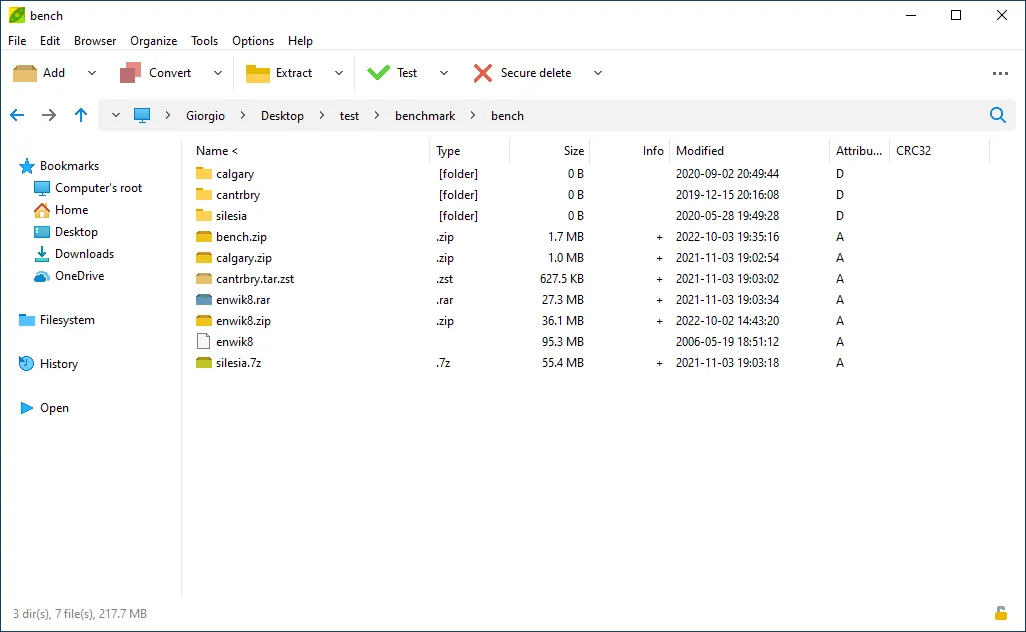
PeaZip is developed by Giorgio Tani and released under the LGPL v3. It uses proven open-source engines such as 7-Zip, Brotli, FreeArc, PAQ and Zstandard, and adds its own graphical interface with drag and drop and full Explorer context-menu integration.
It extracts more than 200 file types, including RAR, RAR5, ACE (with a separate plugin), CAB, DMG, ISO and ZIPX, and creates 7Z, ARC, BZip2, GZip, PAQ, PEA, TAR, WIM, XZ, ZST and ZIP archives. Creating RAR files is only possible when WinRAR is installed, because the RAR format is not open.
What it does well
- Wide format support. Opens 200+ archive types and converts proprietary formats to open ones.
- Strong encryption. Password-protected archives plus an encrypted password manager for saved keys.
- Secure delete. Permanently erases files so they cannot be recovered.
- Hashes and duplicates. Computes many checksum algorithms and finds duplicate files.
- Scriptable tasks. Exports any job as a command line to automate backups and restores.
Who it is for
Good fit
Users who want one free archiver for every format, with encryption and file tools built in.
Look elsewhere
People who prefer the minimal, very light interface of 7-Zip or NanaZip.
Pros and cons
Pros
- Opens 200+ formats
- Encryption, secure delete and hashing built in
- No ads, no paid edition
- Portable version available
Cons
- Interface is crowded compared with 7-Zip
- Cannot create RAR archives without WinRAR installed
- New releases often trigger SmartScreen warnings at first
How to install PeaZip
Download the WIN64 installer from the official PeaZip site; it contains no sponsored offers. SmartScreen or your browser may briefly warn about a newly released build; the developer says to keep the file and run it. Avoid PeaZip-named apps in the Microsoft Store: the project does not publish there.
Questions about PeaZip
Is PeaZip free?
Yes. PeaZip is open source under the LGPL v3 and free for personal and commercial use, with no trial limits.
Can PeaZip open RAR files?
Yes. It extracts both old RAR and RAR5 archives. Creating RAR archives requires WinRAR to be installed.
Is PeaZip in the Microsoft Store?
No. The developer warns that PeaZip-named apps in the Store are not official. Download it from peazip.github.io.


