

Our verdict: VirtualBox is the easiest free way to try Linux, test software in a throwaway Windows or keep an old system running in a window. Snapshots let you undo any change. Graphics performance is limited, and it can conflict with Hyper-V features on Windows.
About VirtualBox
VirtualBox is developed by Oracle. The base package, including the Guest Additions installed inside virtual machines, is open source under the GNU GPL v3. The separate Extension Pack is free only for personal and educational use; companies need a paid license for it.
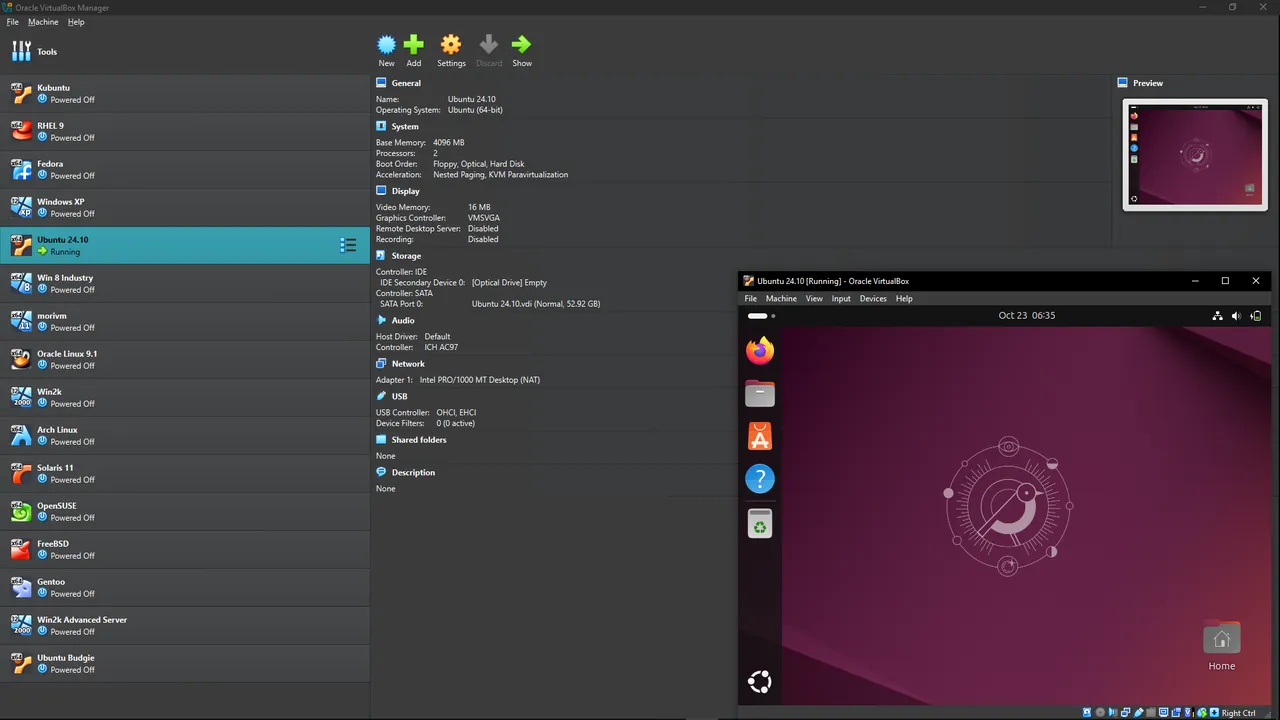
You create a virtual machine, attach an ISO image of an operating system and install it as on a real PC. The Guest Additions add a resizable screen, shared clipboard, drag and drop and shared folders between the host and the guest.
What it does well
- Snapshots. Saves the state of a machine so you can roll back after a failed update or test.
- Unattended install. Installs common Windows and Linux guests automatically from an ISO.
- Shared folders and clipboard. Moves files and text between Windows and the virtual machine.
- Virtual networking. NAT, bridged, host-only and internal networks for testing servers and labs.
- Import and export. Moves machines between PCs in the open OVF/OVA format.
Who it is for
Good fit
Developers, IT students and anyone who wants to try another operating system without touching their PC.
Look elsewhere
Gamers or anyone who needs fast 3D graphics inside the virtual machine.
Pros and cons
Pros
- Open source and free for any use (base package)
- Snapshots and unattended installs
- Runs on Windows, macOS and Linux hosts
- Open OVF/OVA format
Cons
- Weak 3D graphics performance in guests
- Extension Pack is free only for personal and educational use
- Can run slower when Hyper-V or WSL 2 is enabled
How to install VirtualBox
Run the installer as administrator; it briefly disconnects your network while installing virtual network drivers. If Windows Hyper-V, WSL 2 or Memory Integrity is on, VirtualBox may run slower; this is expected. Install the Guest Additions inside each guest from the Devices menu for a resizable screen and shared clipboard. Only install the Extension Pack if you need it and your use is personal or educational.
Questions about VirtualBox
Is VirtualBox free?
Yes. The base package is open source under the GNU GPL v3 and free for any use. The optional Extension Pack is free only for personal and educational use.
Can I run Windows 11 in VirtualBox?
Yes. Current versions provide the TPM and Secure Boot settings that Windows 11 setup expects. You still need a valid Windows license for the guest.
Do I need the Extension Pack?
Most home users do not. It adds features such as the VirtualBox Remote Desktop Protocol server and disk encryption.


