

Our verdict: PuTTY is still a dependable SSH client for Windows, especially for saved sessions, serial ports and network gear. Windows now ships OpenSSH, so you do not strictly need PuTTY for basic SSH. Make sure you download it from the developers' own site: putty.org is not run by the PuTTY team.
About PuTTY
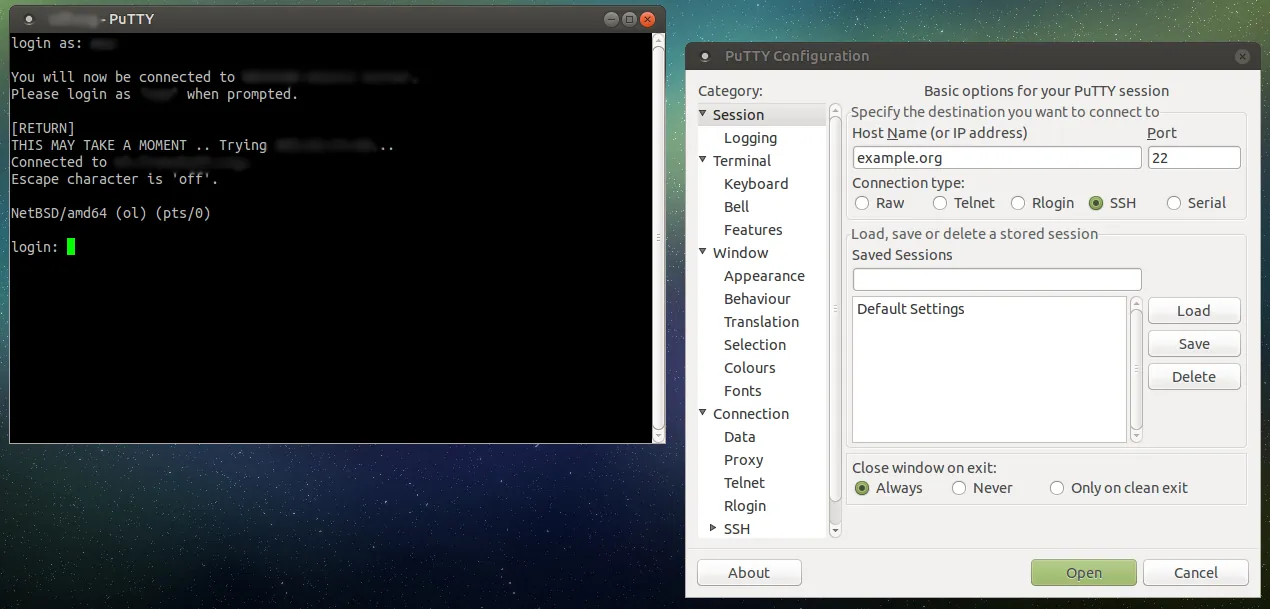
PuTTY is written by Simon Tatham and a small team and has been free and open source since the late 1990s. It connects to servers over SSH, Telnet, Rlogin and SUPDUP, and to devices over a serial port. The installer also adds PuTTYgen for keys, Pageant as an SSH agent, and the command-line tools PSCP, PSFTP and Plink.
The official website has always been at chiark.greenend.org.uk/~sgtatham/putty, and release files are served from the.earth.li. According to the official FAQ, putty.org was set up by an unrelated party, and since August 2025 the team also runs putty.software as its own landing page.
What it does well
- Saved sessions. Store host, authentication, terminal and logging settings per destination.
- Serial connections. Talk to routers, switches and boards over a COM port.
- Port forwarding. Local, remote and dynamic SSH tunnels, configurable mid-session.
- PuTTYgen and Pageant. Create and convert SSH keys and keep them loaded in an agent.
- PSCP, PSFTP and Plink. Command-line file transfer and SSH for scripts and batch jobs.
Who it is for
Good fit
Admins and engineers who connect to Linux servers, network devices or serial consoles.
Look elsewhere
People who want tabs, a modern interface or a password manager built into the SSH client.
Pros and cons
Pros
- Small, fast and free
- Serial and legacy protocol support
- Complete key toolkit included
- Open source under the MIT License
Cons
- Cannot remember passwords
- Settings live in the Windows Registry rather than a portable file
- Uses its own PPK key format, so OpenSSH keys need converting in PuTTYgen
How to install PuTTY
Open the official download page at chiark.greenend.org.uk and get the 64-bit x86 MSI installer. It is also published by the PuTTY team in the Microsoft Store. Avoid look-alike download sites; check the file against the official signatures if in doubt.
Questions about PuTTY
Is putty.org the official PuTTY website?
No. The PuTTY FAQ says putty.org was never run by the PuTTY team. The official site is chiark.greenend.org.uk/~sgtatham/putty, and putty.software is the team's own landing page.
Why does the download come from the.earth.li?
Release files are hosted on a separate server for bandwidth reasons. The developers confirm that links to the.earth.li are legitimate.
Do I still need PuTTY now that Windows has OpenSSH?
Not for basic SSH. PuTTY is still useful for saved sessions, serial ports, GUI port forwarding and the PuTTYgen and Pageant tools.


