

Our verdict: RetroArch is the most complete free way to emulate many classic consoles from one app. Shaders, rewind, netplay and achievements work the same across systems. The menus are confusing at first, and you must supply your own game files and, for some systems, BIOS files.
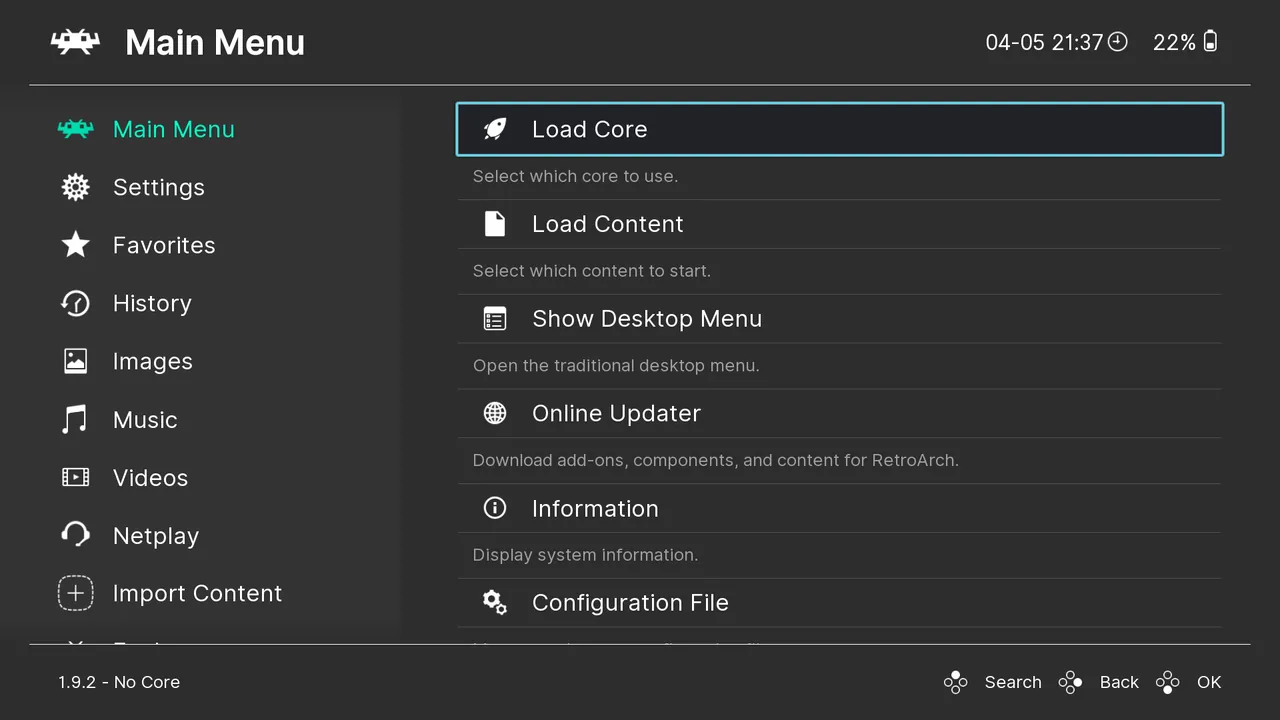
About RetroArch
RetroArch is the reference frontend for the libretro API, developed by the Libretro team under the GNU GPL v3. Emulators are packaged as cores that you download from inside the app, one for each system or several to choose from.
RetroArch does not include any games or console BIOS files. You need your own legally obtained game dumps and, for systems such as PlayStation, BIOS files dumped from your own console. Each core has its own license, and some cores are limited to non-commercial use.
What it does well
- Cores for many systems. Download emulator cores for NES, SNES, Genesis, Game Boy, PlayStation and many others.
- Shaders. CRT and scanline filters that recreate the look of old TVs.
- Rewind and run-ahead. Undo mistakes and reduce input lag in supported cores.
- Netplay. Play local multiplayer games online with friends.
- RetroAchievements. Earn achievements in classic games with a free RetroAchievements account.
Who it is for
Good fit
Retro gamers who want many consoles, shaders and controllers set up once in one app.
Look elsewhere
Beginners who want a simple, single-console emulator with a familiar interface.
Pros and cons
Pros
- Dozens of systems in one app
- Shaders, rewind and run-ahead
- Netplay and achievements
- Open source with no ads
Cons
- Menus and settings are hard to learn
- Some cores need BIOS files you must dump yourself
- Core quality and licenses vary
How to install RetroArch
Run the 64-bit installer, then open Online Updater and download the cores you need, plus assets and controller profiles. Use Import Content to scan a folder with your own game files into playlists. Put BIOS files dumped from your own consoles in the system folder shown under Settings → Directory.
Questions about RetroArch
Is RetroArch free?
Yes. RetroArch is open source under the GNU GPL v3 and free to use.
Does RetroArch come with games?
No. You need your own legally obtained game files and, for some systems, BIOS files from your own console.
What is a RetroArch core?
A core is an emulator packaged as a plugin. You download one core per system from Online Updater.


