

Our verdict: RustDesk is the best open-source answer to AnyDesk and TeamViewer. It works out of the box with public servers, and you can run your own server to keep connections in-house. The public servers can be slower than commercial networks.
About RustDesk
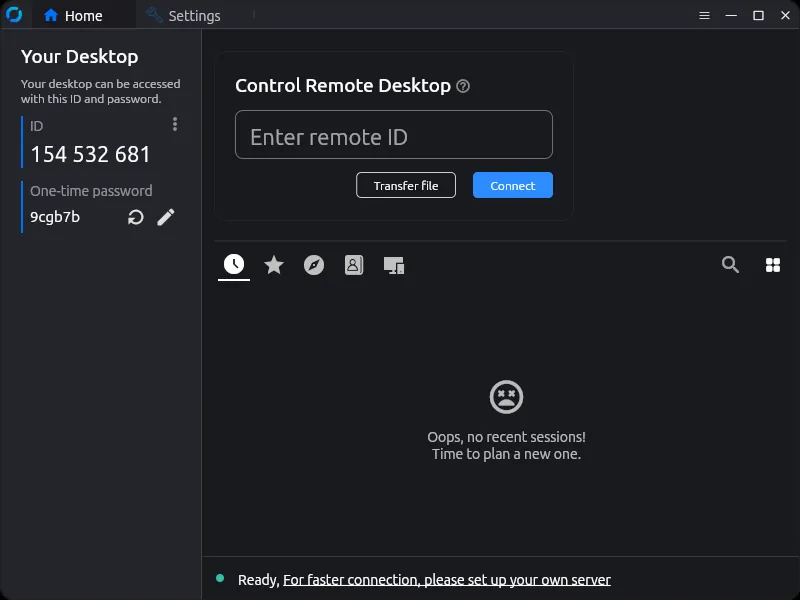
RustDesk is a remote desktop app written in Rust and published under the AGPL v3. Like AnyDesk, each device gets an ID; you enter the remote ID, the other side accepts, and you can see and control the screen.
By default connections go through RustDesk's public ID and relay servers. Because the server software is open source too, you can host your own on a home server or VPS and point your clients to it. A paid Server Pro edition adds management features for companies.
What it does well
- Self-hosted server. Run your own ID and relay server so traffic stays on your infrastructure.
- Install or run portable. The Windows build can run directly or be installed as a service.
- File transfer. Copy files between computers during a session.
- Unattended access. Set a permanent password to reach your own PC.
- Cross-platform. Clients for Windows, macOS, Linux, Android and iOS.
Who it is for
Good fit
Privacy-minded users and small IT teams who want remote access without depending on a commercial vendor.
Look elsewhere
People who want the most polished experience and fastest relays without setting anything up.
Pros and cons
Pros
- Open source
- Free for personal and business use
- Optional self-hosted server
- No account required
Cons
- Public relay servers can be slow at busy times
- Fewer management features than paid tools unless you buy Server Pro
How to install RustDesk
Run the x64 installer; it lets you run RustDesk directly or install it. For unattended access, install it and set a permanent password under Settings → Security. To use your own server, enter its address under Settings → Network → ID/Relay server.
Questions about RustDesk
Is RustDesk free?
Yes. The app is open source under the AGPL v3. Only the Server Pro edition for organizations is paid.
Do I need my own server for RustDesk?
No. It works with RustDesk's public servers. Your own server is optional and gives you more control.
Is RustDesk a good AnyDesk alternative?
Yes, for most personal uses. It connects by ID in the same way, and you can self-host the server.


