

Our verdict: TeamViewer is the remote desktop app many people already know, which makes it easy to help someone who has it installed. It is free for private use. Frequent sessions can be flagged as commercial use, which leads to time-limited connections.
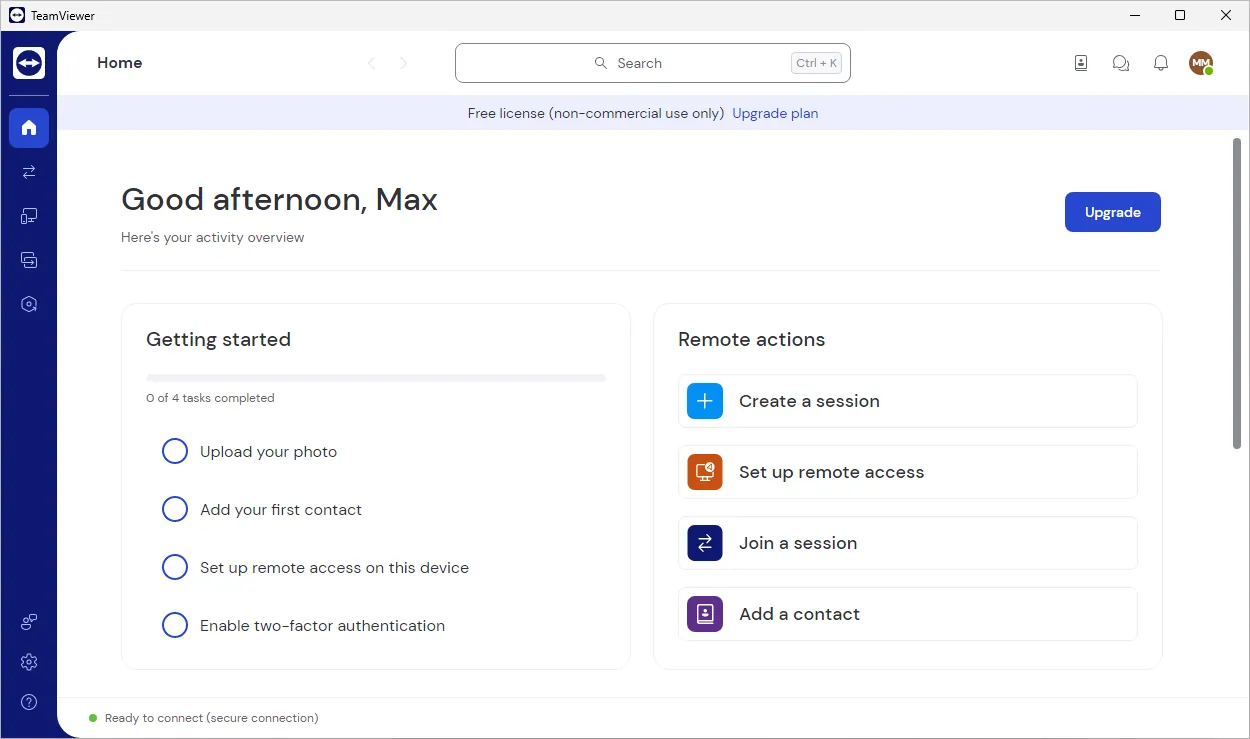
About TeamViewer
TeamViewer is developed by TeamViewer SE in Germany. Each device shows an ID and a password; the other person enters them and gets control of the screen after the connection is accepted.
Beyond screen sharing, TeamViewer can transfer files, chat, reboot the remote PC and reconnect, and give unattended access to your own computers through a free TeamViewer account. Companies pay for licenses, while private users can use the full app for free.
What it does well
- ID and password connections. Connect through firewalls without router configuration.
- Unattended access. Add your own devices to your account and reach them any time.
- File transfer. Send files in both directions during a session.
- Remote reboot. Restart the remote PC, even in safe mode, and reconnect automatically.
- QuickSupport module. A run-only version for the person who needs help, with no installation.
Who it is for
Good fit
Helping relatives or friends who already use TeamViewer, and reaching your own PCs remotely.
Look elsewhere
Business use without a license, or users who want a lightweight or open-source tool.
Pros and cons
Pros
- Very widely used
- Works through most firewalls
- Unattended access with a free account
- Clients for every major platform
Cons
- Free only for personal use
- Sessions can be time-limited if use is detected as commercial
- Larger install and more background services than lighter tools
How to install TeamViewer
The setup asks how you want to use TeamViewer; choose personal use only if that is true. For one-off help, the other person can run TeamViewer QuickSupport instead of installing. Never give your ID and password to callers who contact you first.
Questions about TeamViewer
Is TeamViewer free?
Yes, for private, non-commercial use. Companies need a paid license.
Why does TeamViewer say commercial use is suspected?
TeamViewer flags accounts whose usage looks like business use. Private users can ask TeamViewer to review the decision through its official reset form.
Does the other person need to install TeamViewer?
No. They can run TeamViewer QuickSupport, which does not require installation.


