

Our verdict: SonoBus is one of the best free tools for playing music together over the internet or recording remote guests in high quality. Joining is as simple as sharing a group name. It has no echo cancellation or encryption, so headphones are required and private conversations are better held elsewhere.
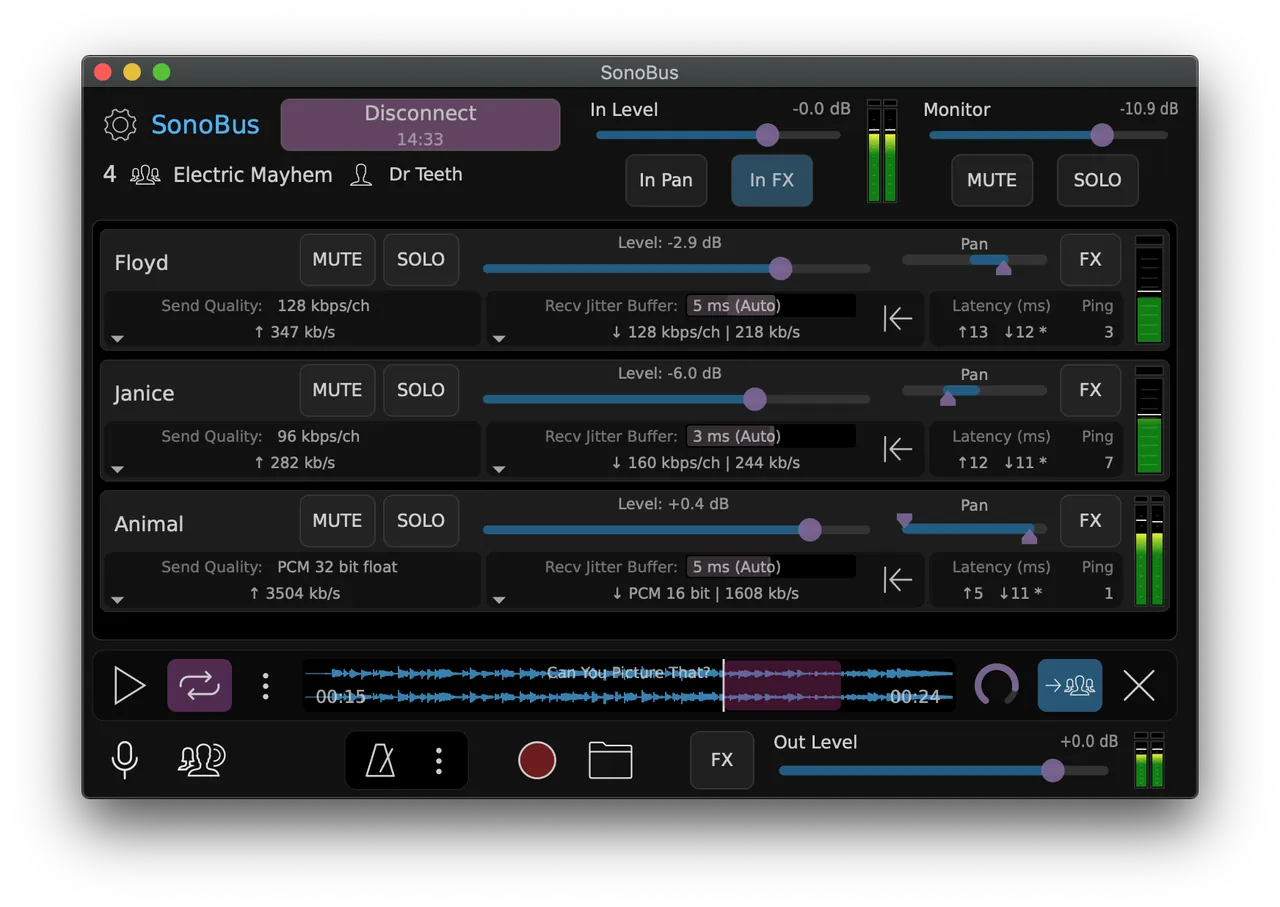
About SonoBus
SonoBus is developed by Sonosaurus and is open source and completely free. It streams audio directly between users, peer to peer; the connection server is only used so members of a group can find each other.
You pick a group name, optionally with a password, and everyone who joins sends and receives audio with fine control over latency, quality and the mix. Quality ranges from uncompressed PCM to compressed Opus at 16 to 256 kbps per channel. You can record everyone, play a file to the group, and add compression, noise gate, EQ and reverb. On Windows it also runs as a VST or AAX plugin inside a DAW.
What it does well
- Group sessions. Connect several people with a shared group name and an optional password.
- Adjustable quality. Uncompressed 16, 24 or 32-bit PCM, or Opus at 16 to 256 kbps per channel.
- Recording. Records the audio from everyone in the session and plays files to the group.
- Built-in effects. Input compressor, noise gate and EQ, plus a master reverb.
- Plugin mode. Runs as a VST or AAX plugin on Windows, with ASIO support in the standalone app.
Who it is for
Good fit
Musicians rehearsing remotely, podcasters recording remote guests, and studios sending audio between rooms.
Look elsewhere
Ordinary video calls, people without headphones, and anyone who needs encrypted audio.
Pros and cons
Pros
- Very low latency peer-to-peer audio
- Uncompressed quality option
- Records all participants
- Works as a DAW plugin
Cons
- No encryption of audio data
- No echo cancellation; headphones are required
- Best results need wired Ethernet
How to install SonoBus
Download the Windows installer from sonobus.net. Use wired headphones, because SonoBus has no echo cancellation. Connect your computer to the router with an Ethernet cable for the lowest latency; on Wi-Fi you will need a larger jitter buffer. Read the SonoBus User Guide linked on the site before your first session.
Questions about SonoBus
Is SonoBus free?
Yes. It is open source under the GNU GPL v3 and completely free.
Is SonoBus encrypted?
No. The developers state that SonoBus does not currently encrypt its data. Audio goes directly between users, and the server only helps them find each other.


