

Our verdict: StartAllBack is the most complete way to undo Windows 11's taskbar and Start menu changes: labels, ungrouped buttons, a movable taskbar and a classic Start menu. It is light and updated often. It costs $4.99 per PC after the trial, and Windows updates can occasionally break it until a fix ships.
About StartAllBack
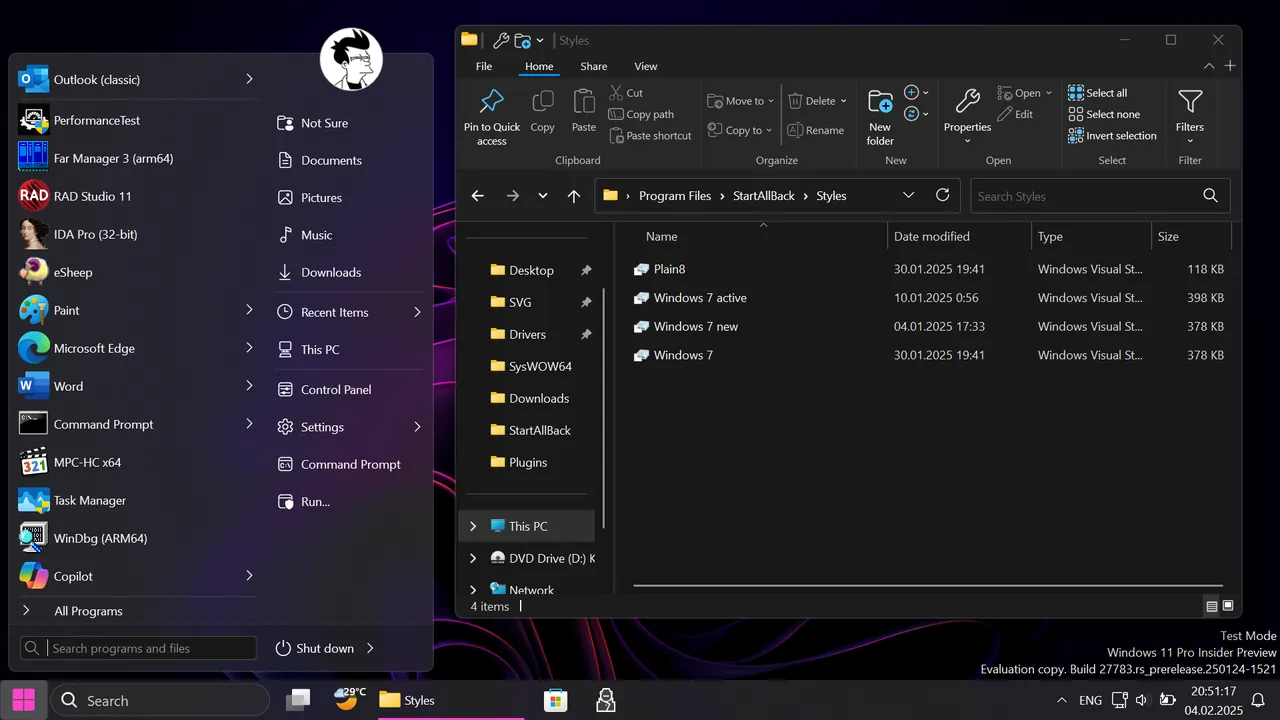
StartAllBack, from the developer of StartIsBack, restores and improves the taskbar, Start menu, File Explorer and context menus of Windows 11. You can show labels on task buttons, move the taskbar to the top or sides, keep the Start button on the left with centred icons, and use Windows 7 or Windows 10 styles.
The trial has no feature limits; the changelog says it was extended to 100 days. After it ends, the developer says the program keeps running in a limited mode with a blank Start menu and a reminder at every boot. A personal license costs $4.99 for one PC, $8.99 for two and $11.99 for three, paid once via PayPal or card; no account is needed for the trial.
What it does well
- Classic taskbar. Labels, ungrouping, adjustable icon size and top, left or right position.
- Classic Start menu. Windows 7 style menu with fast search and dropdown places.
- Explorer ribbon. Restores the ribbon or command bar and a bottom details pane.
- Context menus. Fast classic menus with an acrylic look.
- Light footprint. Patches Explorer instead of running extra background processes.
Who it is for
Good fit
Windows 11 users who miss the Windows 7 or 10 taskbar and Start menu.
Look elsewhere
Windows 10 users (StartIsBack covers older versions) and people who want only free tools.
Pros and cons
Pros
- Very complete taskbar and Start menu restore
- Low resource use
- Frequent updates for new Windows builds
- Cheap one-time license
Cons
- Paid after the trial ($4.99 per PC)
- Expired trial shows a blank Start menu and nags
- Big Windows updates can break features until patched
How to install StartAllBack
The button downloads the latest installer through the official startallback.com link. Setup opens a configuration window where you pick a style. To undo changes, uninstall it from Settings; Explorer restarts.
Questions about StartAllBack
Is StartAllBack free?
No. It has a full-featured free trial (100 days according to the changelog), then a $4.99 one-time license per PC. Without a license it runs in a limited mode with a reminder at every boot.
Does StartAllBack work on Windows 10?
No. StartAllBack is for Windows 11; the same developer's StartIsBack++ targets Windows 10.
How do I remove StartAllBack?
Uninstall it from Settings or Control Panel and Windows' own taskbar and Start menu return.


