

Our verdict: Winstep Nexus is a mature, highly customisable dock with smooth effects and thousands of skins. The free version gives you one dock with running tasks, the system tray and modules. Multiple docks, sub-docks, shelves and Grid Stacks require the paid Nexus Ultimate, and business use is not covered by the free license.
About Winstep Nexus
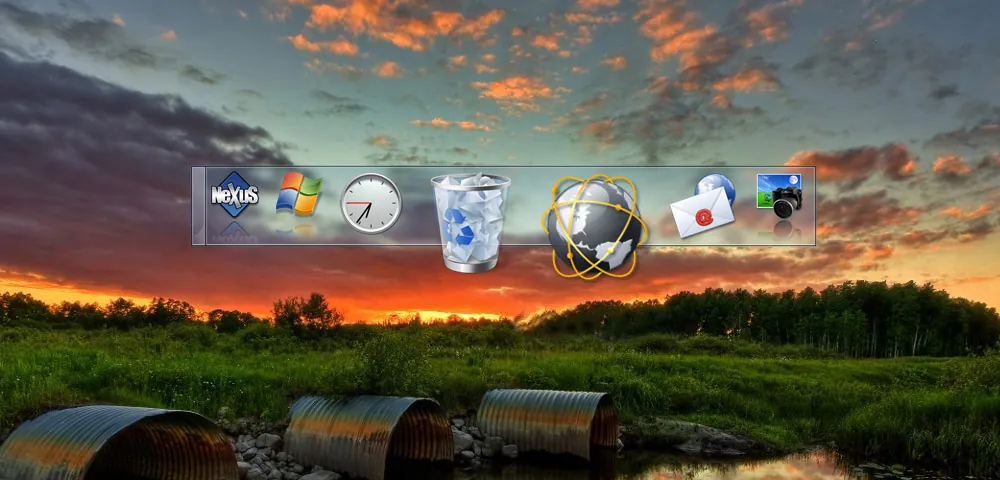
Winstep Nexus is a dock for Windows in the style of the macOS Dock. You drag apps, files and folders onto it, and it can show running applications and the system tray so it can replace the taskbar. It supports UWP apps and Chrome, Brave and Edge web apps like normal programs.
The free version is for personal use only. Nexus Ultimate, available from $29.95, adds multiple docks, sub-docks, shelves, drawers, Grid Stacks, extra modules and multi-monitor profiles. Windows 11 23H2 and later block tray icon customisation for all docks.
What it does well
- Animated dock. Launch apps, files and folders with zoom and bounce effects.
- Running tasks. Shows open windows on the dock, with Aero Peek where available.
- System tray. Displays notification icons on the dock.
- Built-in modules. Clock, weather, CPU and other live modules.
- Skins. Thousands of themes available online.
Who it is for
Good fit
Home users who like a macOS-style dock and deep visual customisation.
Look elsewhere
Business use without a license, and users who need multiple docks without paying.
Pros and cons
Pros
- Free for personal use
- Very customisable with many skins
- Shows running apps and the tray
- Works on ARM devices
Cons
- Many features locked to Nexus Ultimate
- Free license excludes business use
- Installer comes inside a ZIP file
How to install Winstep Nexus
The button downloads a ZIP from winstep.net; extract it and run the installer inside. Nexus starts with a default dock; right-click it to open Preferences and change themes and behaviour.
Questions about Winstep Nexus
Is Winstep Nexus free?
Yes, for personal use. Business use needs a license, and Nexus Ultimate (from $29.95) adds multiple docks and more.
Can Nexus replace the Windows taskbar?
It can show running applications and the system tray, so it can act as a taskbar replacement.
Does Nexus work on Windows 11?
Yes. It supports Windows 7, 8, 10 and 11, although Windows 11 23H2 and later block tray icon customisation.


