

Our verdict: Stretchly does one job well: it interrupts long stretches at the keyboard with short, configurable breaks and suggests what to do during them. The defaults are sensible and it pauses itself when you are idle or in Do Not Disturb mode. Some extra preferences and settings sync are reserved for people who sponsor the project.
About Stretchly
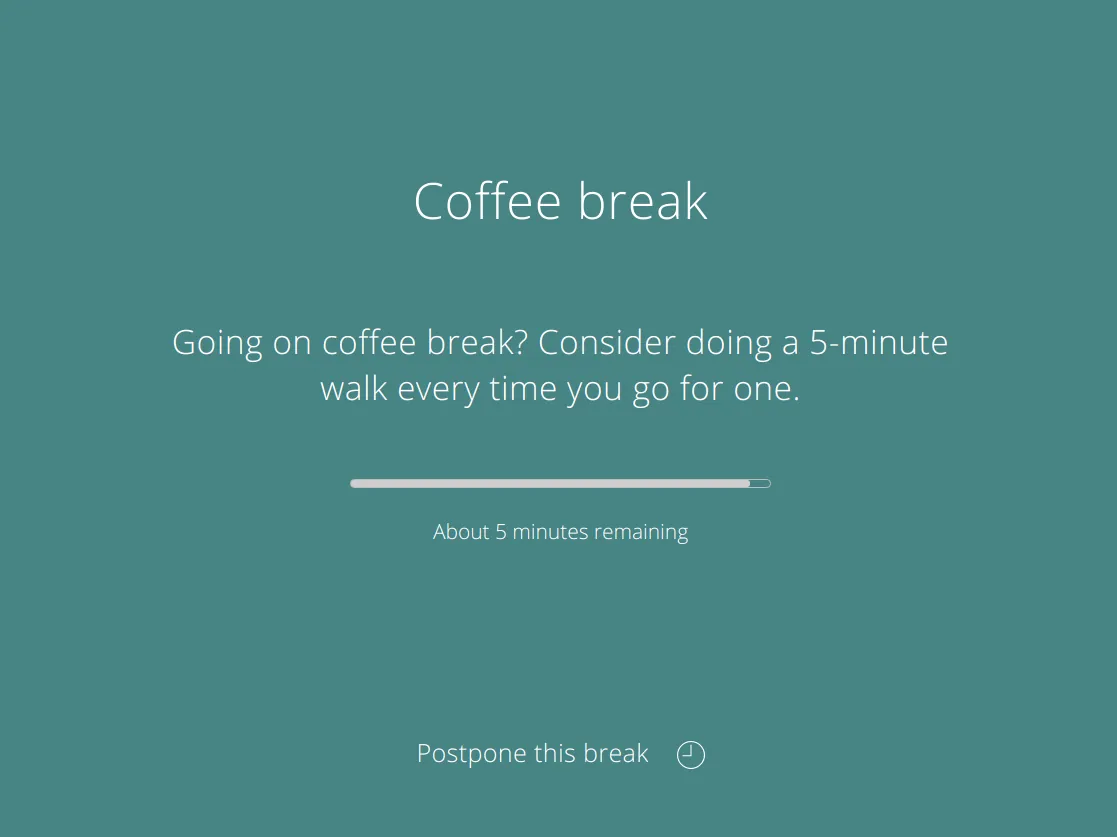
Stretchly is an open-source break reminder written by Jan Hovancik. It lives in the system tray and, by default, shows a 20-second Mini break every 10 minutes and a 5-minute Long break every 30 minutes, each with an idea such as a stretch or an eye exercise. You get a notification shortly before each break and can postpone it once or skip it after a set time.
Breaks pause automatically after 5 minutes of idle time and while Do Not Disturb mode is on. Intervals, durations, break ideas, sounds, themes and strictness are configurable, and the app can be controlled from the command line. Contributors who sponsor the project on GitHub or Patreon unlock Contributor Preferences and preference sync; the core app is free.
What it does well
- Mini and Long breaks. Default 20-second break every 10 minutes and 5-minute break every 30 minutes.
- Break ideas. Each break window suggests a stretch, eye exercise or other short activity.
- Idle and DND detection. Pauses breaks when you are away from the PC or Do Not Disturb is on.
- Postpone and skip. Postpone a break once or skip it with Ctrl+X after a set delay.
- Command line control. Pause, resume or trigger breaks with the stretchly command.
Who it is for
Good fit
Office workers, programmers and students who forget to stand up and rest their eyes.
Look elsewhere
People who want full posture or health tracking, or who need breaks synced across PCs without sponsoring.
Pros and cons
Pros
- Sensible default break schedule
- Pauses itself when idle or in DND
- Highly configurable breaks and ideas
- Open source, no account needed
Cons
- Contributor Preferences and sync need a sponsorship
- Built on Electron, so heavier than a native tray utility
- Break windows can interrupt screen sharing or games if not paused
How to install Stretchly
The button downloads the official Windows installer from the project's GitHub release; a portable version is listed on the releases page. On first launch a Welcome window lets you pick the language and review preferences. Turn on Strict mode only if you really want breaks that cannot be skipped.
Questions about Stretchly
Is Stretchly free?
Yes. Stretchly is open source under the BSD 2-Clause license. Sponsors on GitHub or Patreon get extra Contributor Preferences and preference sync, but the break reminders themselves are free.
How often does Stretchly show breaks?
By default a 20-second Mini break every 10 minutes and a 5-minute Long break every 30 minutes. Both intervals and durations can be changed.
Can I pause Stretchly during a meeting?
Yes. Pause it from the tray menu for a set time, or turn on Do Not Disturb mode, which Stretchly detects and respects.


