

Our verdict: ActivityWatch is the strongest free choice if you want to know where your screen time goes without sending your activity to a company. It records automatically and stores everything locally. It is not a timesheet tool: there are no clients, invoices or team reports, and syncing between computers is still unfinished.
About ActivityWatch
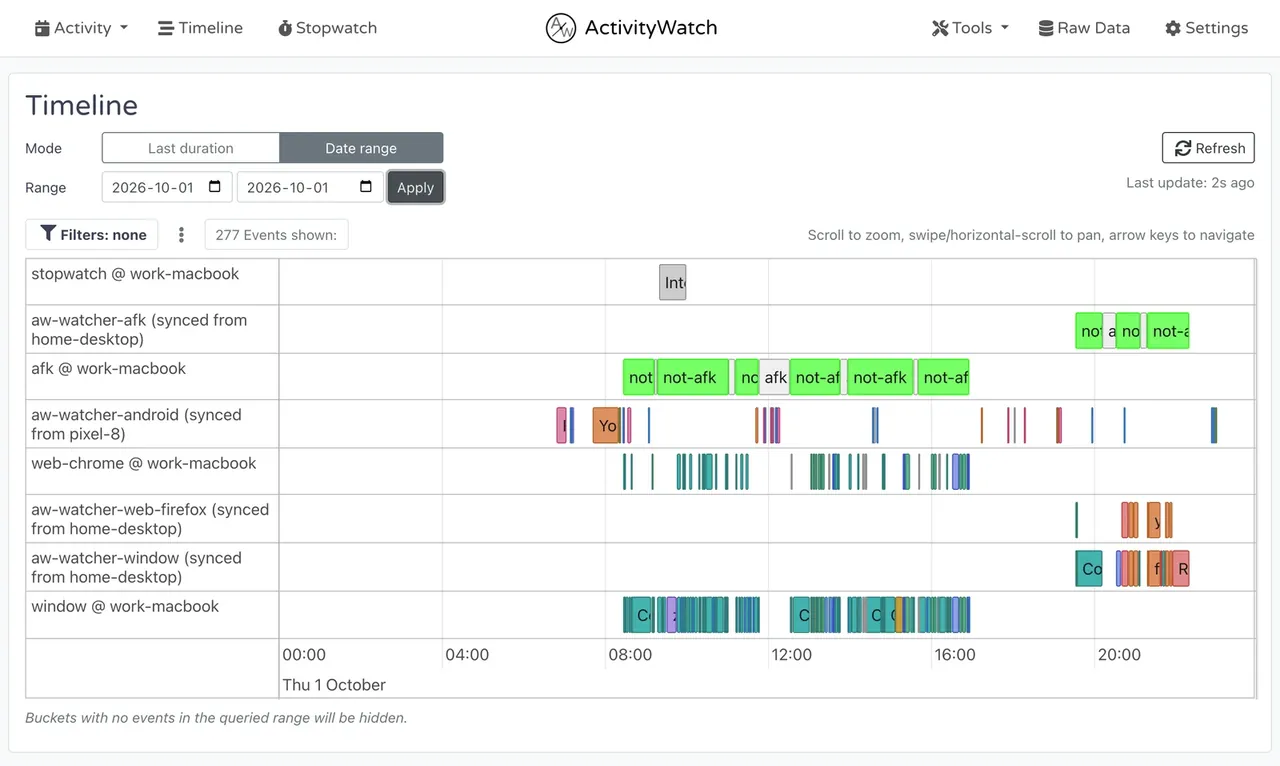
ActivityWatch is an open-source, automatic time tracker founded by Erik and Johan Bjäreholt. After installation it runs in the system tray with two watchers: one records the active application and window title, the other detects when you are away from the keyboard. Browser extensions for Chrome and Firefox add the active tab and URL, and editor plugins can track coding time.
The dashboard opens in your browser at localhost:5600 and shows daily, weekly and monthly summaries, a timeline, top applications and websites, and rule-based categories you define with regular expressions. All data stays in a local database on your device and can be exported. The project is licensed under MPL 2.0 with no feature gates; an optional ActivityWatch Pro subscription only funds development.
What it does well
- Automatic tracking. Records the active application, window title and idle time without starting timers.
- Browser watchers. Chrome and Firefox extensions log the active tab, URL and whether it plays audio.
- Categories. Regular-expression rules group apps and sites into work, media, games and your own categories.
- Local dashboard. Day, week and month views, a timeline, top apps and a query editor in the browser.
- Local-first data. Activity is stored on your device and can be exported, backed up or deleted.
Who it is for
Good fit
People who want an honest picture of their screen time and app usage, with the data kept on their own PC.
Look elsewhere
Freelancers who need project timers, billable hours and invoices, or teams that need shared reports.
Pros and cons
Pros
- Fully automatic, no timers to start
- Data never leaves your device
- Open source with no paid feature tiers
- Browser and code editor watchers
Cons
- Sync between computers is still being developed
- No projects, billable rates or invoicing
- Dashboard runs in a browser tab, not a native window
How to install ActivityWatch
The button downloads the official 64-bit installer from the project's GitHub release. After installation ActivityWatch starts in the tray; open the dashboard from the tray icon or at localhost:5600. Install the browser extension from the downloads page if you want website tracking, then set up categories in Settings.
Questions about ActivityWatch
Is ActivityWatch free?
Yes. ActivityWatch is open source under MPL 2.0 with no feature gates, usage limits or ads. The optional ActivityWatch Pro subscription only supports development.
Does ActivityWatch upload my data?
No. According to the developers, all tracking data is stored locally on your device and is not sent to any server.
Can ActivityWatch track websites?
Yes, with the official browser extensions for Chrome and Firefox, which report the active tab and URL to the local server.


