

Our verdict: Sysinternals Suite is the standard toolbox for diagnosing Windows: find what starts with the PC, what locks a file, which process talks to the network. Everything comes in one ZIP from Microsoft. The tools are built for technicians, and some, like PsExec, are powerful enough to misuse.
About Sysinternals Suite
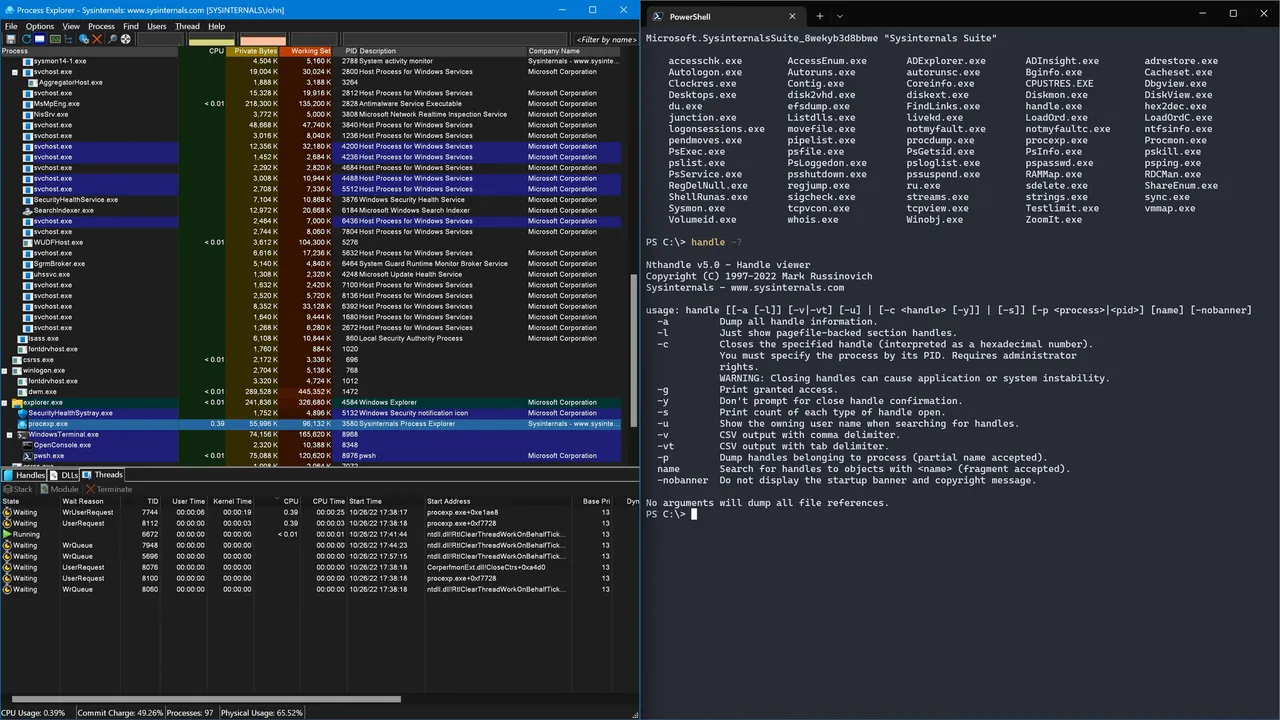
Sysinternals Suite is a single ZIP from Microsoft that contains the Sysinternals troubleshooting utilities and their help files. Among them are Process Explorer, Process Monitor, Autoruns, TCPView, RAMMap, VMMap, Sysmon, ZoomIt, BgInfo, Disk2vhd, Sigcheck, SDelete and the PsTools command-line set with PsExec. It does not include non-troubleshooting extras like the BSOD screen saver.
The tools are portable: unzip the folder and run any EXE, no installation needed. Each tool shows its license agreement on first start. The suite is also available in the Microsoft Store, which keeps it updated, and separate packages exist for ARM64 and Nano Server.
What it does well
- Process Explorer and Process Monitor. See every running process, its handles and DLLs, and log file, registry and process activity live.
- Autoruns. Lists everything that starts with Windows and lets you disable entries.
- PsTools. Command-line tools such as PsExec, PsKill and PsList for local and remote administration.
- TCPView. Shows every TCP and UDP connection and which process owns it.
- Sysmon and Sigcheck. Log system activity to the event log and verify file signatures and versions.
Who it is for
Good fit
IT pros, developers and power users diagnosing slowdowns, malware, startup items or locked files.
Look elsewhere
Beginners looking for a one-click cleaner or optimizer.
Pros and cons
Pros
- Official Microsoft tools, free
- Over 70 utilities in one download
- Portable, no installation
- Detailed documentation for every tool
Cons
- Aimed at technical users
- No shared launcher; each tool is a separate EXE
- Some tools are flagged or blocked by security software because they can be misused
How to install Sysinternals Suite
The button downloads the full Suite ZIP from Microsoft's Sysinternals server. Extract it to a folder such as C:\Tools\Sysinternals and run the tools from there; add the folder to PATH to use the command-line tools anywhere. The ARM64 package and the Microsoft Store version are linked on the official page.
Questions about Sysinternals Suite
Is Sysinternals Suite free?
Yes. Microsoft provides the Sysinternals tools free of charge under the Sysinternals Software License Terms.
Do I need to install Sysinternals Suite?
No. Unzip the download and run the tools directly. The Microsoft Store version installs and updates the suite for you.
Is there a version for ARM PCs?
Yes. The official page offers a separate Sysinternals Suite for ARM64 download.


