

Our verdict: IObit Uninstaller Free makes removing many programs at once easy and lists bundled, large and rarely used software. Its best cleanup tools are behind the PRO subscription, and the app keeps promoting other IObit products.
About IObit Uninstaller Free
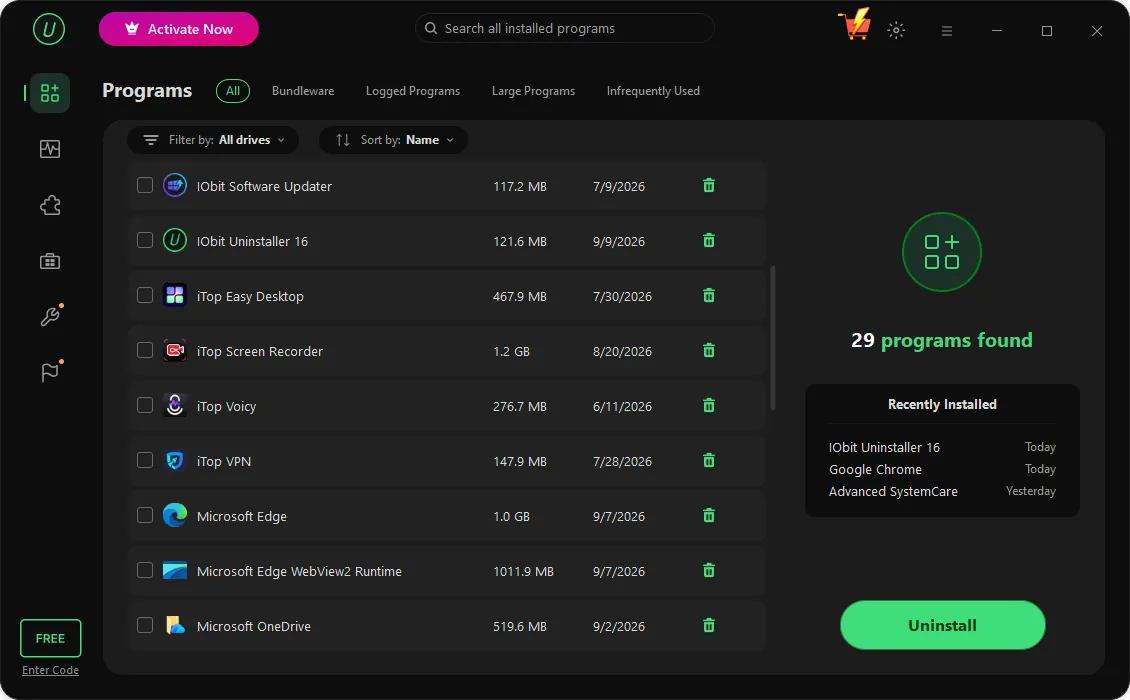
IObit Uninstaller lists installed desktop programs, Microsoft Store apps and browser extensions in one place and removes them one at a time or in a batch, with an optional restore point. Filters show bundleware, large programs, rarely used software and programs logged by its Install Monitor, and a toolbox adds a file shredder, a Windows update uninstaller and a software relocator.
In IObit's own comparison, the free edition covers batch uninstall, Windows app removal, drag-and-drop uninstall and leftover cleanup. The PRO subscription adds automatic leftover removal for all uninstalls, removal of 4,000+ stubborn programs, deep scans for hidden leftovers, removal of preinstalled and bundled software, real-time install monitoring, one-click software updates and premium support.
What it does well
- Batch uninstall. Select several programs and remove them in one go.
- Windows apps. Removes Microsoft Store and preinstalled apps.
- Leftover cleanup. Scans for files and registry entries the regular uninstaller left behind.
- Browser extensions. Lists and removes extensions in Chrome, Edge and Firefox.
- Filters. Shows bundleware, large programs and rarely used software.
Who it is for
Good fit
Users cleaning up a PC full of unused programs who want batch removal with leftover scans.
Look elsewhere
People who want an uninstaller without ads for other products; open-source options exist.
Pros and cons
Pros
- Batch uninstall with restore point
- Removes Store apps and browser extensions
- Useful filters for large and rarely used programs
- Leftover scan after each removal
Cons
- Promotes the PRO subscription and other IObit products inside the app
- Stubborn program removal and deep leftover scans are PRO-only
- Installer may offer additional software
How to install IObit Uninstaller Free
Read every installer screen and untick offers for other IObit or partner software. Keep the restore point option on when removing system-level programs. Check the leftover list before deleting registry entries.
Questions about IObit Uninstaller Free
Is IObit Uninstaller free?
Yes, the Free edition has no time limit and covers batch uninstall, Windows app removal and leftover cleanup. Deeper scans and stubborn program removal require the paid PRO subscription.
Is it safe to delete the leftovers IObit Uninstaller finds?
Usually, but review the list first. Shared files and registry keys can be flagged, so create a restore point before removing system-level software.


