

Our verdict: System Informer is the successor of Process Hacker and goes far beyond Task Manager: it finds which process locks a file, shows network connections per process and lets you control services and drivers. It is a tool for power users; closing handles or killing system processes can crash programs or Windows.
About System Informer
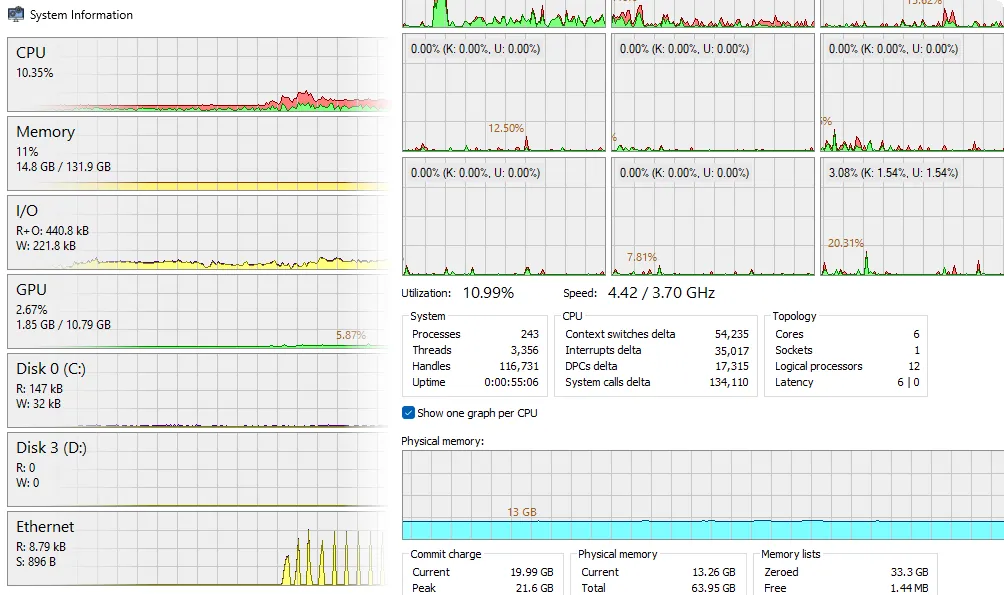
System Informer is the new name of Process Hacker, developed by Winsider Seminars & Solutions and released under the MIT license. It lists running processes in a tree with highlighting for services, elevated and .NET processes, and adds graphs and statistics for CPU, memory, disk, network and GPU usage, so you can find resource hogs and runaway processes quickly.
Beyond the process list it searches for handles and DLLs to show which program keeps a file open, lists active network connections and can close them, shows real-time disk access, and creates, edits and controls services. Stack traces with kernel-mode, WOW64 and .NET support help with debugging. It is offered as a setup file, a portable ZIP, in the Microsoft Store and through winget.
What it does well
- Process tree. Detailed process list with highlighting, extra columns and per-process graphs.
- Handle and DLL search. Finds which process has a file or DLL open and can close the handle.
- Network and disk activity. Shows connections, disk access and usage per process in real time.
- Service manager. Creates, edits, starts and stops services and driver services.
- Stack traces. Shows thread stacks with kernel-mode, WOW64 and .NET support.
Who it is for
Good fit
Power users, developers and technicians who troubleshoot slow PCs, locked files or suspicious processes.
Look elsewhere
Beginners who only need to end a frozen app; Task Manager does that with less risk.
Pros and cons
Pros
- Free and open source
- Shows which process locks a file
- Per-process network, disk and GPU activity
- Setup and portable versions
Cons
- Dense interface aimed at experienced users
- Closing handles or system processes can crash apps or Windows
- Some antivirus tools flag it as a hacking tool
How to install System Informer
The button downloads the official setup file from the System Informer GitHub release; a portable ZIP is listed on the download page. Some antivirus programs flag process tools like this as potentially unwanted because they can terminate other software. Run it as administrator to see and control all processes.
Questions about System Informer
Is System Informer free?
Yes. System Informer is open source under the MIT license and has no paid edition.
Is System Informer the same as Process Hacker?
Yes. Process Hacker was renamed System Informer; development continues under the new name by the same project.
Is System Informer safe?
The official builds are open source and downloadable from systeminformer.com and GitHub. Antivirus warnings usually appear because it can end other processes, which malware also tries to do.


