

Our verdict: WezTerm is a fast, cross-platform terminal for people who like to script their tools: everything from key bindings to the tab bar is configured in Lua. Its built-in multiplexer replaces tmux for many workflows, including over SSH. There is no settings window, and the last stable release is from February 2024, so many users run the nightly builds.
About WezTerm
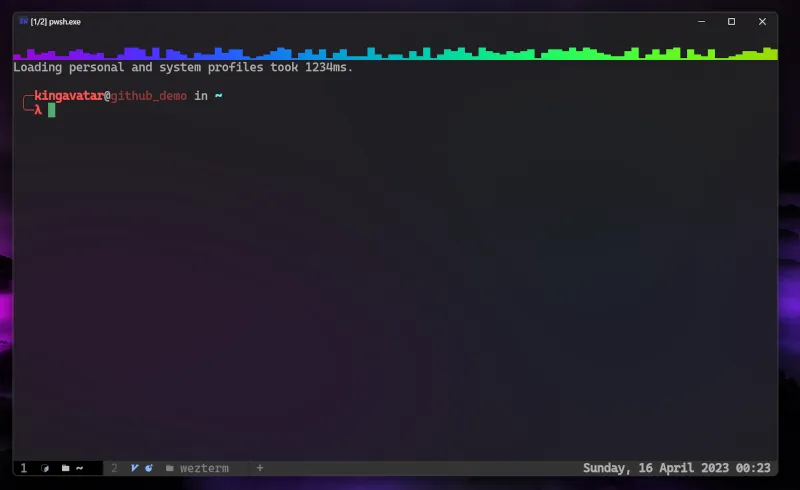
WezTerm is a terminal emulator and multiplexer written in Rust by Wez Furlong and released under the MIT License. It renders on the GPU, supports font ligatures, color emoji, true color, hyperlinks and inline images, and runs the same configuration on Windows, macOS and Linux. On Windows it uses the ConPTY pseudo console, so it needs Windows 10 version 1809 (build 17763) or later.
The built-in multiplexer manages tabs, split panes and workspaces, and can attach to sessions on remote machines through SSH or TLS domains so they survive disconnects. All settings live in a Lua file that reloads automatically when saved. Development continues on GitHub, but the last stable release is 20240203; the project also publishes nightly builds for testing newer fixes.
What it does well
- GPU rendering. Hardware-accelerated drawing with ligatures, color emoji and true color.
- Built-in multiplexer. Tabs, split panes and workspaces without tmux, including persistent remote sessions.
- SSH and serial. Connects to SSH hosts and serial ports directly from the terminal.
- Lua configuration. One Lua file controls fonts, colors, key bindings and the tab bar, and reloads on save.
- Quick Select and copy mode. Keyboard-driven selection of URLs, hashes and paths from the screen.
Who it is for
Good fit
Developers who use the keyboard heavily and want one scriptable terminal on every OS.
Look elsewhere
People who prefer a settings window to editing a config file, or who need frequent stable releases.
Pros and cons
Pros
- Open source under the MIT License
- Fast GPU rendering with ligatures and images
- Built-in multiplexer with remote sessions
- Same configuration on Windows, macOS and Linux
Cons
- Configuration only through a Lua file, with no settings window
- Last stable release is from February 2024; newer fixes are only in nightly builds
How to install WezTerm
The setup.exe needs administrator rights; the ZIP version runs from any folder without them. WezTerm starts with sensible defaults, so you only need a config file to change fonts, colors or keys: create .wezterm.lua in your user folder. If a bug affects you, try the nightly build linked on the same page.
Questions about WezTerm
Is WezTerm free?
Yes. WezTerm is free and open source under the MIT License.
Is WezTerm still maintained?
Yes. Development continues on GitHub, but the latest stable release dates from February 2024, and newer changes ship in nightly builds.
Where is the WezTerm config file on Windows?
Create a file named .wezterm.lua in your user profile folder; WezTerm reloads it automatically when you save.


