

Our verdict: Wings 3D is one of the easiest ways to learn polygon modeling. The right-click menus show only tools that fit the current selection, so the interface stays clean. It models only: there is no animation, rigging or advanced rendering.
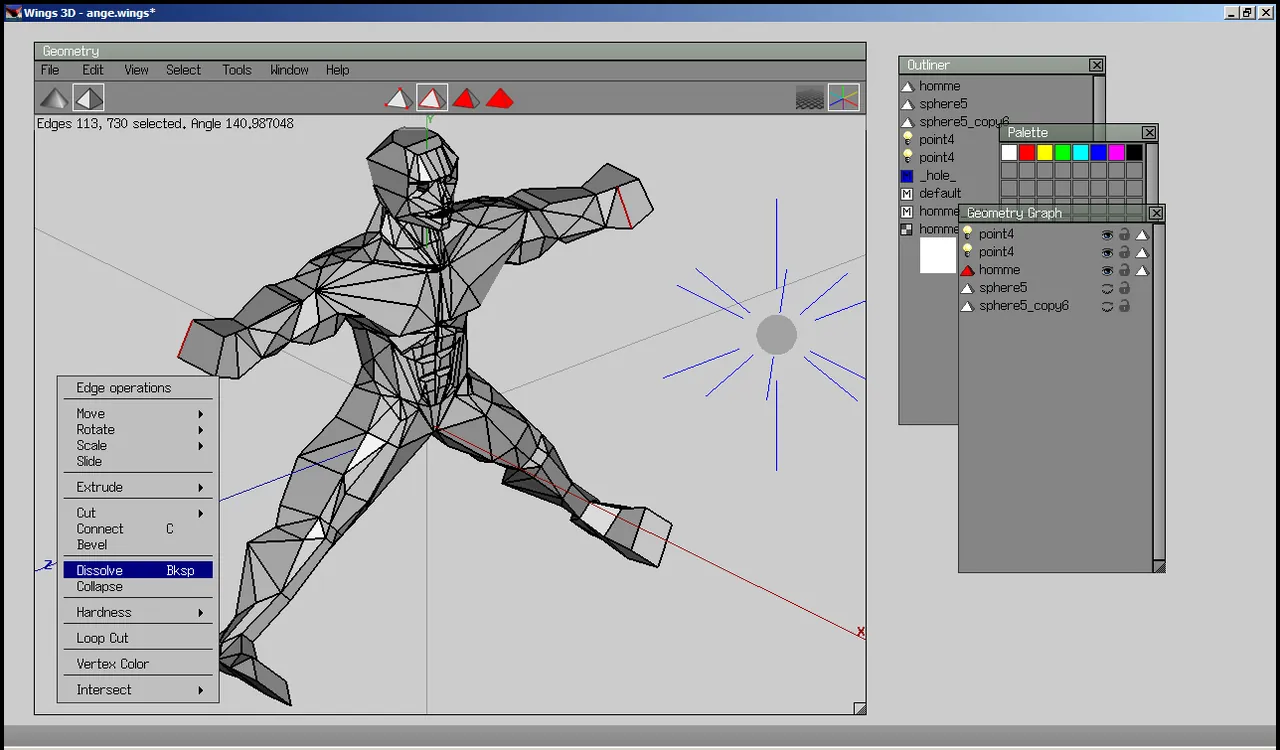
About Wings 3D
Wings 3D is a subdivision modeler inspired by Nendo and Mirai. It was started by Björn Gustavsson and is maintained by Dan Gudmundsson and contributors under a BSD-style license. It is written in Erlang and runs on Windows, macOS and Linux.
You select vertices, edges, faces or whole objects, and a right-click opens commands that apply to that selection, such as extrude, bevel, bridge or cut. A smooth preview shows how the model will look after subdivision. The AutoUV tool unwraps models for texturing, and finished models can be exported for use in other 3D programs and game engines.
What it does well
- Context menus. Right-click shows only commands that fit the current selection.
- Subdivision preview. Toggle a smoothed view of the model while you edit.
- AutoUV mapping. Unwraps models and lays out UV maps for texturing.
- Customizable hotkeys. Assign any command to a key by hovering over it in a menu.
- Import and export. Works with common formats such as OBJ, 3DS and STL.
Who it is for
Good fit
Beginners learning polygon modeling and game artists making low-poly models.
Look elsewhere
Anyone who needs animation, rigging, sculpting or photorealistic rendering in one program.
Pros and cons
Pros
- Free and open source
- Clean, uncluttered interface
- Fast to learn
- Small download and low system requirements
Cons
- No animation or rigging
- Basic built-in rendering
- Installer is hosted on SourceForge
How to install Wings 3D
The official download page links to the installers hosted on SourceForge; pick the Windows 64-bit stable release, not a snapshot. Wings 3D needs OpenGL 2.1. Hover over a menu item and press Insert to bind it to a hotkey.
Questions about Wings 3D
Is Wings 3D free?
Yes. It is open source under a BSD-style license and free for any use.
Can Wings 3D animate models?
No. It is a modeling tool only; export your model to Blender or a game engine for animation.


