

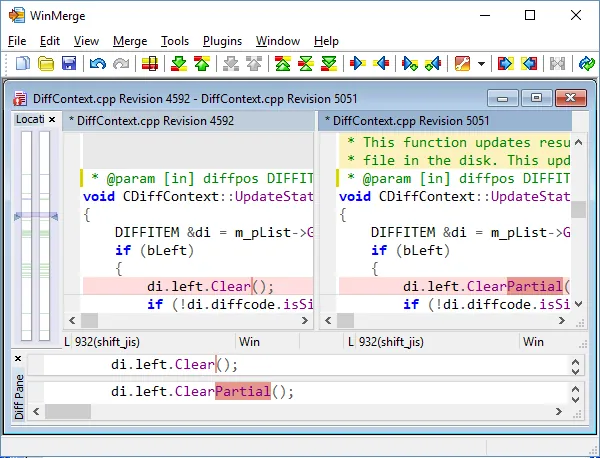
Our verdict: WinMerge is the classic free tool for seeing exactly what changed between two files or two folders on Windows. It highlights differences line by line and merges them with one click. The interface looks dated, and it runs only on Windows.
About WinMerge
WinMerge is an open-source project under the GNU GPL, developed by volunteers and published on GitHub. It integrates with Windows Explorer, so you can select two files or folders, right-click and compare them.
Besides plain text, it compares folder trees, images, CSV and other table files, and binary files in a hex view. Plugins unpack archives and convert formats such as Word or Excel documents to text before comparing them.
What it does well
- Two- and three-way compare. Shows differences between two or three files and merges changes between them.
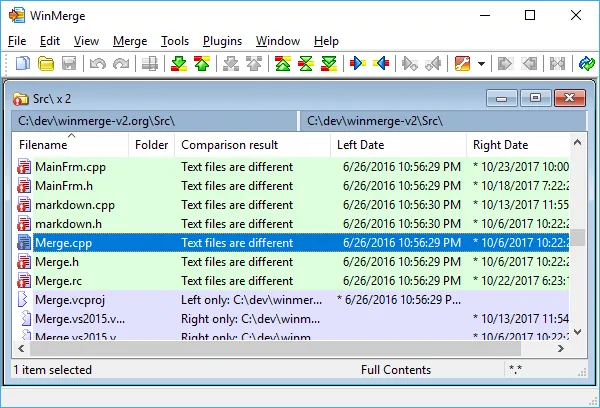
- Folder compare. Lists which files are new, missing or changed between two directory trees.
- Image and table compare. Highlights pixel differences in images and cell differences in CSV files.
- Explorer integration. Compare files from the right-click menu in Windows Explorer.
- Plugins and filters. Ignore whitespace or comments and unpack archives before comparing.
Who it is for
Good fit
Developers, translators and admins who compare config files, code or backup folders.
Look elsewhere
Mac or Linux users, and people who only compare code inside an editor or Git client.
Pros and cons
Pros
- Folder and three-way compare
- Image and CSV compare built in
- Explorer right-click integration
- Open source with no ads
Cons
- Windows only
- Dated interface
How to install WinMerge
Choose the x64 installer for a system-wide install or the per-user installer if you do not have admin rights. Keep the Explorer context menu option enabled during setup to compare files with a right-click. To use WinMerge as the diff tool in Git, set it as difftool and mergetool in your Git configuration.
Questions about WinMerge
Is WinMerge free?
Yes. It is open source under the GNU GPL with no paid version.
Can WinMerge compare folders?
Yes. It compares whole directory trees and shows which files differ, then opens any pair for a detailed comparison.
Can I use WinMerge with Git?
Yes. You can configure it as the external diff and merge tool for Git.


