

Our verdict: GitHub Desktop is the gentlest way into Git. Cloning, committing, switching branches and pushing are a few clicks, and the diff view shows exactly what changed. Advanced Git operations still need the command line or a fuller client.
About GitHub Desktop
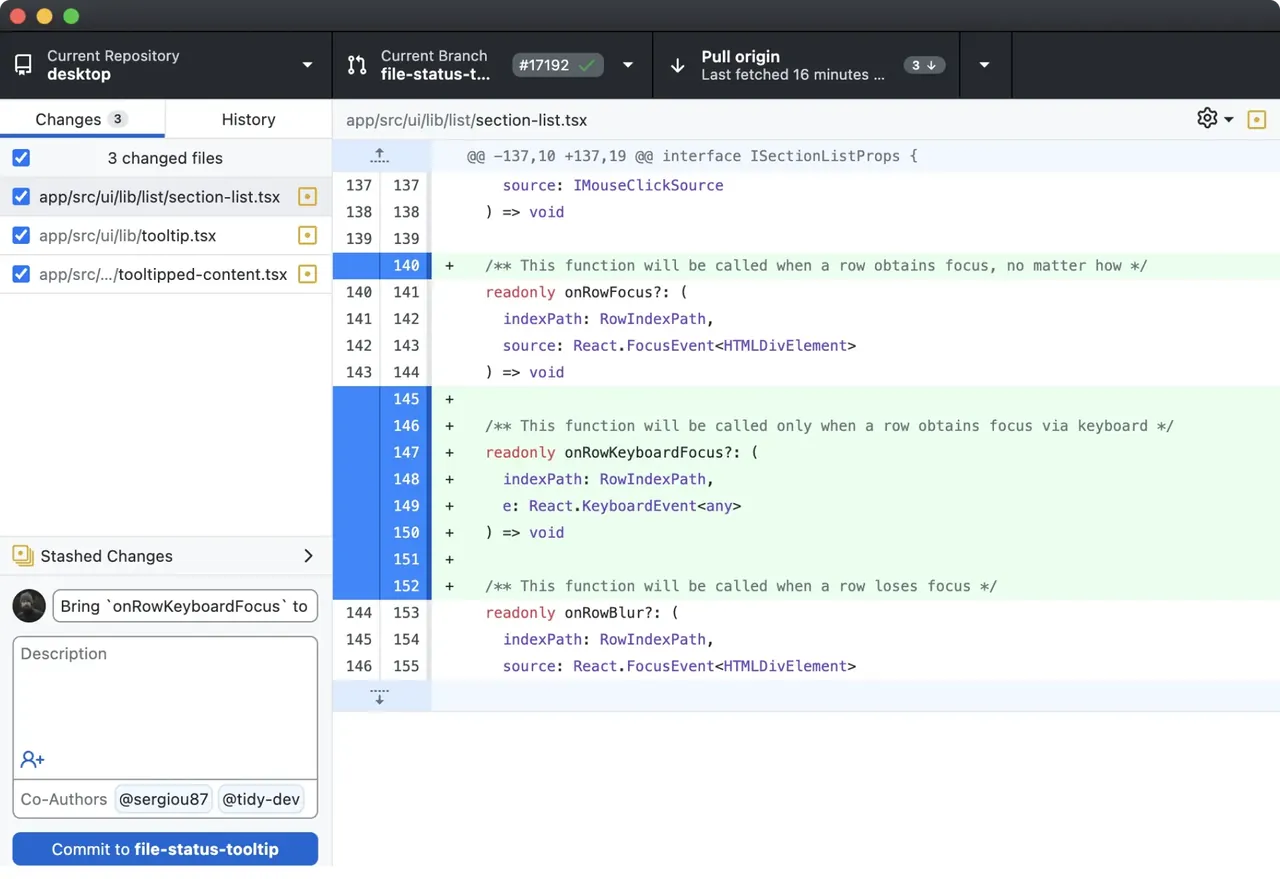
GitHub Desktop is GitHub's open-source Git client, released under the MIT licence. It shows changed files and line-by-line diffs, lets you pick which lines to commit, and handles branches, merges, pushing and pulling through a simple interface.
It is built around GitHub and GitHub Enterprise: you can sign in, clone your repositories and create pull requests from the app. Repositories hosted elsewhere also work, because underneath it uses standard Git.
What it does well
- Visual diffs. Review changes line by line, including image diffs.
- Partial commits. Choose individual files or lines to include in a commit.
- Branches. Create, switch, merge and rebase branches from a menu.
- Pull requests. Open a pull request on GitHub and check out other people's PRs.
- Co-authors. Add co-authors to a commit in one click.
Who it is for
Good fit
Beginners learning Git, designers and writers who use GitHub, and developers who prefer a visual commit view.
Look elsewhere
Users who need advanced Git features like interactive rebase, or who want a Linux version.
Pros and cons
Pros
- Free and open source
- Very easy for Git beginners
- Clear diffs and partial commits
- Pull request workflow built in
Cons
- Limited advanced Git features
- Designed around GitHub; other hosts get fewer integrations
- No official Linux version
How to install GitHub Desktop
The installer sets up GitHub Desktop for your Windows user without asking questions and starts it right away. Sign in with your GitHub account, or skip that step and use it with any Git remote. Set your preferred editor and shell in Options so you can open repositories in them directly.
Questions about GitHub Desktop
Is GitHub Desktop free?
Yes. GitHub Desktop is open source under the MIT licence and free for any use.
Do I need a GitHub account for GitHub Desktop?
No. You can use it with local repositories and other Git hosts, but GitHub features such as pull requests need an account.
Do I need to install Git separately?
No. GitHub Desktop includes its own Git, though installing Git for Windows is useful if you also work in the terminal.


