

Our verdict: Cherry Studio is a capable free front end for people who already have API keys or run models in Ollama or LM Studio. It packs many providers, ready-made assistants and MCP tools into one window. The amount of settings and the many Chinese-market providers in the lists can feel crowded at first.
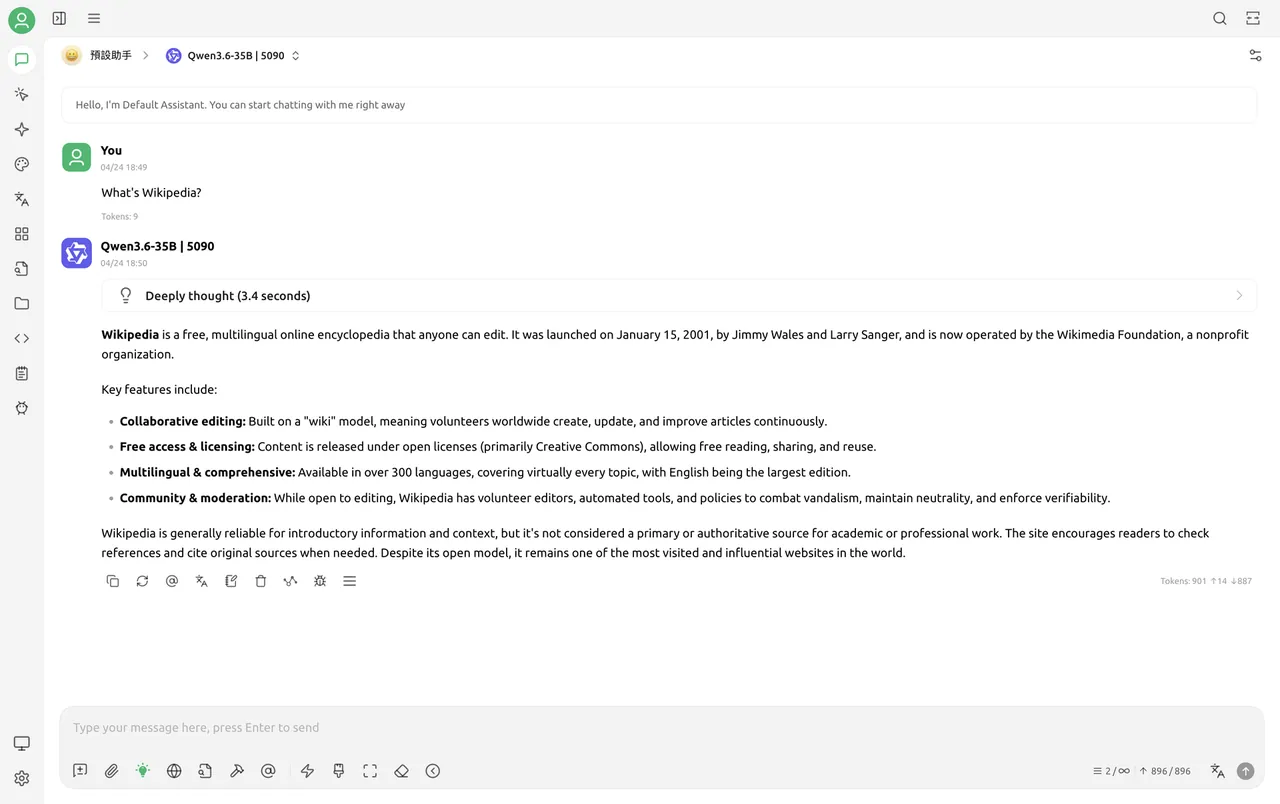
About Cherry Studio
Cherry Studio is an open-source desktop client under the AGPL v3 for chatting with large language models. It does not include a model of its own: you add providers such as OpenAI, Gemini or Anthropic with your own API keys, or point it at a local Ollama or LM Studio server so prompts stay on your PC.
Beyond plain chat, it ships more than 300 preconfigured assistants, lets you ask several models the same question side by side, and reads text, images, Office files and PDFs. It also works as an MCP client, renders Markdown and Mermaid charts, and can back up data over WebDAV. A paid Enterprise Edition for teams is sold separately.
What it does well
- Many providers. Connects to major cloud LLM services and to local Ollama or LM Studio servers.
- Multi-model chat. Sends one prompt to several models at once to compare answers.
- Ready-made assistants. Includes more than 300 preconfigured assistants and lets you create your own.
- Document input. Reads text, images, Office documents and PDFs in conversations.
- MCP support. Connects Model Context Protocol servers to give models extra tools.
Who it is for
Good fit
People with API keys or local Ollama/LM Studio models who want one desktop window for all of them.
Look elsewhere
Beginners who want a ready-to-use chatbot without setting up keys or a local model server.
Pros and cons
Pros
- Free and open source
- Works with cloud and local models
- Side-by-side multi-model answers
- MCP tools and document input
Cons
- No built-in model: needs API keys or a separate local server
- Busy settings with a long list of providers
- Cloud providers bill you separately for API use
How to install Cherry Studio
Run the x64 setup file from the official GitHub release; a portable build and an ARM64 installer are also published. On first start open Settings and add a model provider with your API key, or enter the address of a running Ollama or LM Studio server. Prompts go to whichever provider you choose; only local servers keep them on your PC.
Questions about Cherry Studio
Is Cherry Studio free?
Yes. The Community Edition is open source under the AGPL v3 and free to use. You pay only your chosen AI provider for API usage; the Enterprise Edition for teams is a separate paid product.
Can Cherry Studio run models offline?
Not by itself. It connects to local servers such as Ollama or LM Studio, and with those your chats stay on your computer.


