

Our verdict: Noi is a browser built around AI chat sites: it keeps ChatGPT, Claude, Gemini, Perplexity and many others in one window with separate sessions. It adds a local prompt library and a built-in terminal. It does not include any AI itself, so each service still needs its own account and has its own limits.
About Noi
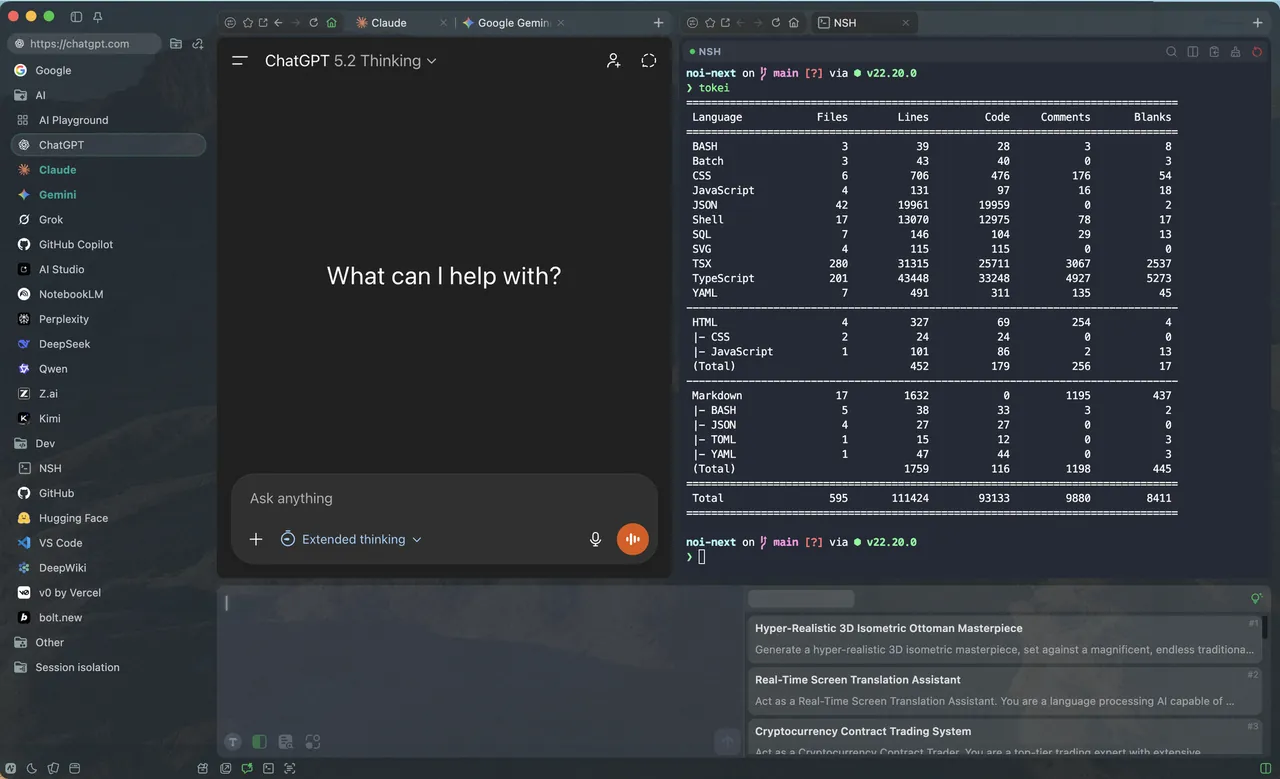
Noi is a free desktop app by the developer lencx. Its default space opens popular AI sites such as ChatGPT, Claude, Gemini, Grok, GitHub Copilot, Perplexity, DeepSeek, Qwen and Kimi, plus developer sites like GitHub and Hugging Face. Each site runs in an isolated session, and several windows can be open side by side. A prompt library lets you organise and reuse prompts, and a built-in terminal runs local commands.
Version 1.1 added the noi command-line tool, which lets coding agents such as Claude Code, Codex and Gemini CLI control Noi. History, prompts and settings are stored on your PC, but every chat goes to the website you are using under that service's own terms. The app is closed source; its GitHub repository holds releases, configuration files and extensions.
What it does well
- AI sites in one app. Opens ChatGPT, Claude, Gemini, Perplexity, DeepSeek and other AI sites side by side.
- Session isolation. Keeps each site and workspace in a separate session.
- Prompt management. Organises and reuses prompts across AI chats.
- Built-in terminal. Runs local commands and scripts without leaving the app.
- noi CLI. Lets tools such as Claude Code, Codex and Gemini CLI control Noi.
Who it is for
Good fit
People who use several AI chat services every day and want them in one window.
Look elsewhere
Users looking for offline or local AI, or for one app that replaces paid AI subscriptions.
Pros and cons
Pros
- Free, with many AI sites ready to use
- History, prompts and settings stay on your PC
- Isolated sessions and multiple windows
Cons
- No AI of its own; each service needs its own account and limits apply
- Closed source, maintained by a single developer
- Little official documentation
How to install Noi
The download button gets the 64-bit Windows MSI installer from the official GitHub releases; a Setup.exe is also listed there. After installation, sign in to each AI service inside Noi as you would in a browser, and remove sites you do not use from the default space.
Questions about Noi
Is Noi free?
Yes. Noi is free to download and use. The AI services you open in it have their own free and paid plans.
Does Noi run AI models locally?
No. Noi opens AI websites such as ChatGPT and Claude, so chats are processed by those services. Noi stores history, prompts and settings locally.
Is Noi open source?
No. The GitHub repository contains releases, configuration files and extensions, not the app's source code.


