

Our verdict: CopyQ is the clipboard manager for people who want more than a simple history list. It stores text, HTML and images in tabs, and its commands and scripting can automate almost anything. The many options make it harder to learn than simpler tools.
About CopyQ
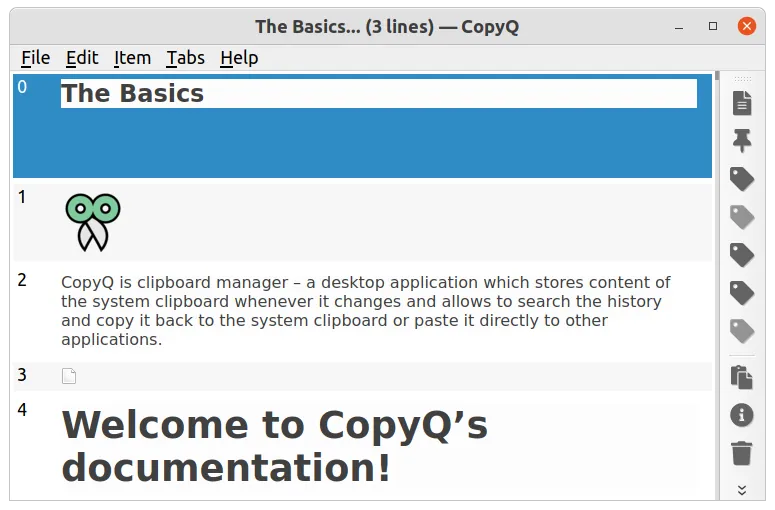
CopyQ monitors the system clipboard and saves everything you copy into tabs. You can browse and filter the history, edit items, add notes or tags, and paste an item into the previous window with Enter or a shortcut. Items survive restarts.
Its strength is customisation. Commands can run on a shortcut, from the menu or automatically when the clipboard changes, and a command-line interface and scripting API control the running app. You can ignore content copied from certain windows, such as password managers.
What it does well
- Clipboard history in tabs. Stores text, HTML, images and other formats in separate tabs.
- Search and filter. Find old items quickly by typing in the history window.
- Notes and tags. Annotate items so they are easier to find later.
- Commands and scripting. Automate actions with shortcuts, triggers and a scripting API.
- Ignore rules. Skip content copied from chosen windows or matching text.
Who it is for
Good fit
Power users, developers and writers who copy a lot and want a searchable, scriptable history.
Look elsewhere
Users who only need the last few clips; Windows' built-in Win+V history is simpler.
Pros and cons
Pros
- Free and open source
- Handles text, HTML and images
- Tabs, notes and tags
- Powerful scripting and command line
Cons
- Many settings make it harder to learn
- Interface looks plain and technical
- Saves copied passwords unless you set up ignore rules
How to install CopyQ
Run the setup EXE; a portable ZIP is also available on the releases page. After the first start, CopyQ lives in the tray. Open Commands (F6) and add the predefined Show/hide main window command to get a global shortcut, and add ignore rules for your password manager.
Questions about CopyQ
Is CopyQ free?
Yes. CopyQ is free and open source under the GPL v3 license.
How do I open CopyQ with a shortcut?
Open Commands with F6, add the predefined Show/hide main window command and assign a global shortcut.
Is there a portable version?
Yes. The project offers a portable ZIP package next to the Windows installer.


