

Our verdict: CherryTree is a dependable offline notebook for people who like a tree of nodes: rich text, images, tables and syntax-highlighted code all live in one file you control. It is popular for technical notes and documentation. The interface looks dated and there is no sync or mobile app, so it is best on a single PC.
About CherryTree
CherryTree is written by Giuseppe Penone and Evgenii Gurianov and released under the GPL v3 or later. Notes are nodes in a tree of any depth; each node is either rich text or plain text with syntax highlighting for a chosen programming language.
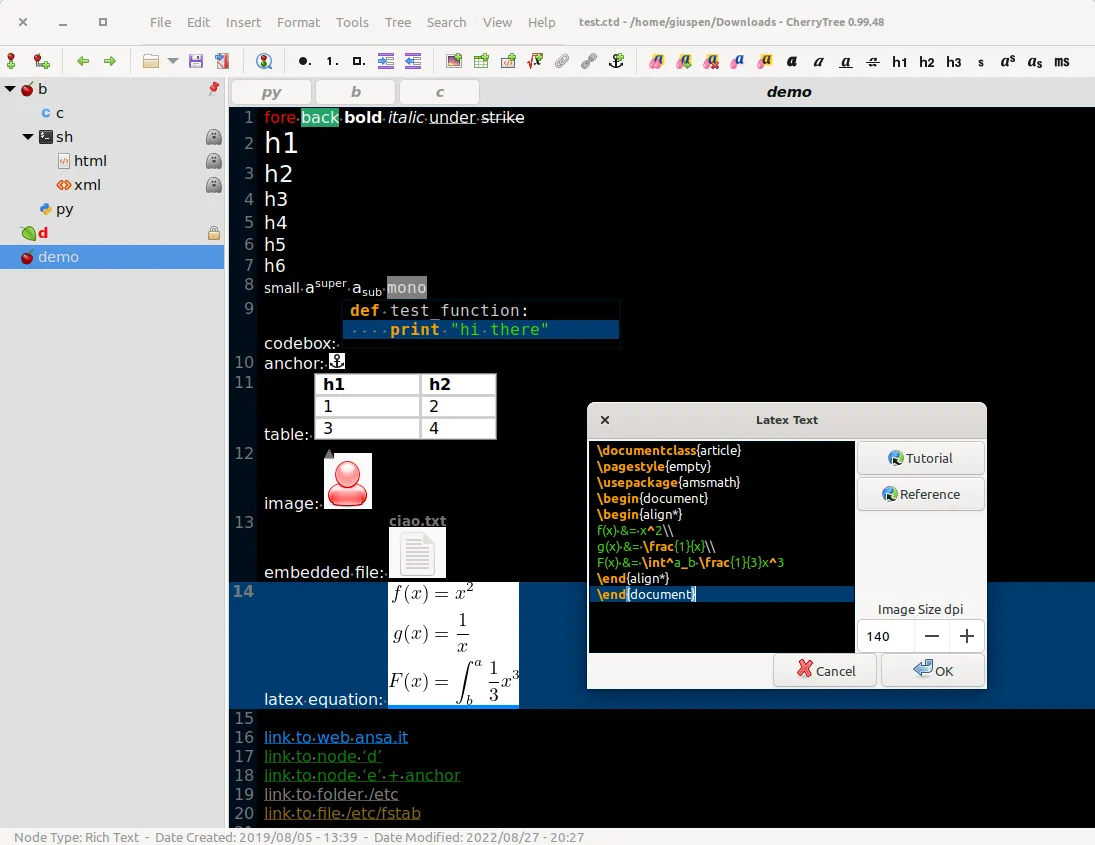
The whole tree is saved in one SQLite or XML file, or as multiple files and folders, and single-file documents can be password-protected. Rich-text nodes can hold images, tables, code boxes, attached files, links to other nodes and LaTeX equations. The tree can be exported to HTML, PDF or plain text.
What it does well
- Tree of nodes. Organise notes in a hierarchy of any depth and move branches by drag and drop.
- Rich text and code. Format text, or make a node a code file with syntax highlighting.
- Code boxes and tables. Embed highlighted code snippets and simple tables inside rich-text notes.
- Single-file storage. Keep everything in one SQLite or XML file, optionally password-protected.
- Export. Export a node, a branch or the whole tree to HTML, PDF or plain text.
Who it is for
Good fit
Developers, sysadmins and students who keep technical notes, snippets and documentation offline.
Look elsewhere
People who want their notes on a phone or synced automatically between computers.
Pros and cons
Pros
- Open source and fully offline
- Everything in one portable file
- Strong support for code and technical notes
Cons
- No built-in sync and no mobile app
- Dated interface compared with modern note apps
- Rich-text storage is CherryTree-specific, not Markdown
How to install CherryTree
The direct link downloads the 64-bit Windows installer with LaTeX support; a smaller installer without LaTeX and portable 7z versions are on the official page. Choose SQLite as the document type for large notebooks, and pick the password-protected option when you create the file if you need encryption.
Questions about CherryTree
Is CherryTree free?
Yes. CherryTree is open source under the GPL v3 or later and has no paid edition.
Can CherryTree encrypt my notes?
Yes. When saving, choose a password-protected SQLite or XML document, and the whole file is encrypted.
Can I sync CherryTree between computers?
Not directly. You can keep the document file in a cloud folder, but only open it on one computer at a time.


