

Our verdict: Joplin is the open-source pick for notes that sync between PC and phone without trusting the sync provider. End-to-end encryption works with Nextcloud, Dropbox, OneDrive or Joplin Cloud. Sharing notebooks with other people and publishing notes need Joplin Cloud, which starts at 2.99€ per month, or a self-hosted Joplin Server.
About Joplin
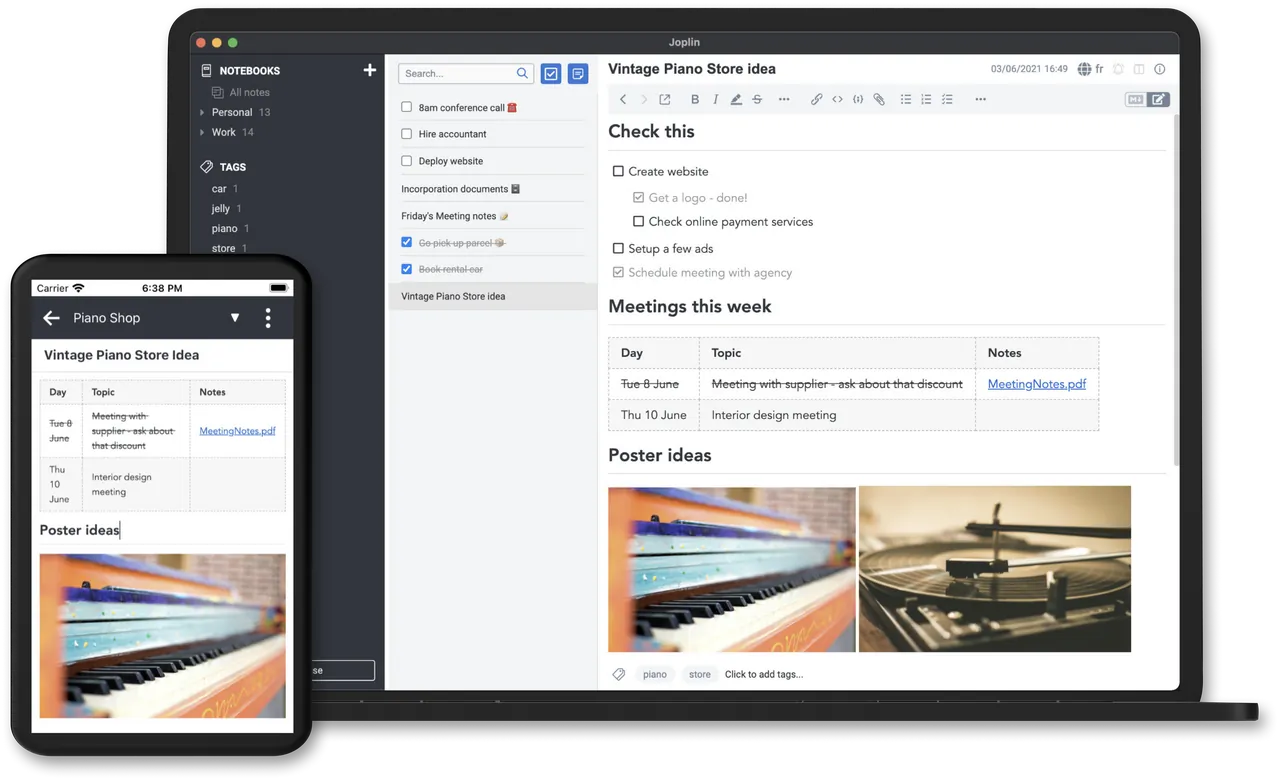
Joplin is created by Laurent Cozic and developed as an open-source project under the AGPL v3 or later. It organises notes and to-dos into notebooks with tags and full-text search, and it is offline first: every device keeps a complete copy of your notes.
Notes are written in Markdown or in a rich text editor. Sync works through Nextcloud, Dropbox, OneDrive or the paid Joplin Cloud, which is based in France, and can be end-to-end encrypted. Evernote exports, including images and attachments, can be imported, and a web clipper for Chrome and Firefox saves pages and screenshots as notes.
What it does well
- Markdown or rich text. Write in Markdown, or switch to the rich text editor if you prefer formatting buttons.
- Encrypted sync. Syncs through Nextcloud, Dropbox, OneDrive or Joplin Cloud with optional end-to-end encryption.
- Evernote import. Imports Evernote export files with formatting, attachments and metadata.
- Web clipper. Browser extension for Chrome and Firefox saves web pages or screenshots into a notebook.
- Plugins and themes. Extends the app with community plugins and themes, or your own scripts via the Extension API.
Who it is for
Good fit
People leaving Evernote and anyone who wants private notes synced across Windows, Android and iPhone.
Look elsewhere
Teams that want to share and co-edit notebooks without paying for or hosting a sync server.
Pros and cons
Pros
- Open source
- End-to-end encrypted sync
- Apps for every major platform
- Imports Evernote notes
Cons
- Sharing and collaboration need paid Joplin Cloud or a self-hosted server
- Web clipper is only available for Chrome and Firefox
How to install Joplin
Download the Windows installer from joplinapp.org; a portable version is listed on the project's GitHub releases page. To sync, open the options, pick a service under Synchronisation and turn on end-to-end encryption before you connect your other devices.
Questions about Joplin
Is Joplin free?
Yes. The apps are open source and free. Joplin Cloud, an optional sync and sharing service, is paid.
Can I sync Joplin without Joplin Cloud?
Yes. It syncs through Nextcloud, Dropbox, OneDrive and other services, with optional end-to-end encryption.
Can Joplin import my Evernote notes?
Yes. Export your notebooks from Evernote and import the file in Joplin; formatting, images and attachments are kept.


