

Our verdict: UpNote is a tidy Evernote-style notes app with fast sync, offline access and a pleasant editor, and its $39.99 lifetime option is rare among synced notes apps. The free version is really a trial in disguise: 50 notes with basic features, and Premium can only be bought in the iOS, Android or Mac app.
About UpNote
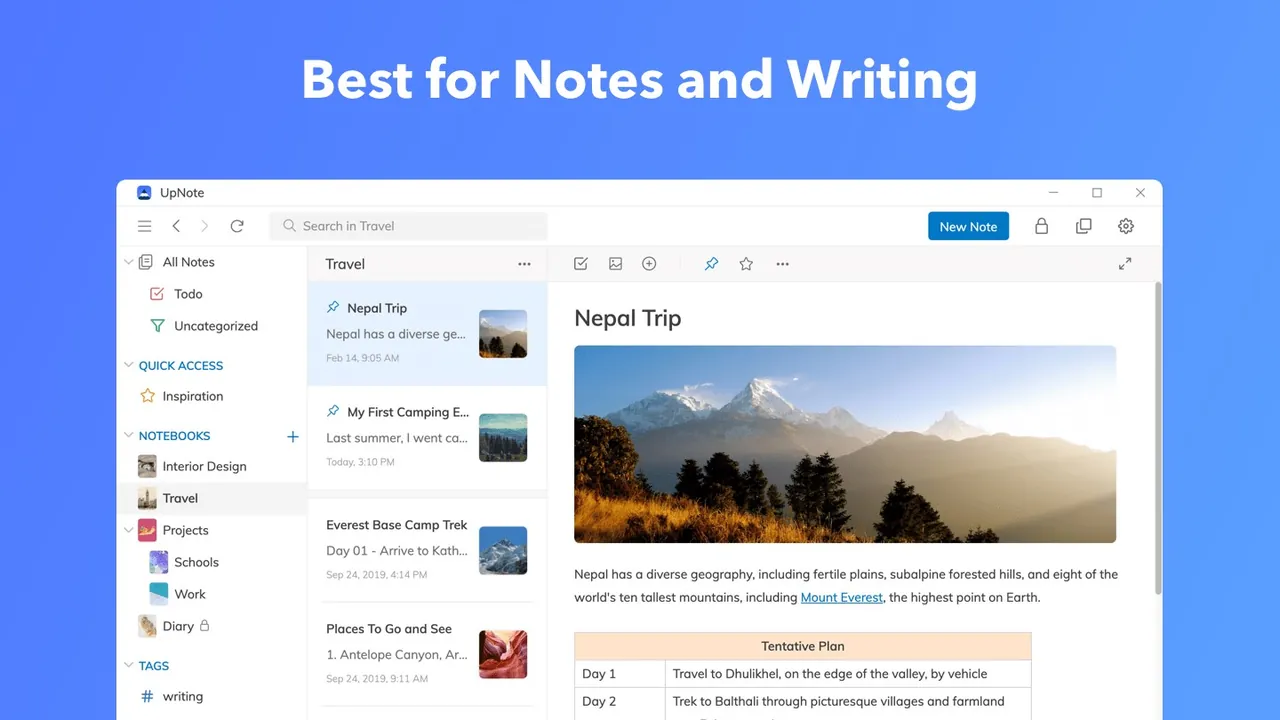
UpNote is a cross-platform notes app for writing and organizing. Notes are grouped in nested notebooks and hashtags, can be pinned or added to Quick Access, and are filtered by keywords. The editor supports rich text and Markdown, lists, images, links, attachments, quotes, code blocks, tables, highlights, collapsible sections and internal links between notes. Focus mode hides everything except the current note, and a keep-on-top window helps when taking notes during calls.
Notes sync automatically across devices and stay available offline, with automatic backups and version history. The free version allows up to 50 notes with basic features. Premium costs $1.99 per month or $39.99 for a lifetime license, adds unlimited notes, attachments, tables, locks, themes and export to text, PDF, HTML and Markdown, and is purchased in the iOS, Android or Mac app, then unlocked on Windows by signing in.
What it does well
- Notebooks and hashtags. Nested notebooks, tags, pinned notes and Quick Access for organizing notes.
- Rich text and Markdown. Formatting, code blocks, tables, attachments and collapsible sections.
- Offline sync. Notes sync across devices and remain editable without internet.
- Focus mode and sticky window. Hide everything but the note, or keep the window on top of others.
- Export and sharing. Export to text, PDF, HTML or Markdown, or share a note by secret web link.
Who it is for
Good fit
Evernote refugees who want a clean synced notes app and are willing to pay once for Premium.
Look elsewhere
People who need more than 50 notes for free, or who want plain local files they fully control.
Pros and cons
Pros
- Clean editor with Markdown and rich text
- Offline access with automatic sync
- Lifetime Premium option instead of only subscriptions
- Apps for Windows, Mac, Linux, iOS and Android
Cons
- Free version stops at 50 notes
- Export, attachments and locks require Premium
- Premium cannot be bought from the Windows app
How to install UpNote
The button downloads the official Windows installer from download.getupnote.com; the app is also listed in the Microsoft Store. Create or sign in to an UpNote account to sync. To unlock Premium on Windows, buy it in the iOS, Android or Mac app and sign in with the same account.
Questions about UpNote
Is UpNote free?
Only for light use. The free version allows up to 50 notes with basic features. Premium costs $1.99 per month or $39.99 lifetime and is bought in the iOS, Android or Mac app.
Does UpNote work offline?
Yes. Notes are available and editable offline and sync automatically when you are back online.
Can I export my notes from UpNote?
Premium users can export notes to text, PDF, HTML or Markdown, as separate files or one combined document.


