

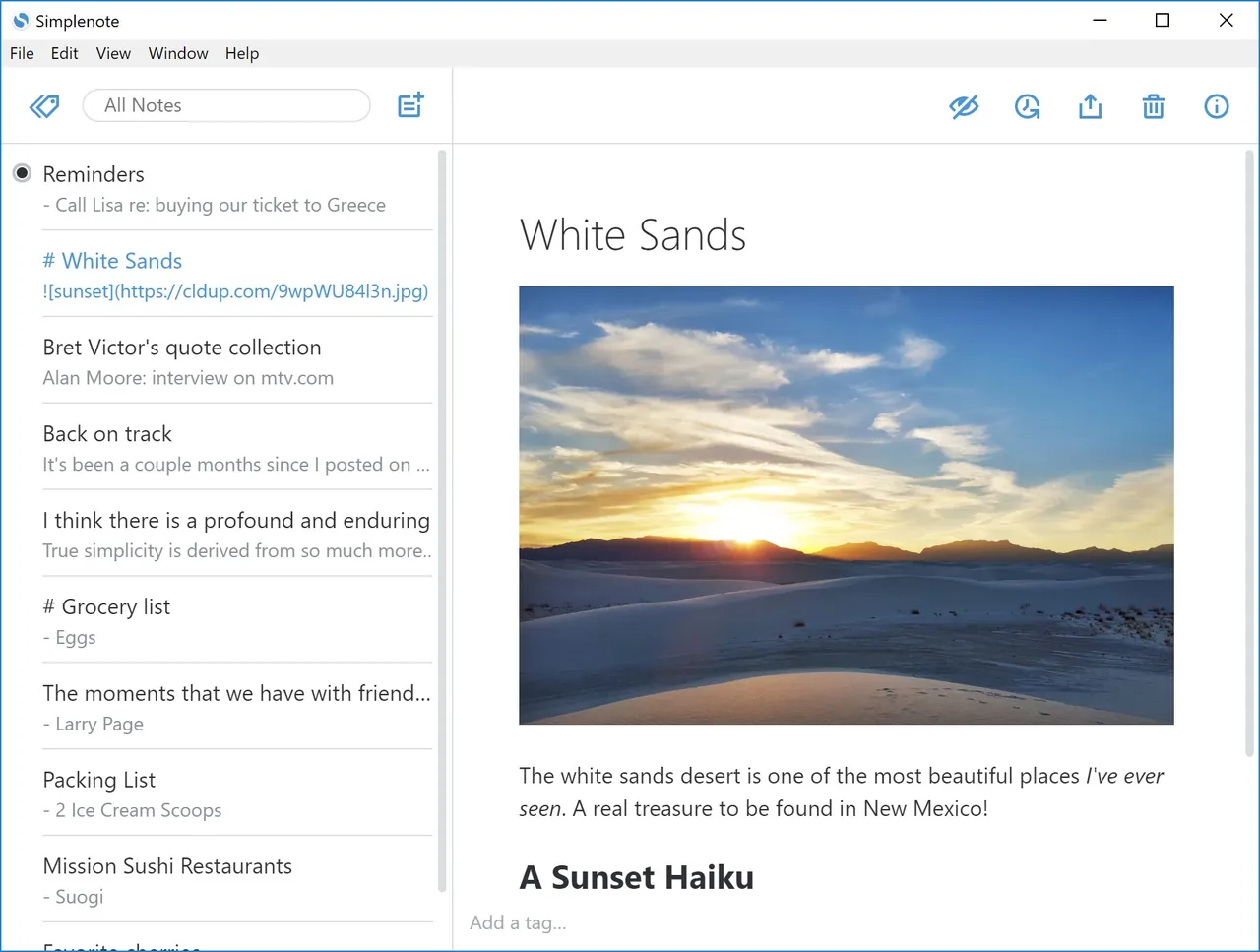
Our verdict: Simplenote does one thing: fast plain-text notes that sync instantly between PC, phone and browser, with no paid tier at all. Tags, Markdown preview, sharing and a history of every change are all free. It has no notebooks, images or attachments, so it suits quick notes and lists rather than a knowledge base.
About Simplenote
Simplenote is made by Automattic, the company behind WordPress.com, and the desktop app is open source under the GPL v2. Notes are plain text, organised with tags and pinned notes, and found with instant search. Markdown can be turned on per note to preview and publish formatted text.
Every change is saved, and a history slider lets you go back to earlier versions of a note. Notes can be shared with other Simplenote users for editing, or published to a public web link. Apps, sync, backups and sharing are free; a Simplenote account is required.
What it does well
- Instant sync. Notes update on all devices in real time without a sync button.
- Tags and search. Tag notes, pin the important ones and search all text as you type.
- Markdown preview. Write in Markdown and switch to a formatted preview for any note.
- Version history. A history slider restores any earlier version of a note.
- Sharing and publishing. Collaborate on a note with others or publish it to a public link.
Who it is for
Good fit
People who want quick text notes, lists and drafts synced between Windows and a phone at no cost.
Look elsewhere
Users who need images, attachments, notebooks or end-to-end encrypted notes.
Pros and cons
Pros
- Completely free, including sync
- Open source
- Very fast and simple
- Full version history
Cons
- Plain text only: no images or file attachments
- No notebooks or folders, only tags
- Requires an account; notes are stored on Automattic's servers
How to install Simplenote
The direct link downloads the 64-bit Windows installer from the official GitHub release. Sign in or create a free Simplenote account on first launch. Turn on Markdown in a note's info panel if you want formatted previews.
Questions about Simplenote
Is Simplenote free?
Yes. The apps, sync, backups and sharing are all free, with no paid plan.
Can I add pictures to Simplenote?
No. Simplenote stores plain text and Markdown only; images and files cannot be attached.
Can I export my notes?
Yes. The desktop app exports all notes as a ZIP of text files from the File menu.


