

Our verdict: Notesnook is one of the best free options for private notes that sync everywhere: notes are end-to-end encrypted, and the free plan allows unlimited notes on unlimited devices. The limits are on attachments, with 50 MB of uploads per month and 10 MB per file, and on organisation, with 50 notebooks and 50 tags.
About Notesnook
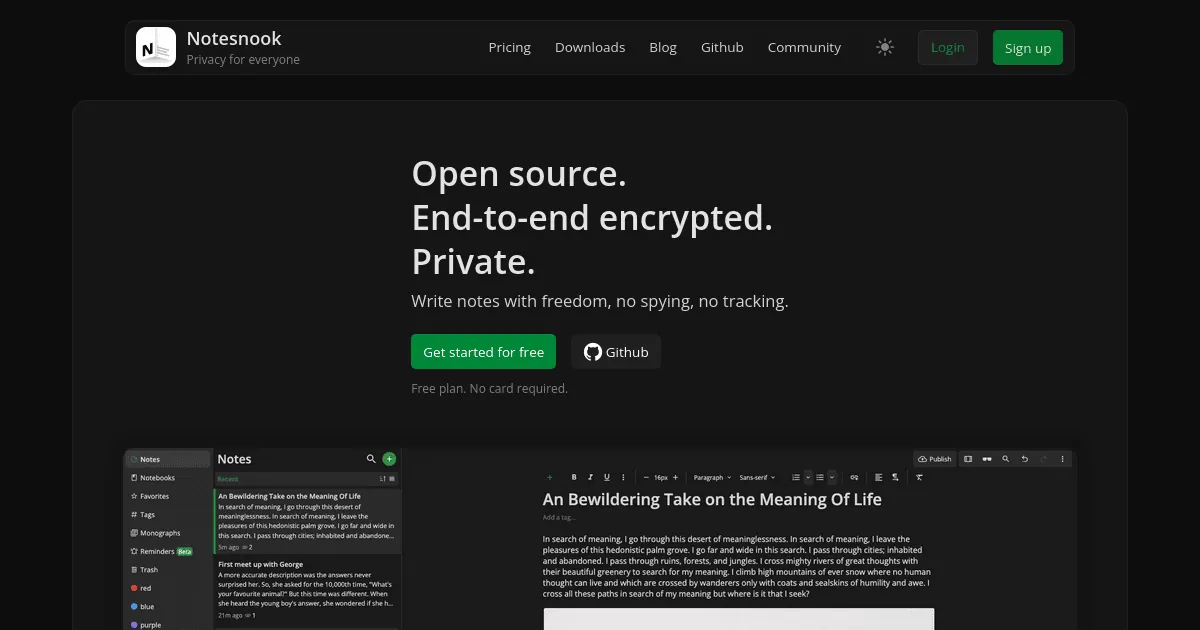
Notesnook is made by Streetwriters and released under the GPL v3. Every note is encrypted on your device with XChaCha20-Poly1305 before it is synced, so the company cannot read it. The editor supports rich text, task lists, outlines, callouts, tables, code blocks and links between notes.
The free plan includes unlimited notes on unlimited devices, 50 MB of attachment storage per month, files up to 10 MB, 50 notebooks, 50 tags, 10 active reminders and 100 versions per note. Paid plans add storage and remove these limits. If you stop paying, nothing is deleted or locked. The server can also be self-hosted.
What it does well
- End-to-end encryption. Notes and attachments are encrypted on your device before sync.
- Unlimited free devices. Sync unlimited notes across Windows, Mac, Linux, Android, iPhone and the web.
- App lock and vault. Lock the app and keep extra-sensitive notes in a password-protected vault.
- Importer. Imports notes from Evernote, Google Keep, Obsidian, Simplenote and other apps.
- Note history. Keeps up to 100 versions of each note on the free plan.
Who it is for
Good fit
People who want private, encrypted notes synced between PC and phone without paying.
Look elsewhere
Users who store many PDFs, photos or recordings in notes; free uploads are capped at 50 MB a month.
Pros and cons
Pros
- End-to-end encrypted and open source
- Unlimited notes and devices for free
- Clean editor with tasks and outlines
- Imports from many other note apps
Cons
- Free attachments limited to 50 MB a month and 10 MB per file
- Free plan capped at 50 notebooks and 50 tags
- Lost password plus lost recovery key means lost notes
How to install Notesnook
The direct link always downloads the latest 64-bit Windows installer published by Notesnook. Create an account to sync, and save the recovery key it shows: without it, a forgotten password means your encrypted notes cannot be recovered.
Questions about Notesnook
Is Notesnook free?
Yes. The free plan gives unlimited notes on unlimited devices with end-to-end encryption and 50 MB of attachment storage per month. Paid plans add storage.
What happens if I stop paying for Notesnook?
Your account returns to the free plan. Notes are not deleted or locked and stay readable, editable and exportable.
Can I move from Evernote to Notesnook?
Yes. The Notesnook Importer converts Evernote ENEX exports and files from many other note apps.


